
Can you post a screenshot of your audio configuration?
コメントアクション

Hi there I am having issues with Rekordbox DJ and the XDJ 1000 Mk2 in HID as well as using the 900 NXS2 I did all the steps and sometimes it works as audio comes through the channels for each corresponding deck then when I load a track it just looses audio on one channel. Also I noticed when browsing through tracks its very laggy and sometimes it just moves by itself lol.
I currently am running OS Sierra latest build all drivers , firmware updated and the latest version of Rekordbox 5
I have a MB pro late 2015 I5 3.0 GHZ 8gb ram
I am not sure what I am doing wrong would love to be able to just mix a few songs together to try out Rekordbox DJ in which I purchased to maybe make the switch from TSP2. But it seems so unstable I can't even use it.
投稿コメントは受け付けていません。
Can you post a screenshot of your audio configuration?
Hey Pulse I made video on whats going on https://youtu.be/HzGtlkOvTN0
Well, your DJM channel inputs don't matter as you're not using timecode, but try selecting something other than post-fader.
You can try a different USB cable / use port B (select B as the source for each channel) as well to see if that makes a difference.
Okay I will try that and report back thanks Pulse :)
Alright so I tried to everything u said and still can’t get audio with Rekordbox it works fine with Traktor all channels.
Okay so update I did some testing on my windows 10 PC and it works perfect nothing is laggy and it just works audio and all :) I just wanna figure out why it doesnt on my mac.
Any more help on this would really help thanks :)
In your video, I noticed something peculiar...
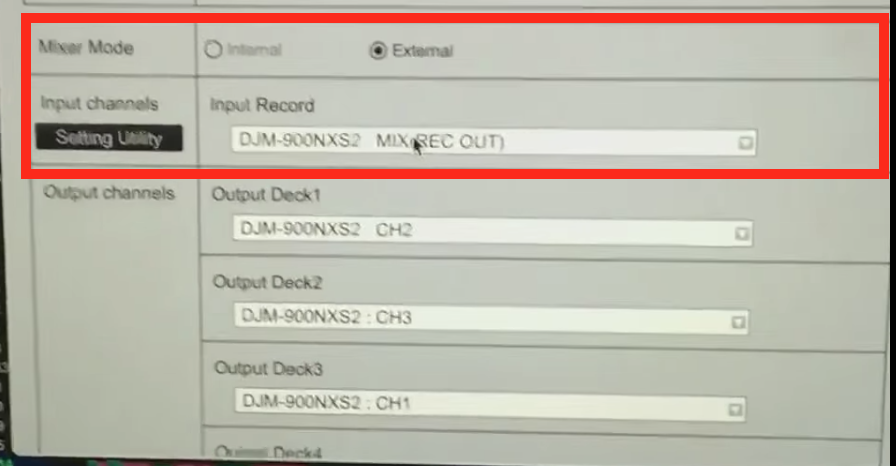
Your settings window doesn't match what I see with a similar setup:
 I think you may have a problem with your drivers. Start by disconnecting the mixer's USB. Download this file, then unzip it, open the DMG, then run the uninstaller tool.
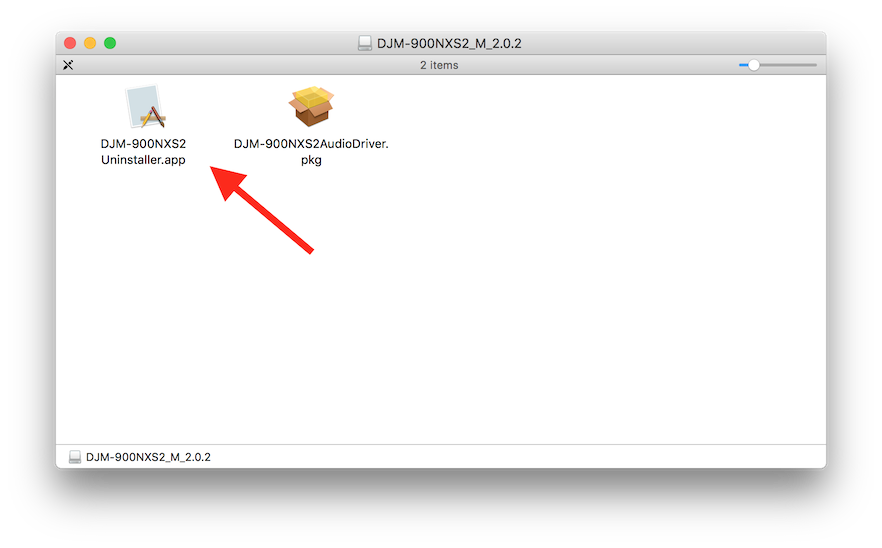
Reboot then run the installer. Reboot again, open rekordbox, and check to see if your configuration matches what I posted above.
Okay I tried all of that and realized my wife updated to high Sierra last week could that be the issue ? Because this is not working what u said.
Yeah, that might cause a problem; the update would possibly have broken the drivers. You should do the uninstall steps now (after the update), but as you're on High Sierra, you may need to follow these additional steps.
Yea I tried that and still nothing :( guess I gotta wait till there is a fix thanks for your help Pulse have a great day :)


