Have a feature request or suggestion? Post your idea here!

投稿

4フォロワー フォローする
1
Avatar

XDJ-RX3 firmware update 1.15

After updating with new firmware 1.15 there is still no view in playlist with trackname/BPM/Key possible. Why is Pioneer ignoring this issue? The RX3 has the same 10" display like CDJ3000 or Opus Quad and even after the 4th firmware update it is ignored. Impossible...

Dj Michael G

投稿コメントは受け付けていません。

9件のコメント

0
Avatar

I don't think it is an "issue" as much as a limitation of what can be processed, these things clearly have limitations in the buffering and so on even after 1.15 so the last think they need to add is something else to overwhelm the unit

BriChi 0 票
コメントアクション パーマリンク
1
Avatar

Why don't they work on this? The big display with overview about track infos in playlists was the reason I bought the RX3.


Dj Michael G 1 票
コメントアクション パーマリンク
0
Avatar

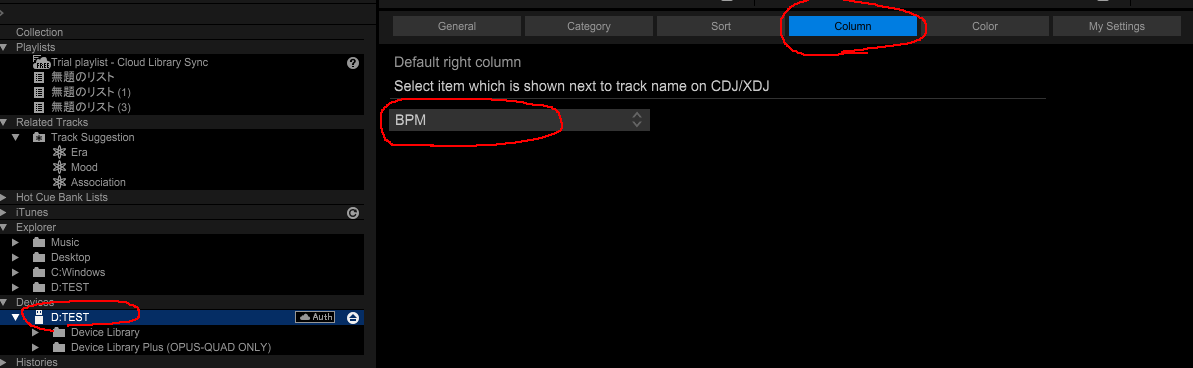
Set the USB device as follows with rekordbox.

Or execute BPM, KEY sort or BPM(UNSORTED) in Sort MENU.

tomo 0 票
コメントアクション パーマリンク
0
Avatar

I know this but I want to overview Trackname, BPM and Key in one view at the same time. That is not possible.

Dj Michael G 0 票
コメントアクション パーマリンク
0
Avatar

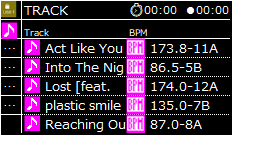
>Trackname, BPM and Key in one view at the same time. That is not possible.
It should look something like this:
Is this not enough?

tomo 0 票
コメントアクション パーマリンク
0
Avatar

Hello Tomo, I see you work with MiK too. This workaround is good for to have the infos in BPM folder or other collums. What I want is to sort it seperately in the given collums BPM and Key. There is no option.


Dj Michael G 0 票
コメントアクション パーマリンク
-1
Avatar

For playing in standalone: You need to set it on the settings of your USB drive, through rekordbox, like in the screenshot tomo posted. That way when you browse on your RX3, it'll show you Trackname, BPM and key...

Ronix -1 票
コメントアクション パーマリンク
0
Avatar

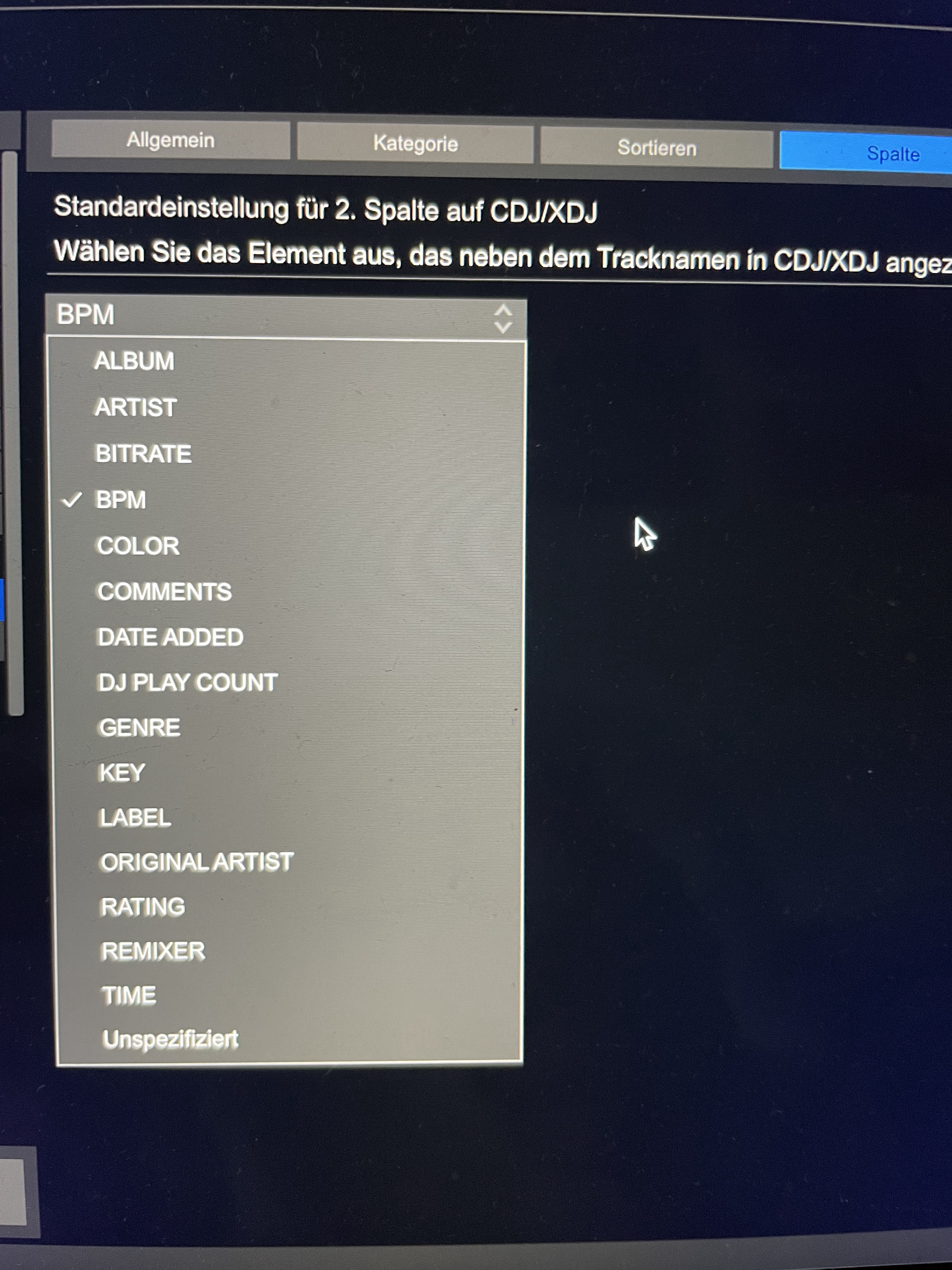
@Ronnie: No, that's not possible, because you can only choose one time. Watch here:

Dj Michael G 0 票
コメントアクション パーマリンク