正式なコメント

Hello all,
This issue is just fixed in 4.1.0.
Please update rekordbox to 4.1.0 to check how it works.
Thank you very much for reporting this issue.
Best regards,
CRM, Pioneer DJ
コメントアクション

Hi,
There is no button on the DDJ RX to preview a track. You always have to use mouse click for that. But when i assign the preview play/stop to a button in the midi mapping mode, it will STOP YOUR ON AIR DECKS when you press it! I assigned it to the rotary press knob. So when scrolling trough my songs, i can instantly preview it bij pressing the knob. But then the disaster strikes... On air decks stop playing and your preview track starts playing on your headphone.
Can you please fix this issue? I hoped it was fixed in 4.07...
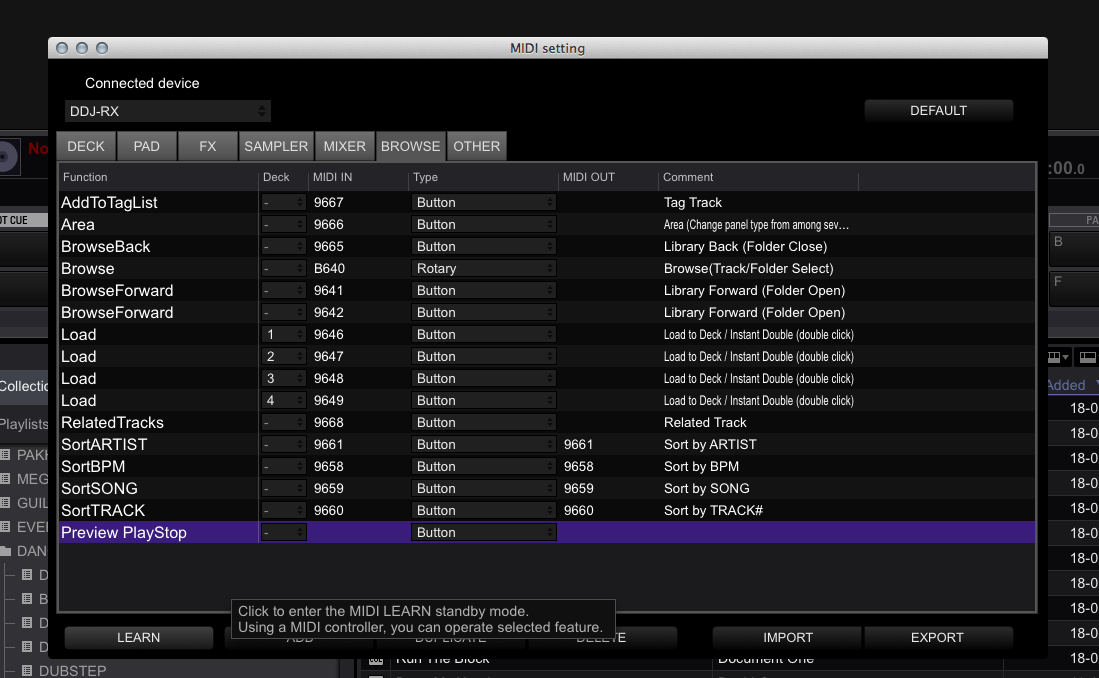
Hello all,
This issue is just fixed in 4.1.0.
Please update rekordbox to 4.1.0 to check how it works.
Thank you very much for reporting this issue.
Best regards,
CRM, Pioneer DJ
投稿コメントは受け付けていません。

Nope not fixed in 4.0.7. :(
tried on my DDJ-RZ and on a third party midi controller.
...@pulse,... help! :)

Engineers are aware and will be working to correct this in an upcoming release. Thanks for your patience.
Great thanks Pulse
I've updated to 4.08 but this bug still exists...
A fix for this would be very welcome!!!

@renediertens > The release of 4.0.8 was finalized before your issue was reported to the engineers.
Ok, I will wait for upcoming releases.

Thank you, renediertens, for pointing this out too.
Track preview via midi is now indeed a very dangerous tool. Unthinkable that your on air decks will drop out during dj play.
Moderators: is there any news when this issue will be fixed? I'll purchase my license soon after, but not before.
Thanks
@Mark > The engineers are aware of this issue and are working to resolve it.

Hi, is this issue fixed?
I was about to ask about this functionality via midi mapping....
@jgcamil > See the official answer; it was fixed in 4.1.0; we're now at version 4.5.