正式なコメント

No guarantee, it may pick up the mixer if you have the software open, but I've certainly seen instances when I connected a different device and it didn't auto-switch / configure.
コメントアクション

Is there a setting i miss that i can chose to stop rekordbox changing automatically the audio to djm2000 when i turn the mixer on? (or any mixer)
No guarantee, it may pick up the mixer if you have the software open, but I've certainly seen instances when I connected a different device and it didn't auto-switch / configure.
投稿コメントは受け付けていません。
Hey Pulse, unfortunately its every time i switch on the mixer the same thing. Rekordbox changes from my default audio device to djm2000 audio card... Can that be a bug? Could we have an option for that in a future update?
For a long time I had mine defaulting to my internal audio device even if I connected Pioneer devices before or after rekordbox launch; it made no difference. Sorry, but it's not a bug, just the way it works.
Well i try out launching rekordbox after mixer is connected and see what happens.

hi, well i have a problem, i try to listen the internet while i´m playing a track in my DDJ RX but i can´t, because rekordbox takes over the sound and not let the internet be heard on the speakers
@Alex > That's not a problem with the DDJ-RX, that's a fairly common method for applications not to share the hardware audio output.

Hi Pioneer i have been searching for hours for an answer so please help - I have the opposite problem where even when i plug in and turn on my XDJ RX the audio still comes out of the laptop speakers. I have installed the drivers etc but when i go tinto audio options it still only has the output option 'built in audio output'...
Please help
@Nathan > Which operating system on your computer?
@pioneer I am on the latest Mac with High Sierra 10.13.2
I have been working on this for hours and hours and have basically isolated the problem down to my computer not seeing the audio driver.
I don't know why it won't see the driver but am desperate to fix this as I have a big wkend ahead playing gigs and I'd really like to be able to use all of the cue points (I have markers on e f g h that i can't see without my laptop) and the effects etc
Please help me!
So I have completely uninstalled and re installed again - I have updated the firmware oin the xdj, I have gone through the process with Rkbx dj of selecting what controller to get the audio driver for. I have installed the driver and re started my computer.
It still does not give me the option to change the audio output to anything other than built in speakers.
Please help. I'm begging. Don't leave me. It's Christmas!
@Nathan > When you uninstalled, did you use the uninstallation tool from the driver package?
No I didn't. The first couple of times I used appzapper to remove the program and then the last couple of times I went in myself and found all related files everywhere and deleted them that way.
So I will try that... and if that doesn't work then what?
For the record - i plugged in a different pioneer controller and it worked straight away, first time, no problems.... so damn frustrating...
@Nathan > Please try using the driver uninstaller, ensure your High Sierra security is configured properly, and then reinstall the drivers.

I have the same audio output problem on my Mac I can’t see The ddj 1000 in there. What is going on?
@paul > See above.

Hi I am facing the same problem as above but when checking in OS security there is nothing that says 'allow Rekordbox' or anything similar - there is nothing there related (see below screenshot). How do I get the audio to play through the speakers instead of my laptop? Speaker is Pioneer. 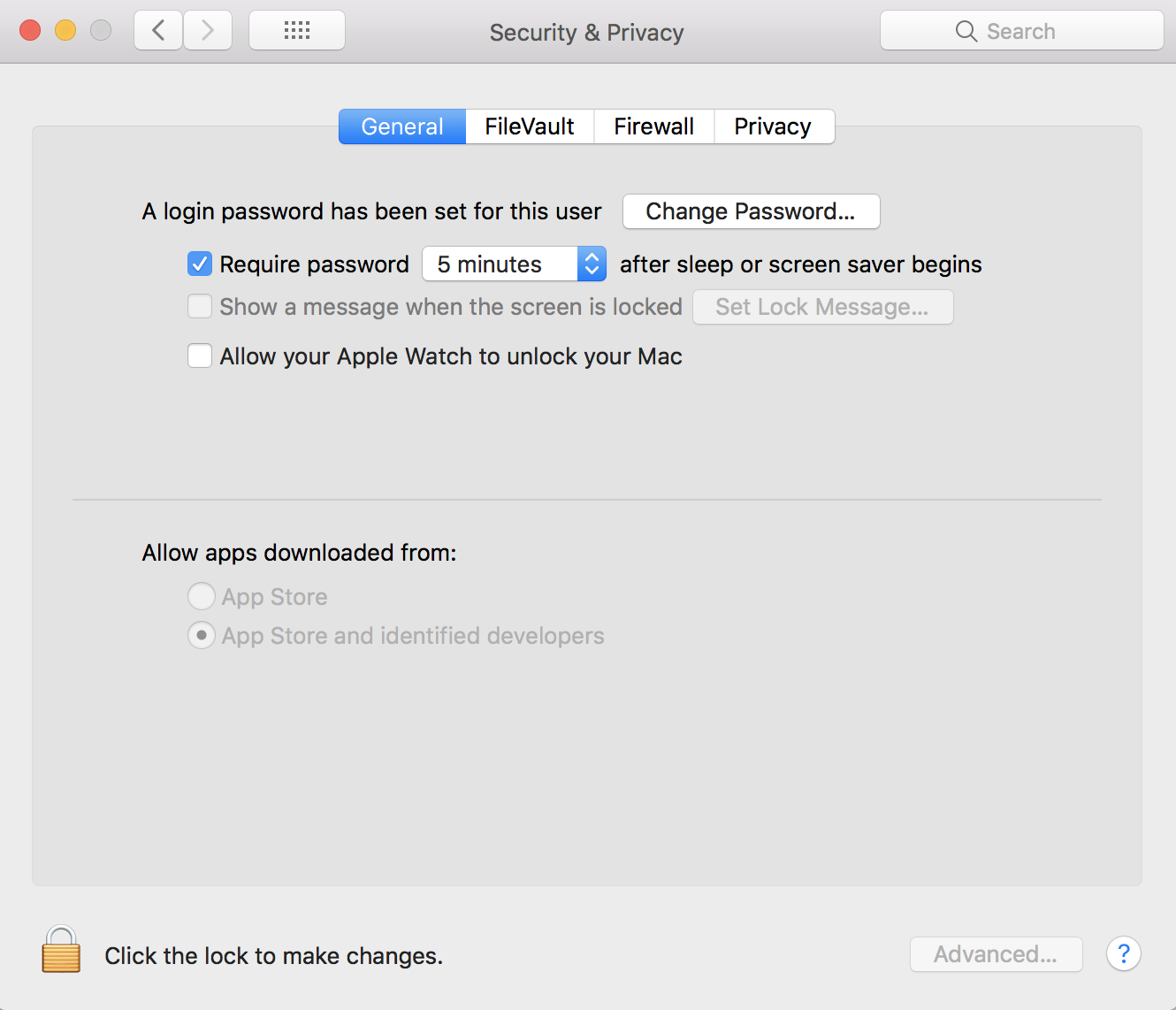

i have problems in audio driver for ddj-1000 on mac

