正式なコメント

It means you haven't enabled the XML sharing in the iTunes Preferences > Advanced:


コメントアクション

I recently reformatted my macbook pro and transferred the iTunes library I had from the laptop (preformatted) to an external drive and back to my laptop after wiping everything.
After reinstalling rekordbox I get this error
"The iTunes xml file specified is unable to be read properly"
In the advanced tab in iTunes I have checked "Share iTunes library XML with other applications".
Any help would be greatly appreciated.
Thanks
It means you haven't enabled the XML sharing in the iTunes Preferences > Advanced:
投稿コメントは受け付けていません。

What version of ITunes are you using, wondering if the pathway has been changed along the way?
im using 12.3.3.17

Hi Guys....
Have you solved the problem??? i got the same problem.... recordbox show me the following message:
"The iTunes xml file specified is unable to be read properly"
I Have enableb the XML sharing in the iTunes Preferences > Advanced:
but still Recordbox doesn´t show my my Itunes List...
THANKS FOR THE SUPPORT
LUIS
My setup:
Macbook pro 2017, itunes 12.7.5, Recordbox 5.2.3, PIONNER DJM 850, 2 PIONNER XDJ 1000MK2

@Luis > What do you have set in your rekordbox preferences for the iTunes library?
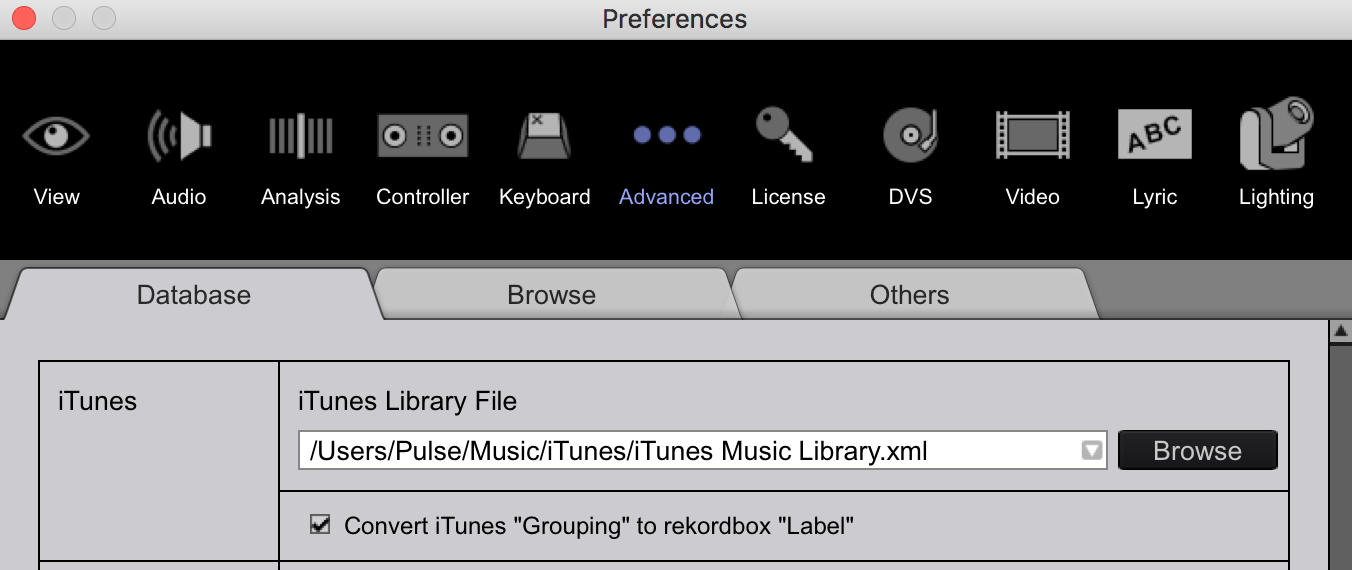
I Solved It... I browse and load again the xml library and finally recognize it....
Thanks!!!!


