正式なコメント

Open the Controller Editor first and put the F1 into MIDI MODE, then it will be available as a general MIDI controller for rekordbox.
コメントアクション

Tell me please how to connect traktor kontrol f1 to the recordbox program? For a long time I worked with the program Traktor, but by buying ddj-1000, I realized that I can not connect f1, and without it I can not work! I did not find the video on the Internet how to connect it and configure it!
Open the Controller Editor first and put the F1 into MIDI MODE, then it will be available as a general MIDI controller for rekordbox.
投稿コメントは受け付けていません。

It doesnt work for me. Could you help me please?, I can't conncet Kontrol F1 in Rekordbox 5. In the previous versiions of Rekorbox Kontrol F1 thid working fine.
@Alejandro > You may need to first open the NI Controller Editor tool to put the F1 into MIDI mode.
Sorry... but it does't work for me. Im opening the NI Controller Editor, the kontrol f1 appear connected, but in rekordbox doesn't appear in the device list in midi maping screen :(. any idea?
Thanks!
@Alejandro > Yes, the F1 will appear in the NI editor, but you need to then put the unit into MIDI mode (press SHIFT+BROWSE).
I'm doing the right steps, but unfortunately it does not work. the device does not appear in the list. The device works correctly with other sfotwares. any idea?
Thaks a lot for your atention.
Regards.
Alejandro
@Alejandro > Are the buttons illuminated on the F1 after you have launched the Controller Editor? One thing you may want to check is the preferences in the Controller Editor:

If you have that checked, you won't need to enter the Controller Editor. But while you're there, check that you have some values assigned to your controls:

And once that's okay, quit the CE and open rekordbox's MIDI editor... the F1 should be available as a device on the drop-down list:

Hello, thanks again for you support,
I have configured everything as in the images sent to me.
This is my configuration now.

Can you see de red light in the midi out?,, is working when use the controls.


:(
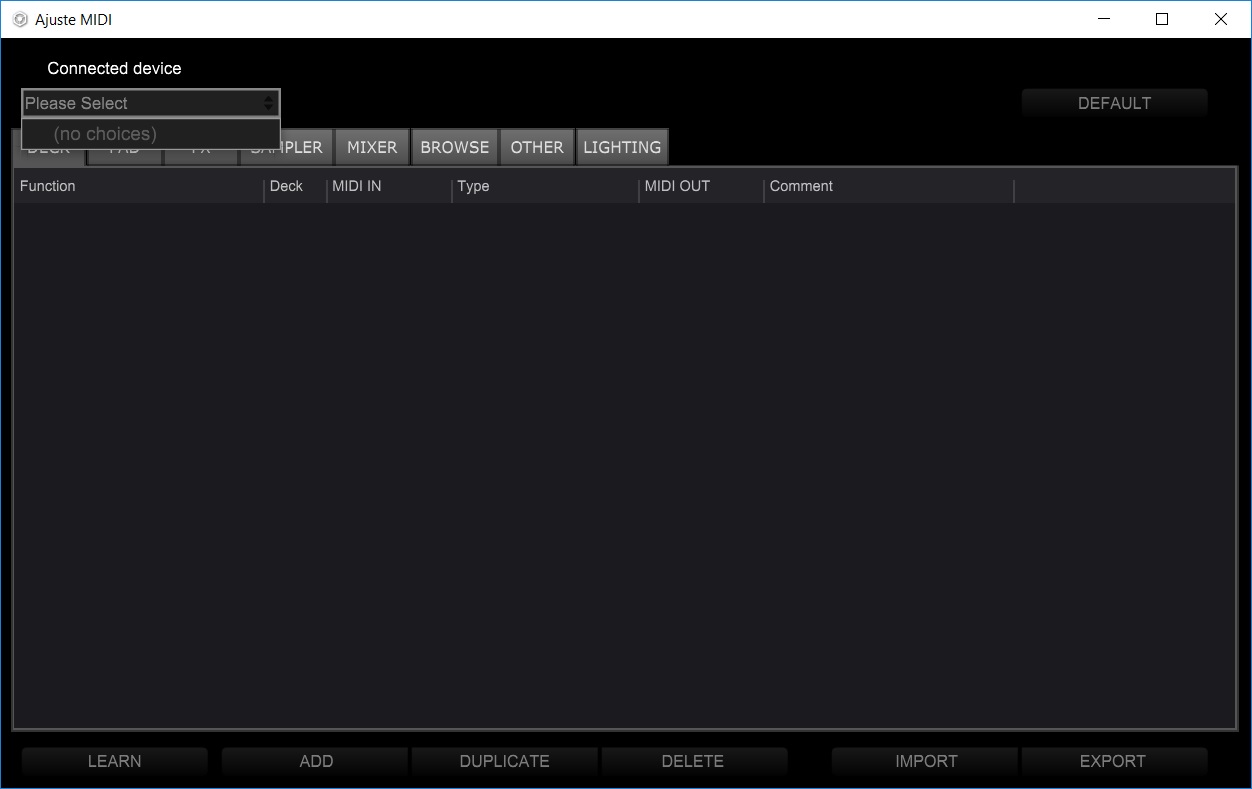
Is there any other configuration in rekordbox?. I can not understand how it worked with previous versions :(
I have connected my maschine mikro mk3 and wos detected by rkordbox without problems.... not the sma with F1 :(
Thanks again for your support. and sorry for my english :(
Alejandro
@Alejandro > Have you installed the driver and updated the device?
https://www.native-instruments.com/en/support/downloads/drivers-other-files/
Hello, the drivers is up to date. but I found this in the device manager,

The Kontrol F1 is working fine with traktor software, may be this issue is related to rekordbox problem. what is DFU? need any new Driver?
Thanks again.
Alejandro
Yessssss!!
Im installed this usb driver 
And,---
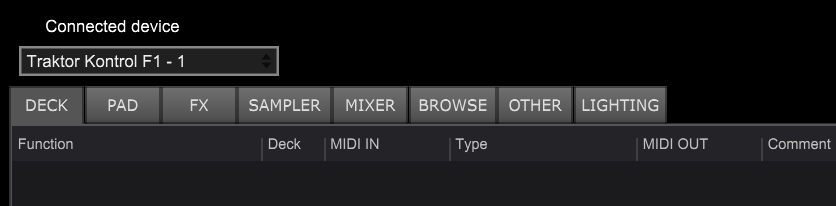
You are in the right way,,, was a driver problem :)
Thanks a lot.
Ale
Yay! Awesome - glad you were able to get it working. Enjoy!


