
NOTE: I reformatted the drive and went through the process a second time with the same results.
コメントアクション
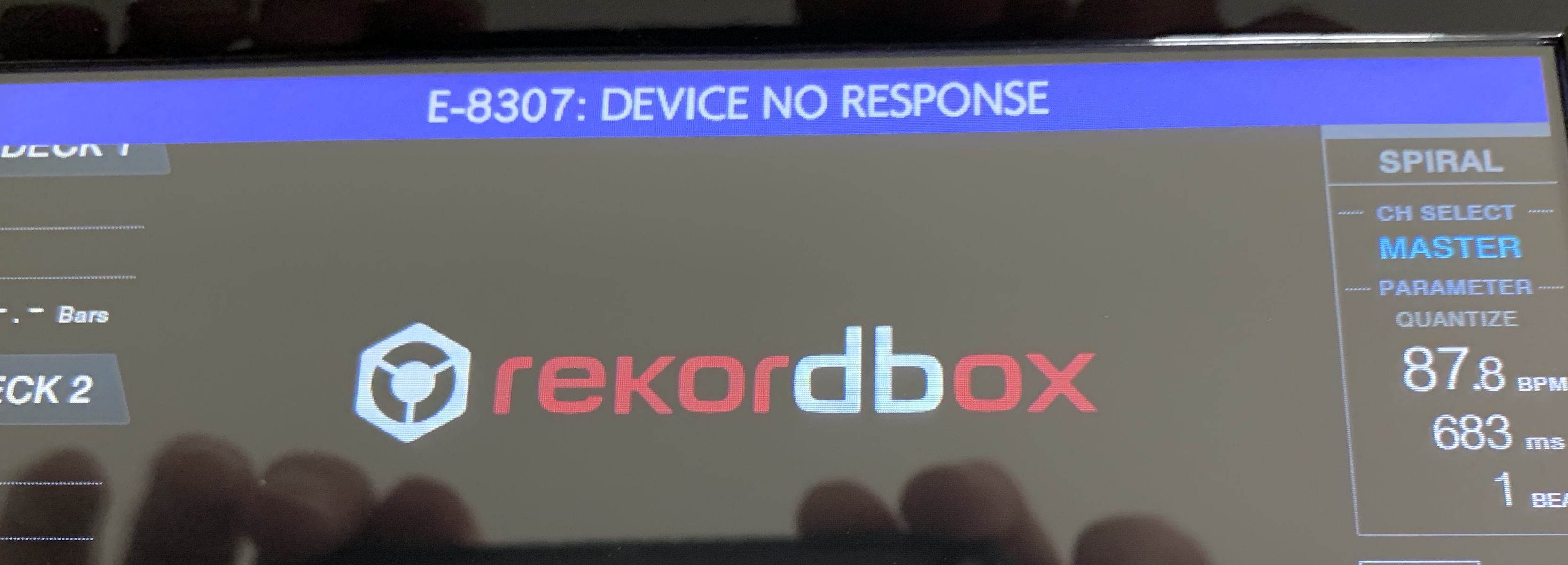
I have a Corsair Flash Voyager GTX 128gb Drive. From what I understand, this is one of the better drives to use. I formatted it on my mac as HFS+ Master boot record. Under DEVICE/LIBRARY I have "CDJ/XDJ" checked. I exported a couple thousand songs and I get this message every time. After the message is displayed for about 10 seconds, then I am able to use the drive, but should I be concerned?
投稿コメントは受け付けていません。
NOTE: I reformatted the drive and went through the process a second time with the same results.
Update: I formatted as FAT32 and it doesn't give the error message now AND it loads much faster. Maybe the RX2 likes FAT32 over HFS+ ... if so, that's fine. File format doesn't matter but I was under the impression HFS+ SHOULD work. Thoughts?

My drive is formatted HFS+ and it was working last I checked...? Weird.