正式なコメント
Have you clicked this icon to refresh the iTunes library?

I just tested it and if I deleted a playlist within iTunes and loaded the Sync Manager, the playlist would still appear, but if I refreshed it, the playlist would be gone.
Hello, I use Rekordbox 5.4.3.
I have some trouble sync the itunes playlist with rekordbox. Rekordbox stills shows playlists which I already deleted in the itunes app before.
I open the sync manager und deactivate the playlists which I dont want to synchronise any longer. But Rekordbox still shows them.
Any advise?
Have you clicked this icon to refresh the iTunes library?

I just tested it and if I deleted a playlist within iTunes and loaded the Sync Manager, the playlist would still appear, but if I refreshed it, the playlist would be gone.
投稿コメントは受け付けていません。
Do you have the correct iTunes library file selected in the preferences?
Yes I think so. The last files I added in itunes to the collection are shown in Rekordbox.
Yes, I also refreshed itunes with the icon shown by the arrow.
Is iTunes open when you happen to be doing this? If so, close it and leave it closed for at least a minute before opening rekordbox and updating the iTunes library.
Yes I also closed itunes for more than one minute. There are still playlists in the Sync Manager whicht dont exist any longer in itunes.

Can you click the Sync Manager at the bottom left, the un-check the Synchronize iTunes Playlists box at the top left, and close the Sync Manager, then click the refresh icon to the right of the iTunes item in the tree -- that should refresh the list.
I personally don't recommend using the Sync Manager; it seems to be better without.
That changed nothing. The playlists which dont exist in itunes are still shwon in rekordbox.
I dont know what to do ...
----
How should I sync my itunes playlist? Just by the refresh button?
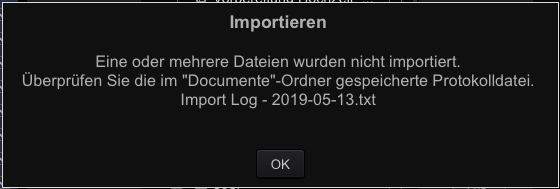
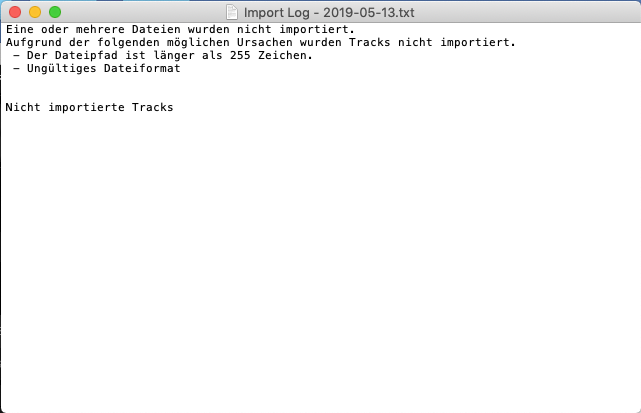
If I open the Sync Manger and want to import (all) my Playlist this message appears. Also if I uncheck some playlist - the same message is shown.


I just checke my old Dj Software Traktor. There are the two playlists also shown. The same in Serato Lite.
That tells me you're possibly using a different iTunes library within iTunes than is selected by the software (all 3 of them). An update or change to your iTunes collection may have changed the default.
But if I add tracks or Playlists - these changes are shown in each Dj Software ...
Yet all 3 of them are having the same issue of still showing playlists you have deleted...?
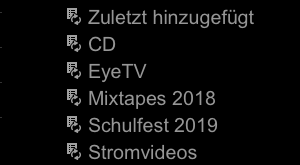
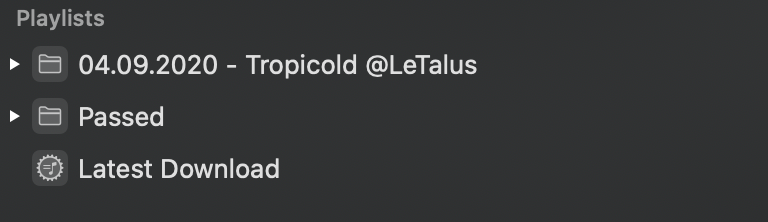
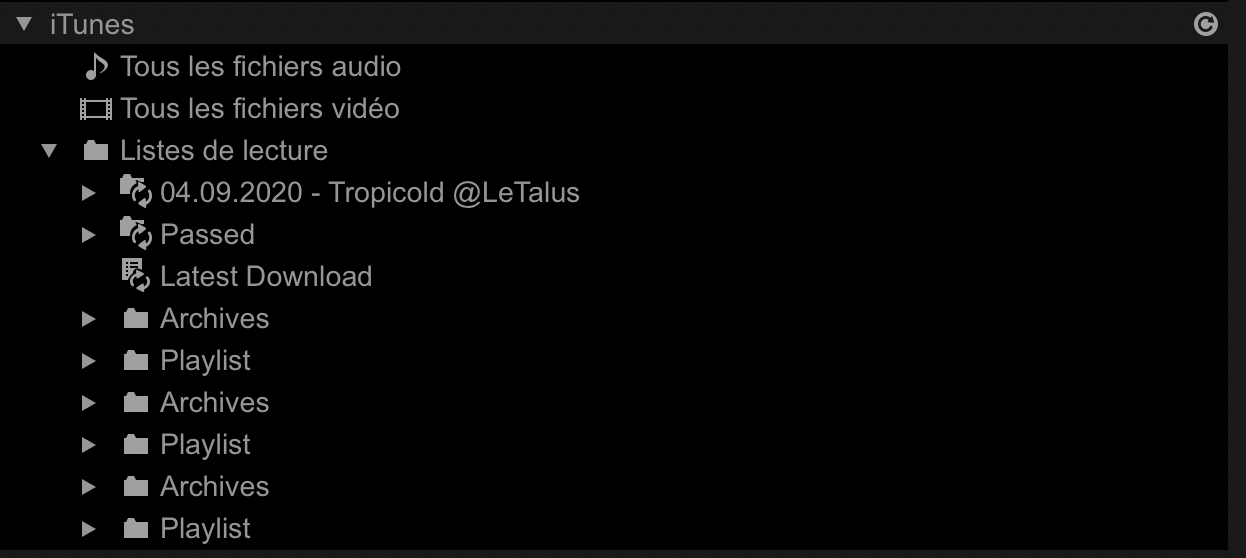
Yes, in another post I showed how my itunes playlist tree looks like.
https://forums.pioneerdj.com/hc/en-us/community/posts/360043381931/comments/360005577792
All softwares still show the playlists "Stromvideos" and "Eyetv".
Right, and I had a similar issue where I was still showing deleted playlists within rekordbox until I disabled the iTunes sync from within the Sync Manager and manually refreshed the listing.
I disabled the itunes Sync in the Sync Manager. That changed nothing. The two playlists are still shown.
I also deleted the XML file in the itunes folder. I launched itunes, closed it and choosed the new created XML file for rekordbox.
The two playlists are still shown.
I also created a new folder in the itunes folder. I went to file - mediathek - export mediathek and chooed the new created folder.
In rekordbox I changed the itunes direction to this new folder.
The two playlists are STILL shown :( :(
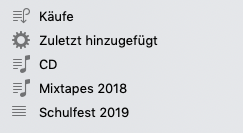
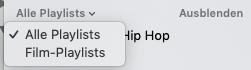
How glad can I be? I found the solution. Both playlists were Movie Playlists and I did know about the menu shown in the screenshot.
They were listed and after deleting them in itunes they are not shown any longer in the Dj Software.

lol - awesome! I'm glad you found that, as I was starting to scratch my head! 😂
Hello there,
I use Rekordbox 6.0.4 and I have the exact same problem.
Some deleted folders and playlist from Music still appear in Rekorbox.
I tried everything mentionned before but nothing is working :/
Can you help me ?


I also encounter a similiar issue - no steps listed here help.
I have thouroughly cleaned my iTunes library to zero and fully reinstalled rekordbox, also cleaning the library (was about to do that anyway) but I still get duplicates of playlist deleted long time ago (this is a state with completly blank iTunes or Music as it's now called):

I used to have a playlist called "> c h e c k" and i probably recreated it several times, there must be some trace of it on my Mac (I recently upgraded to Catalina). I haven't used iTunes before so I can't tell if it occured before.
Any help will be appreciated.
@Norbert > Your problem is different than the previous issues in this topic, which is one of the reasons it's easier for users to create a new one rather than reply with "me too."
I've seen another couple of users report this issue and our team is trying to track down the cause. I'll ask you to please file an inquiry ticket here and ask that it be assigned to me (in case it's not in my region), and we can gather some additional information to assist you in resolving this issue. Thank you.