Have a feature request or suggestion? Post your idea here!

投稿

4フォロワー フォローする
1
Avatar

RB 6.0.1 Files still show missing after auto relocate

Hi,

Anyone experience an issue with file location not being saved after auto relocate? I restored from RB backup to another machine and after I auto relocate the files, RB finds the files but when I exit RB and open again the files show as missing again. and this is a repeatable issue.

djSameer

投稿コメントは受け付けていません。

6件のコメント

0
Avatar

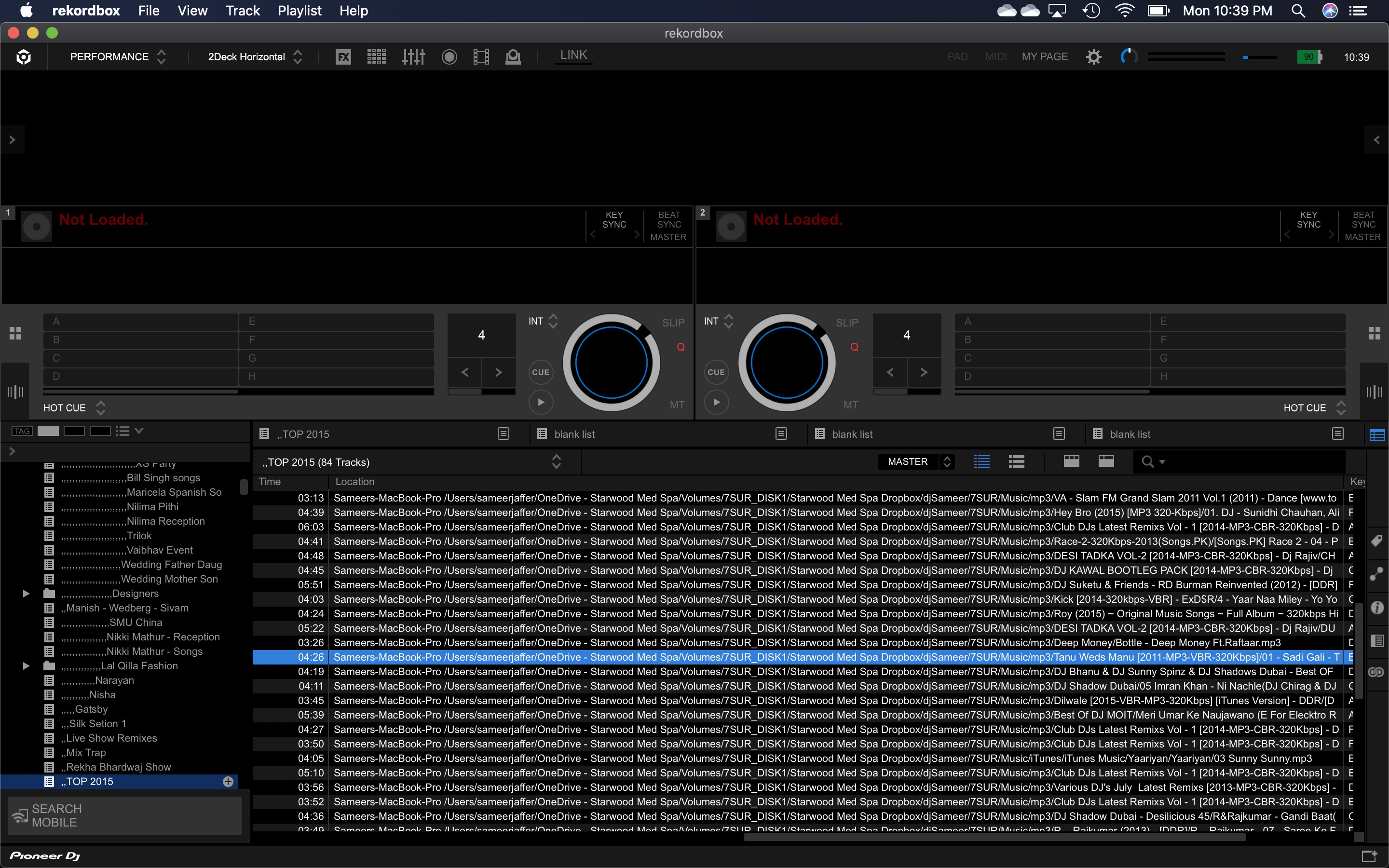
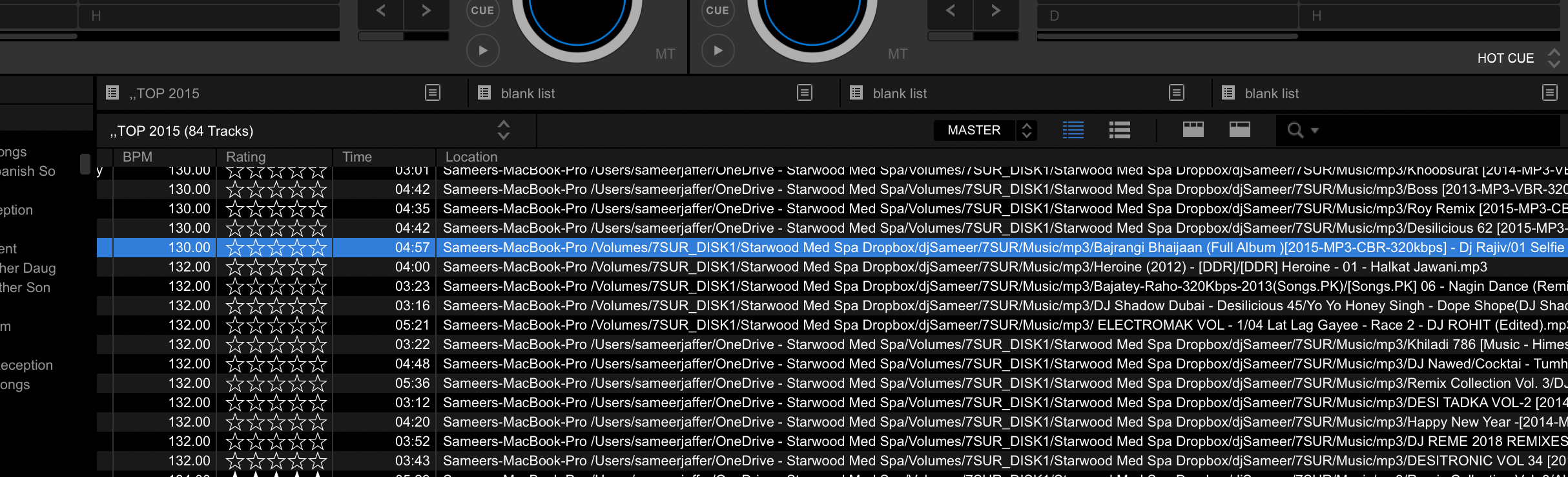
 Below are the images of the pre and post auto relocate on some files in a playlist. Not sure why RB points to "Sameers-Macbook-Pro /Users/sameerjaffer/OneDrive/ - Starwood Med Spa" as the initial prefix path. Also, not sure why its not saving the new locations after the Auto Relocate. 

The Backup was from Computer name "Sameers-Macbook-Pro-16", when I restored to the new computer, the name of the computer is "Sameers-MBP-Ableton". still does not explain why the OneDrive folder is added to the path. I have OneDrive active on this machine syncing on a folder but completely irrelevant to RB or music.  

before auto relocate on a playlist songs:
 

After auto relocate on some files:
djSameer 0 票
コメントアクション パーマリンク
1
Avatar

Hi Mate,

I have the same issue on 6.0.1, but NOTHING is working for me. No auto-relocate, no manual relocate either (I get "This file is already in the collection") and still can't read the file.

In my desperation I also set the auto relocate search folder locations to the target folder where the missing file is and still nothing.

I'm hoping they have someone looking at this because it's completely broken.

Nick

Nick Tevelis 1 票
コメントアクション パーマリンク
0
Avatar

@Sameer > What is the actual path to the song you have selected? I think the restoration and relocation were part of the problem.

@Nick > It would help us if you could create a new topic instead of piggybacking on @Sameer's post, so we can provide more direct support. Thanks.

Pulse 0 票
コメントアクション パーマリンク
0
Avatar

The file path is In the second image, "After Auto relocate"

"Sameers-MacBook-Pro/Volumes/7SUR_DISK1/Starwood Med Spa Dropbox/djSameer/7SUR/Music/"

This is to my external drive. What is interesting is when I close RB. it is not saving these locations. the I have to run Auto Relocate again, and this is a repeatable issue.


djSameer 0 票
コメントアクション パーマリンク
0
Avatar

I'm having the same issue I know my files are on my computer I can find them individually yet auto relocate will not find them even if I add that specific folder to the auto relocate. I've just lost a couple thousand songs. Can someone please help? Rekordbox what's your deal?

Eon Pulse 0 票
コメントアクション パーマリンク