
Hi everybody,
I have the same question/probem too. Hopefully a solution is on it's way!
Ações de comentário

Hello everybody,
I got a pretty simple question I think, but I just can't find the solution. I am using Rekordbox 4.2.5. It's the Dutch version, so maybe I am translating it a bit wrong.
Looking at all my playlist I can sort the folders in it by clicking with the right mouse button on a folder and select "sort list".
Looking a my explorer which is below, I can't sort my folders. It now sorts folders in time I added them(latest at the bottom). But I want to have it sorted by alpahbetic order. Can anybody explain me how to do this. I can't figure it out.
Thx for your help.
Publicação fechada para comentários.
Hi everybody,
I have the same question/probem too. Hopefully a solution is on it's way!

Sorry, I'm not following exactly where you're trying to sort what?
We are trying to sort the music in the folders on our hard disks. And the folders themself too. See picture below (dutch version) for the reference.
What is does now is adding the latest added new folder below in the list in stead of putting it in alphabetic order like windows explorer.
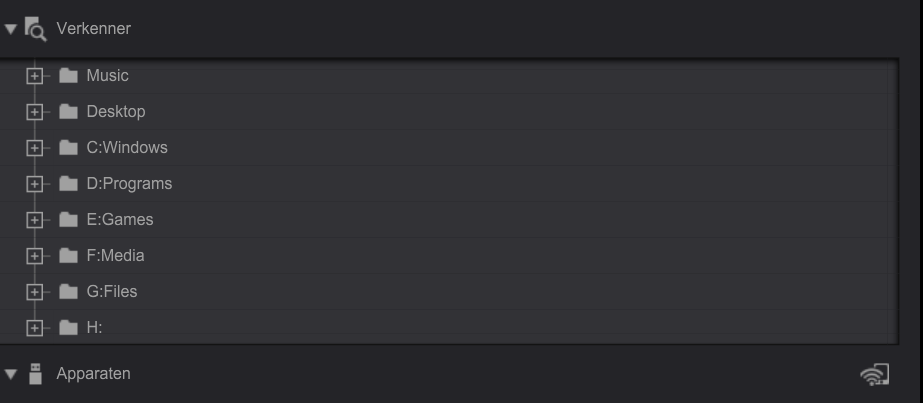
Hope this clearifies the purpose.
Thx for the help.
That's the way it sorts by default for new folders, we hope to have more sort options available in future updates.

Dear Pulse,
What is the default folder sorting order ? I never understood if it was by created date, modified date or something else.
Thanks !
To be honest, I've never actually checked to see which criteria is used! lol As noted, it's something I hope the engineers include in a future update to the software - I haven't checked to see if this is resolved in v5 as I seldom use the Explorer view. If not, I'll remind the team. ;)
I checked on RB 5 Beta 4
Well, it's definitely not sorted by date (created or modified), not alphabetical neither :(
Thanks for reminding them :)

