
Comentário oficial

That's not the correct procedure, that's why!
Fist, you'll need both your phone and computer to be on the same network. Then, with your rekordbox mobile app open, tap the menu, then tap Connect to Computer.
Open rekordbox in EXPORT mode and click the little connection icon beside Devices in the tree on the left:

Next, if it connects, you'll see this window pop-up, asking to confirm the connection:
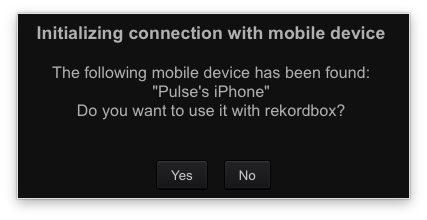
Click Yes and your device will appear in the tree on the left:
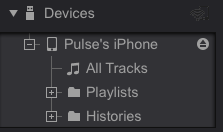
Drag and drop tracks or playlists from your collection to the phone and away you go!
Don't forget to click the EJECT button before closing rekordbox or the app.
Ações de comentário


