Have a feature request or suggestion? Post your idea here!

Publicação

4 seguidores Seguir
0
Avatar

Rekordbox Video Link Button is greyed out

Hi the rekordbox video link video button is greyed out


when i i highlight it, it says i can link video to audio but it is greyed out and cannot click it. 

been looking for a solution online but cannot come close since link is also a term to describe the tables linking to the system


please help. thanks.

r3MProd Respondido

Comentário oficial

Avatar

1) Load an audio track to a deck (let's use DECK 1 for this example).

2) Drag and drop a video to the video preview of DECK 1.

3) Click the LINK button, it will turn blue.

That video will now be linked to that audio file, so the next time it's loaded, the video will also load.

Pulse
Ações de comentário Permalink

Publicação fechada para comentários.

21 comentários

0
Avatar

I explained this in the original comment. It will not let you click it. Regardless of how I try to load the video that button stays greyed out and also my favorite settings are also greyed out.  Cant click either of these things

r3MProd 0 votos
Ações de comentário Permalink
0
Avatar

Are you using 5.0.1? It works for me on all platforms.

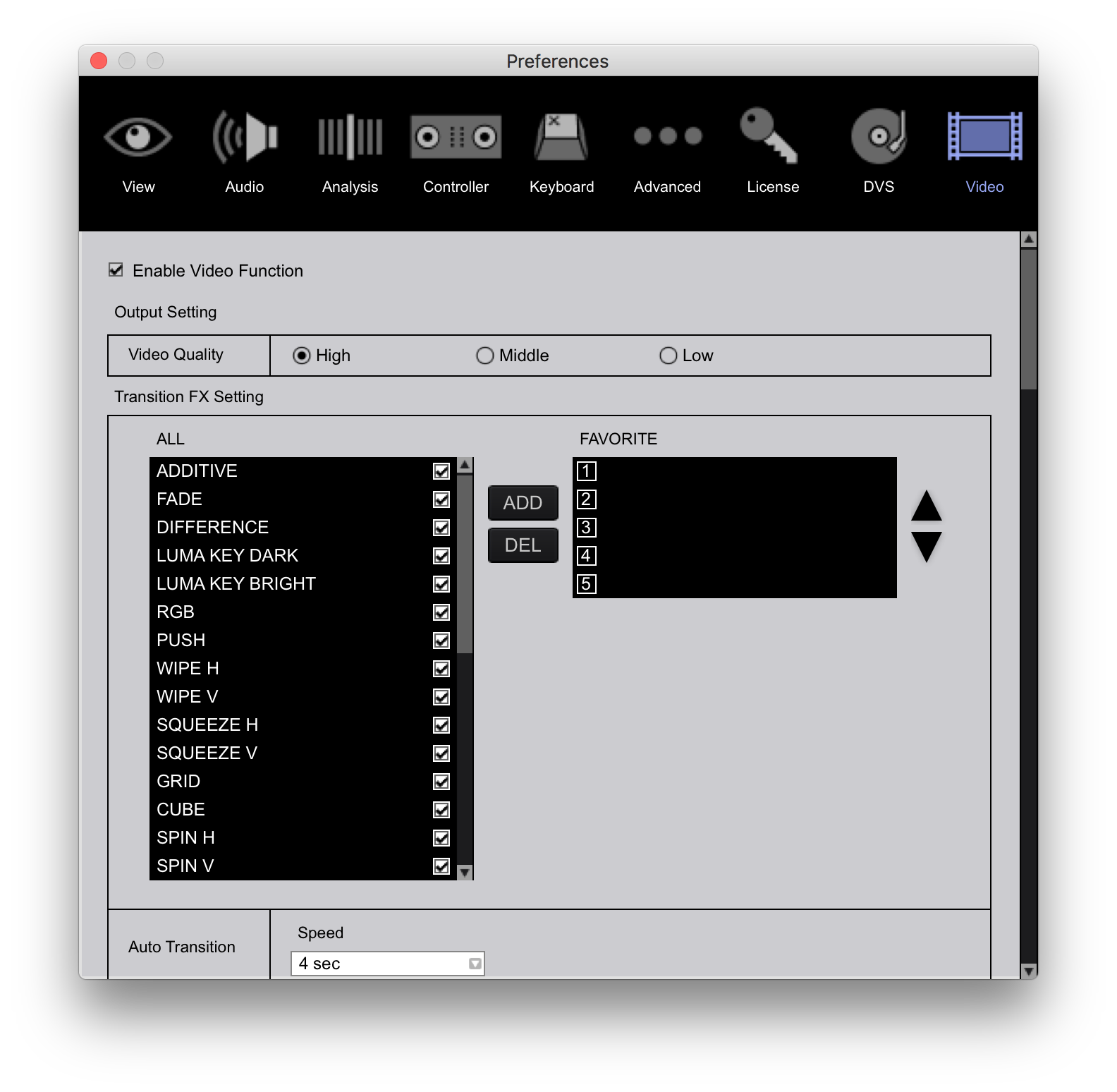
The Favorite buttons won't work if the favorites list is empty:

Pulse 0 votos
Ações de comentário Permalink
0
Avatar

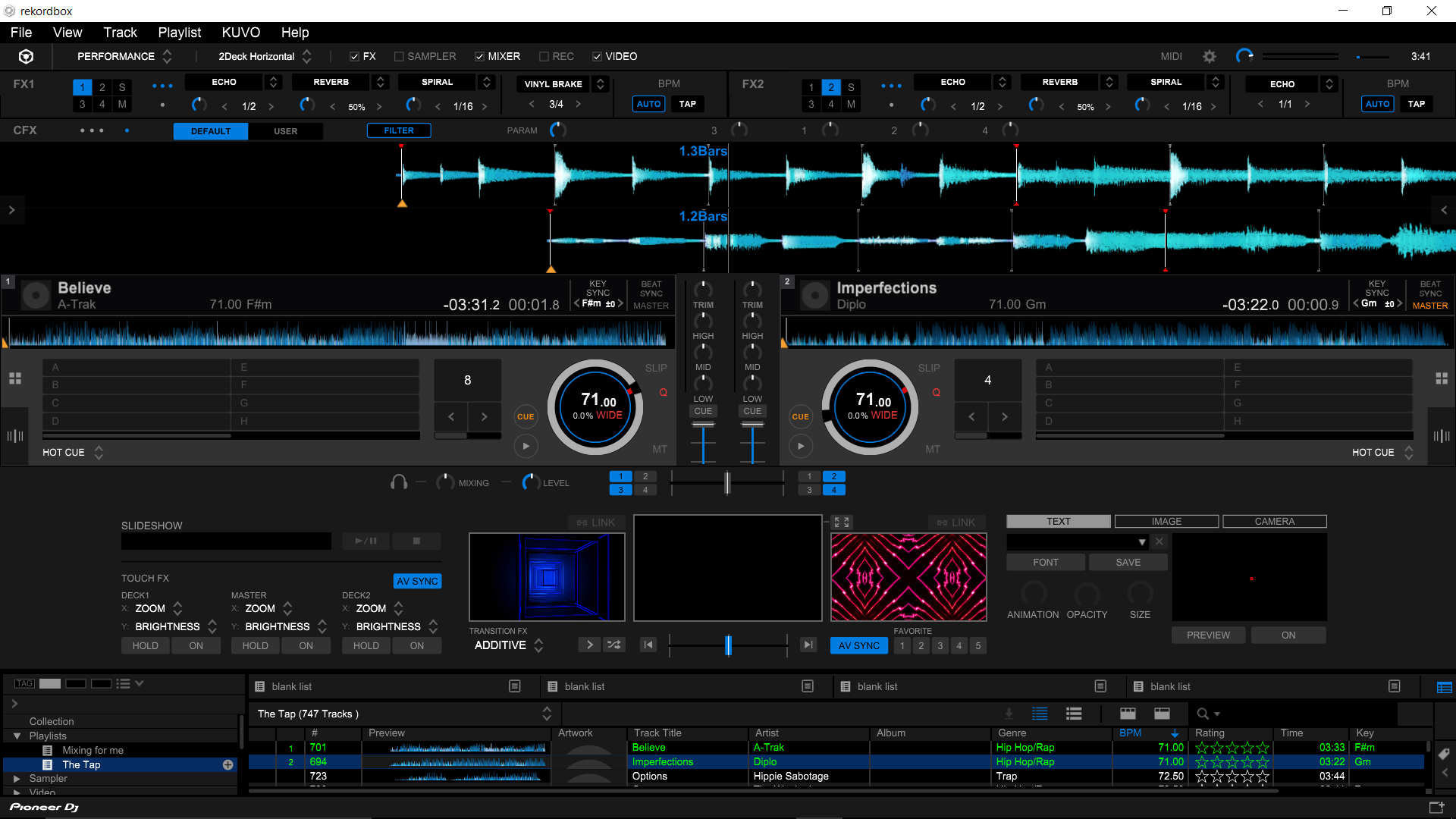
as you can see i can click everything but link and i just did a fresh install. did not work. what gives homeboy

r3MProd 0 votos
Ações de comentário Permalink
0
Avatar

Okay, that doesn't show me much beyond a greyed-out button. Are you using 5.0.1?

Pulse 0 votos
Ações de comentário Permalink
0
Avatar

Yes. What else do you need to see? That's the issue, that the button is greyed out. Ill take screen shots of whatever you need but what do you need?

r3MProd 0 votos
Ações de comentário Permalink
0
Avatar


If you load a different audio track, then try and load / link the video, does it work now?

Pulse 0 votos
Ações de comentário Permalink
0
Avatar

negatory bro. I have attempted to load multiple vidoes from 8 secs to 5 mins long and i have over 500. Link will just not click. Everything else works in rekordbox which is great but this doesnt work and its somewhat annoying because sometimes i want to play a certain video but i dont necessarily have the time to look through and click it

r3MProd 0 votos
Ações de comentário Permalink
0
Avatar

and for some reason my prior comment didnt post but ive tried it on 4.5 and 5.0.1. both negative on both counts. not sure what the issue is.

r3MProd 0 votos
Ações de comentário Permalink
0
Avatar

It should work with any supported video file format, I was just trying to ascertain if it was only occurring when a specific filetype was being loaded.

Pulse 0 votos
Ações de comentário Permalink
0
Avatar

oh nah, thats a negative bro. Im not a computer dunce either doesnt work on either machine i have Desktop and Laptop. I followed through with your link, thanks for the help.

r3MProd 0 votos
Ações de comentário Permalink
0
Avatar

"and for some reason my prior comment didnt post "

I think that's because you tried replying to the email rather than posting here. I just saw it pop up in the deleted tickets list.

Pulse 0 votos
Ações de comentário Permalink
0
Avatar

oh ok word. If i get it figured out ill try to post the solution here for others. thanks!

r3MProd 0 votos
Ações de comentário Permalink
0
Avatar

I think I'm experiencing the same issue, any updates?

mistakia 0 votos
Ações de comentário Permalink
0
Avatar

I was able to get around the issue by only adding videos that have already been imported to rekordbox. It's only greyed out when I drag/drop a video file that has not been imported.

mistakia 0 votos
Ações de comentário Permalink
0
Avatar

how did you import the videos into rekordbox? I only have them on my computer and have rekordbox pull them from my hard drive. I would appreciate a response thank you.

r3MProd 0 votos
Ações de comentário Permalink
0
Avatar

In the browse section, I clicked on video -> all videos, then dragged my video files there. Then when I drag items from my videos section into the video player, I was able to link them.

mistakia 0 votos
Ações de comentário Permalink