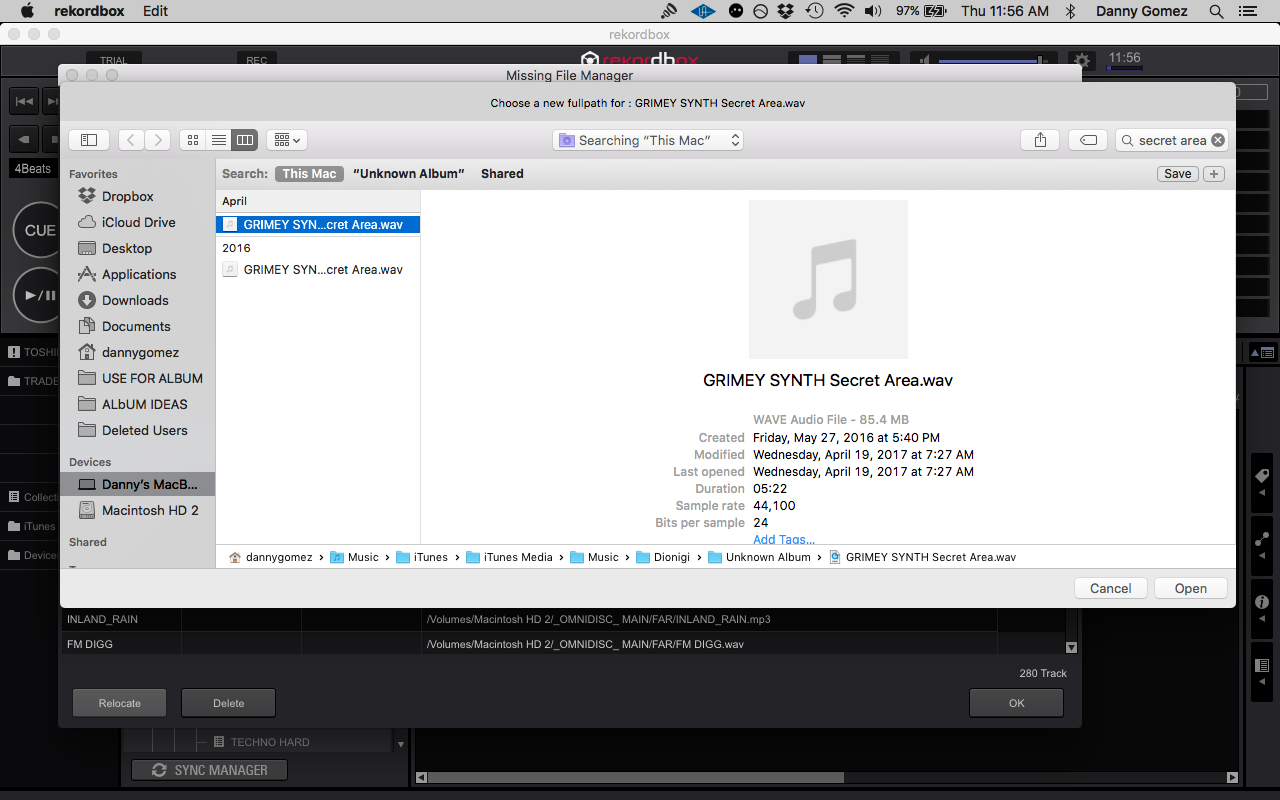
After losing a USB, I made the mistake of moving tracks from inside Rekordbox into another USB I borrowed for the night by simply dragging and dropping the music. Now I have close to 300 tracks that are missing so I'm trying to relocate them. There are a couple issues going on with Rekordbox.
I organize my tunes within Itunes, then I manually drag music from Itunes into Rekordbox while having both applications open. I do not use the import wizard with Rekordbox.
1: When doing a "show all missing tracks" to relocate them, many tracks are not able to be selected so I'm using the "quick look" work around in order to manually select them one by one. Then selecting "do you want Rekordbox to find other missing files in this location" does nothing. It usually says "0 files found", sometimes it may find 2 or 3 files out of the 300 I've selected.
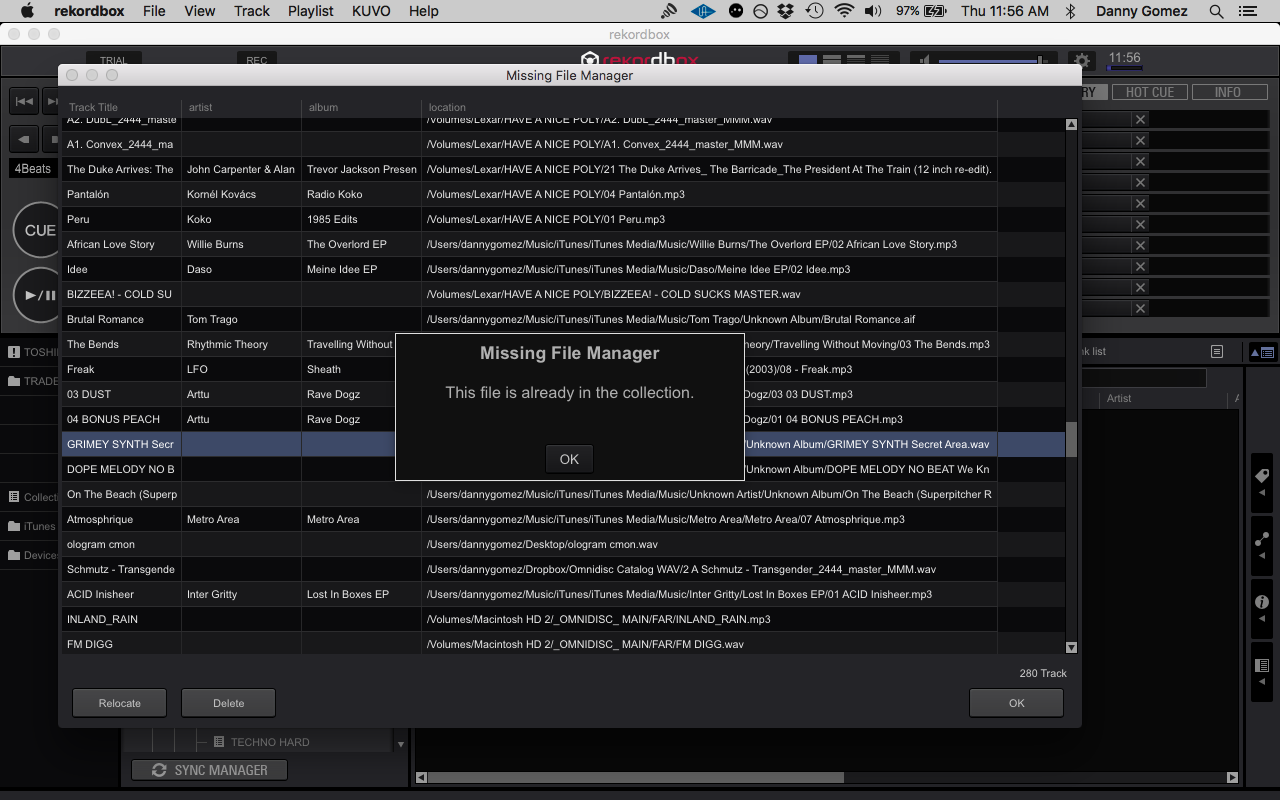
2: After locating the file, Rekordbox replies with "The file is already in the collection" ... and it does not let me relocate the file, therefore forcing to use another version of the same file somewhere else in my computer which will result in the file missing again if I delete or remove the folder from its location. For example, I am now trying to relocate the Jedi Knights track and below are the location both inside the Rekordbox pane, and the Mac Finder window.
Rekordbox:
users/dannygomez/Music/iTunes/iTunes Media/Music/Jedi Knights/New School Science/04 Science Friction.mp3
Mac Finder:
/Users/dannygomez/Music/iTunes/iTunes Media/Music/Jedi Knights/New School Science
They seem to be the same exact location, but at the end of, this Jedi Knights track stays in my Missing File Manager section inside Rekorbox because Rekordbox believes it's already in the collection. The only way it because relocated is if I choose a different file altogether, say one inside a folder on my desktop which makes no sense because it will go missing again if I delete that folder. Thus why I use iTunes as my main hub to store the music.
Any help! This is a disaster.
Danny