Comentário oficial

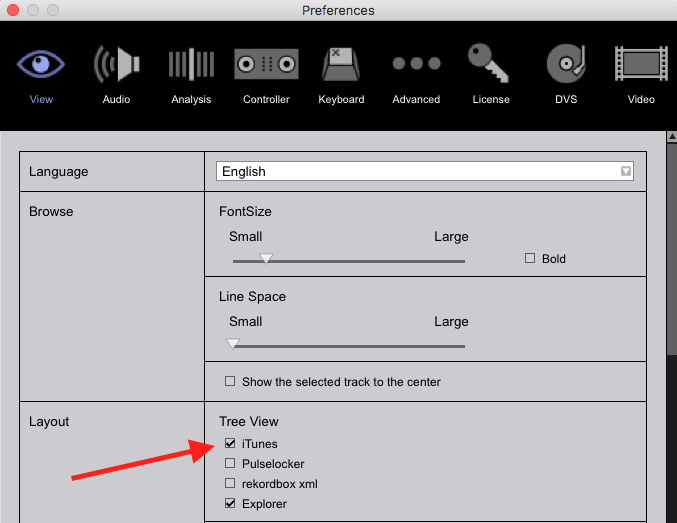
Right here in the preferences:


Ações de comentário

Hi there!
I'm using Rekordbox 5.0.1 with iTunes 12.7 on a Macbook Pro 15'' 2016 with macOS Sierra 10.12.6. In iTunes I have checked to share playlists with other applications. I've used the Sync Manager to import from iTunes to Rekordbox. I can sync from iTunes to Rekordbox and to a USB stick to take the stick to a gig, the music exports properly to the USB stick.
My problem ist, in Rekordbox it does not show "iTunes" at all. In Rekordbox it only shows "Collection", "Playlists", "Explorer", "Devices" and "Histories" - "iTunes" is missing completely. Using the sync manager to sync from iTunes to Rekordbox does not change that (also stopping and starting iTunes, Rekordbox or rebooting the Mac didn't help). As mentioned, in iTunes I have checked to share playlists with other applications. Still "iTunes" is not showing in Rekordbox.
What do I have to do to see my iTunes Playlists in Rekordbox?
Thanks!
Adrian
Right here in the preferences:
Publicação fechada para comentários.
ok, that was easy. thank you very much! it's now working properly.