
I emailed support at pioneer DJ and they have provided the answer.
From this screen:
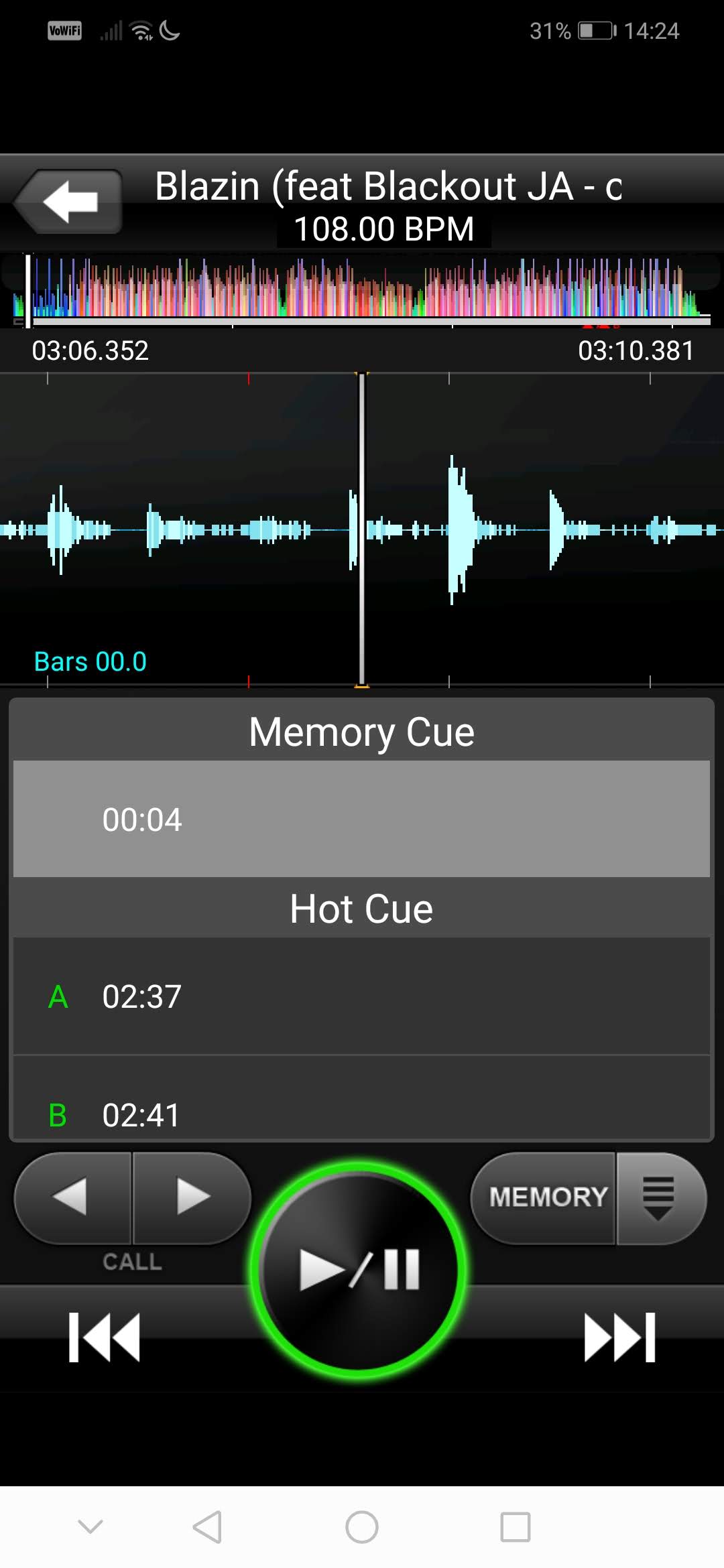
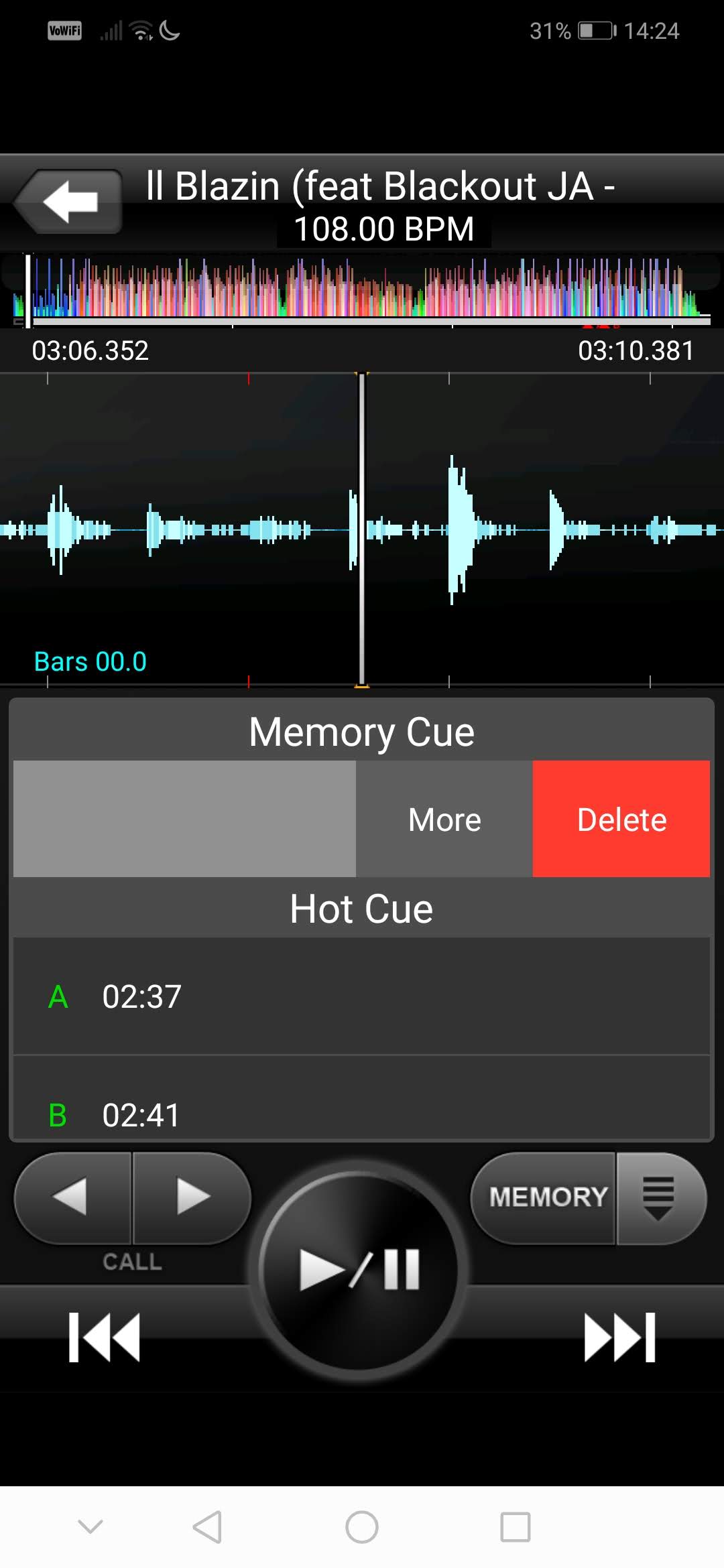
You swipe the memory cue that you want to delete left and you reveal the option to delete:


Ações de comentário

Hey all,
I am preparing tracks in the rekordbox Android app and set a memory cue point that I would like to delete. I followed the instructions in the in-app user guide, as well as the video here https://rekordbox.com/guide/smp/operations_guide.php# (under the "Cue Points" tab).
The problem is, in the version of the app that I am running (which I downloaded from Google Play store just the other day, so it should be the current version), I do not have the grey "DEL" button. Instead, the grey button adjacent to the "Memory" button is an up arrow ^ which reveals each of the memory cue points (and hot cue points) that have been set in the track when that button is pushed.
Has the cue point deletion functionality been removed from the current version of the Android app? If not, please let me know how to access it. Really appreciate your help!
Thanks!!!
Publicação fechada para comentários.
I emailed support at pioneer DJ and they have provided the answer.
From this screen:
You swipe the memory cue that you want to delete left and you reveal the option to delete:

Back in 2015 that function may not have existed. ;)
Well that's interesting but doesn't help anyone in 2020 trying to find an answer to this problem (like myself!).
I think its worth posting here, especially as it saves Pioneer DJ customer services the hassle of replying to all individuals with the same issue :)