@Malte > What is your current audio buffer setting?
Ações de comentário

Hello,
Since End of January I am using the DDJ-RX with rekordbox DJ.
Everything works fine until I activate the FX-Unit to use effects like 'Flanger'.
At the point of activation the Audio Dropout Parameter goes insane and the sound begins to lag. First I thought it is caused by my full stuffed computer, so I deleted everything and installed Windows 10 again. But still the same sh*t. I need help, any ideas to fix this? I like the software but it's annoying if you're only able to use 60% of it.
Publicação fechada para comentários.
@Malte > What is your current audio buffer setting?

This is the one I work with now, but it makes no change if I set the buffer to maximum, tried it several times before.
Any other ideas how to fix this problem?

Same problem here with a DJm 2000 and CDJ2000Nexus.
@Dennis > Are you also using Windows 10?
The drivers are up to date, also the firmware...
Also I ain't using the RZ, I am using the RX
@Malte > My apologies about the mixup. This sounds like some type of Windows issue. I'm going to have to defer to Pulse on this one, as he is the Windows guru. I'll pass this along to him. Thanks for you patience.
@Mark I am runnig Mac OSX Yosmite the latest version. My hardware and drivers are the latest versions. I am using a DJM2000 and 2CDJ2000 nexus
Any suggestions by Pulse? Still waiting to fix this issue..
It's annoying to pay such a high amount of money and can't use it proberly

Here's where audio problems come from:
- traffic on the USB bus; solution - try another USB port
- bad USB cable; solution - replace the cable
- CPU interruptions from other applications; solution - close background applications
- inadequate system resources; solution - try another computer with better spec components
- audio buffer too low; solution - increase the buffer size
Other sources include malware or viruses (run a scan for both, plenty of free tools are available for both Mac and PC), not having the latest system updates, and graphics drivers that are out-of-date (update from the manufacturer's websites: NVIDIA, Intel, AMD / ATI).

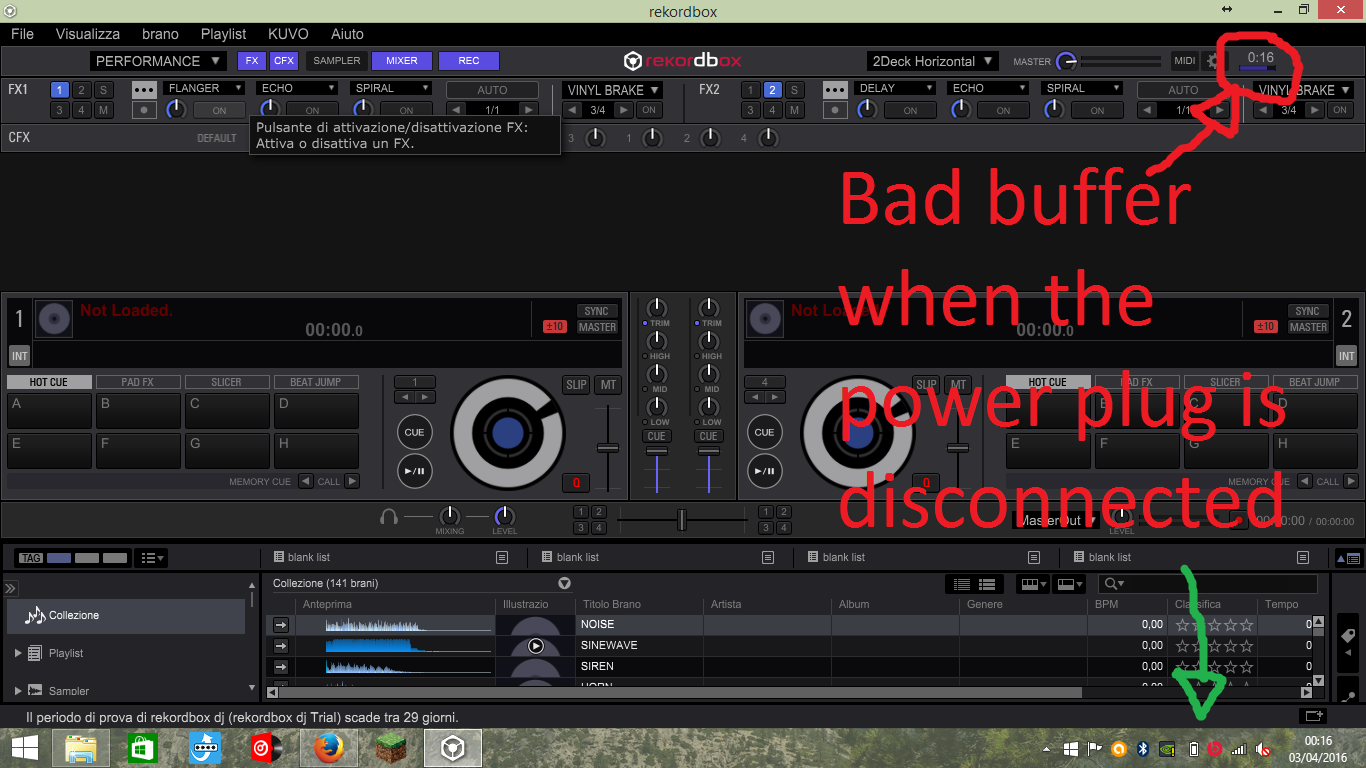
Hi all, i have found a solution for this problem. I had the same problem with the fx unit... so i try to use rekordbox when my laptop was conected to power supply... This solved the problem for me... Sorry for bad english...
My setup:
HP Envy 15, I7 (2,60 ghz), 8 GB Ram.
Rekordbox 4.1.0