
Be sure to update the firmware your SX2 by following the instructions precisely.
Ações de comentário

Hi dear,
I just install Rekordbox (30 days free license) 2 days ago, I tried version 4.2.0b, 4.1.2 & 4.2.0c. My issue is when I connect my SX2.
I can't see "cdj decks" in my rekordbox (attached img) and SX2 seems not loading mapping of any of 2 decks and neither de mixer.

I tried to load some track manually (not using SX2 because browse wheel dosent respond) and output master is receiving the signal.
When I plug SX2 with Serato i don't have any problem, all works fine.
Can anyone help me please?
Thank you for advance :)
Publicação fechada para comentários.
Be sure to update the firmware your SX2 by following the instructions precisely.
Hi,
I have the lastest version (img) I tried to update but it didn't work, the same problem, when I start rekordbox didn't recongize SX2 if I try Serato all works fine. I bought my SX2 2 weeks ago.
What can i do?
Cheers
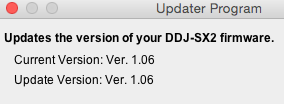
Ok. The good news is that since it works with Serato, we know that there is no hardware malfunction. It may have something to do with the MIDI settings on your Mac.
Please try this and report back to us:

The other thing to check is open Preferences, click the Audio page, scroll to the bottom and see what is shown under Control Device Information. You can also look under the MIDI button (top right of rekordbox) to see if the SX2 is shown as a MIDI device. If it is, you can click the DEFAULT button to reset the configuration and see if that helps.
Hi,
1st - I tried to remove device and reset as you suggest and nothing change.
2nd - I'm looking for Control Device Information but I can't see. This is my Audio page of Rekordbox:

And I can't see Midi button neither, this is my main layout:
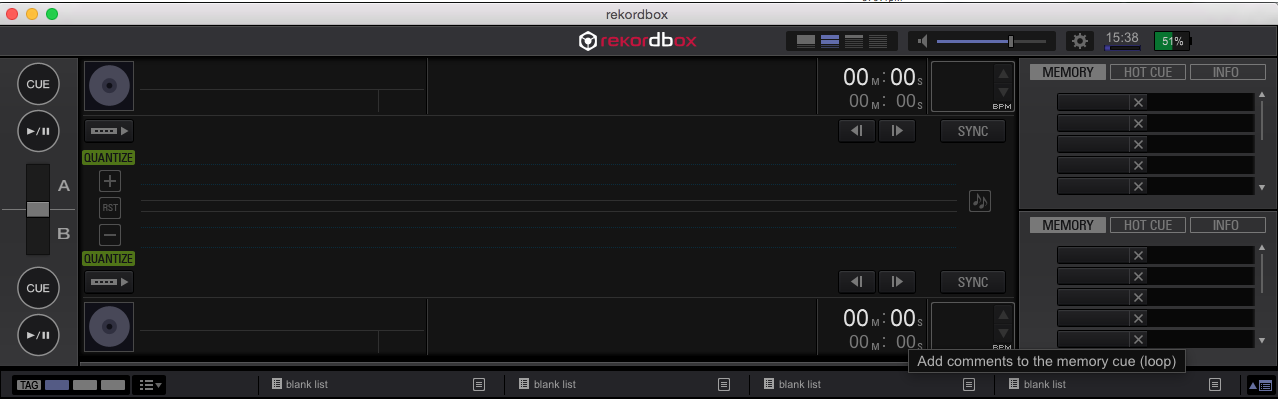
Any suggest?
Thanks for advance
@Jaume > You need to change to the Performance mode, but I don't see the selector or the trial button; has your trial expired?
Well, I submitted to trial version 3 days ago. I hope if i tried other versions of Rekordbox my trial license keep working, isn't it? Do you have any solution for this situation? Do I need any specific version of Rekordbox to work with my trial license?
Thanks
There could be something else that has interrupted your trial - please submit a support request with our rekordbox team here and they can help sort out your licensing issue.
I just submit my request. Hope this solved the problem.
Thanks for your support
Thanks! Please let us know if you have any other questions.

i have a ddj sx2 and ive been always using serato but i decide to use rekordbox so i downloaded the trial version and at first it seem fined but then i figured that not all features are working such as filter LPF HPF and FX its not the same key i dont know whats the problem and i'm working on macpro btw . can some1 help me if there is a driver for it or what
@john > There are no audio drivers needed for the DDJ-SX2. Here's the hardware diagram for the rekordbox functions controlled by the SX2. You might try opening the MIDI panel (top right of rekordbox window) and click the DEFAULT button to reset the mapping.


