Comentário oficial

Preferences > Controller > Mixer


Ações de comentário

I am operating my DDJ RB on a Lenovo, core i3, Windows 7 desktop. I am having problems with my crossfader, it will not work. You hear both track when they are played. Is there some setting im supposed to set for my cross fader to function on my controller?
Preferences > Controller > Mixer
Publicação fechada para comentários.
That didn't change anything. both tracks still play over each other, no matter where the cross fader is.

Dose the crossfader on rekordbox move when you move the crossfader nob on DDJ-RB?
No i dont see any movement on screen
Thanks for the information.
Now, have you installed the latest ASIO driver of DDJ-RB?
https://www.pioneerdj.com/en/support/software/ddj-rb/#drivers
If you have done it, can you take a screen capture of [Audio] in preference?
actually the cross fader does move but nothing changes and also I did get the latest ASIO but when I try to play the sound through ASIO nothing comes out on my computer speakers
Try to check the "PC MASTER OUT" pict-icon on top of rekordbox near the master volume.
I turned the PC master out on and I still got no sound. I get sound when set the audio to "2 realtek High Definiton speakers" but the crossfader doesn't work. When I set the audio to DDJ RB ASIO, no sound comes out of the speakers.
Please check the "TRIM" on DDJ-RB.

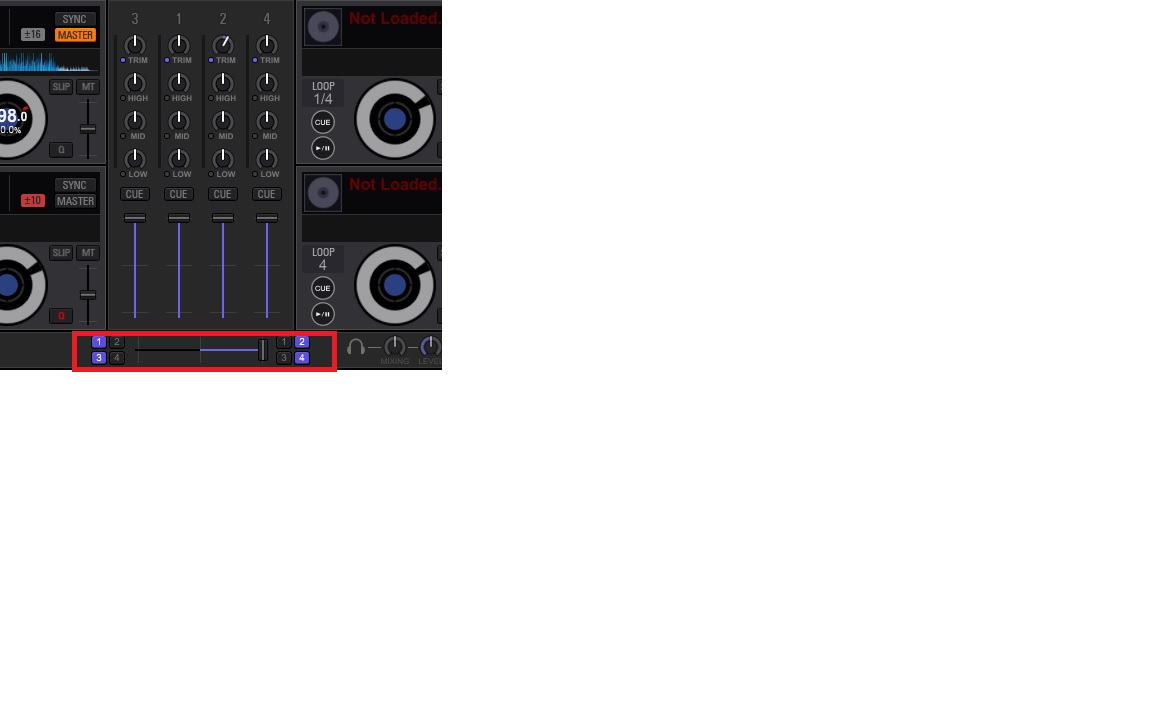
One more thing, please check "Crossfader Assign Button"
DECK1&3 : turn on Buttons(1,3) on the left Side
DECK2&4: turn on Buttons(2,4) on the right Side
Thank You. I figured it out. It was my output channels, which were set to "Phones" in stead of my speakers

