
Which DDJ-WeGO model is it? 1, 2 or 3?
Ações de comentário

Hi,
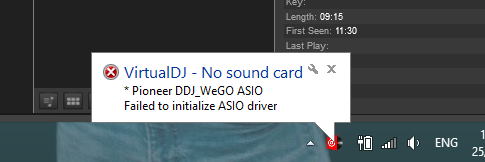
I bought a DDJ-WeGO a few days ago and I am having some trouble connecting it to my computer and getting it to be recognised on my laptop. I have tried it on my friends macbook and it works fine so I know its not anything wrong with the DDJ-WeGO itself nor the connector cable. I have downloaded the appropriate drivers that have been issued on your website for the sound card but still nothing. When I try to run it through Virtual DJ an error message appears (image attached), stating:
"no sound card
Pioneer DDJ_WeGO ASIO
Failed to initialize ASIO driver"
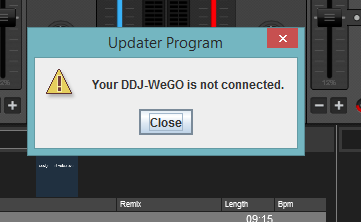
I have checked the program files and all the files are there and the driver is properly installed (re-installed 3-4 times same with virtual DJ). I also went to the hassle of trying to update the firmware as I thought that may fix the issue but yet again it pops up with a message stating:
"Your DDJ-WeGo is not connected"
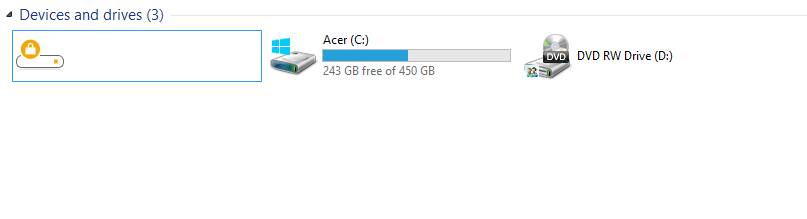
I am completely baffled by this as all the lights to the board are connected and there is obvious power. I will attach two images to this message one is to show the message that pops up when I try play the DDJ-WeGO through Virtual DJ, the second is the error message that pops up when I try update the firmware and the third is an icon that is in the my computer section under devices and drives it has a lock on it so I am just wondering what that is all about, maybe it has something to do with the WeGO or not...
Specs of my computer are:
ACER Aspire E1-522
Windows Edition: 8.1
Processor: AMD A4-5000 APU with Radeon(TM) HD Graphics 1.50GHz
RAM: 4.00GB
System Type:64-bit Operating System x64 based-processor
Thankyou for your time and hopefully a solution can be found
Publicação fechada para comentários.
Which DDJ-WeGO model is it? 1, 2 or 3?