Have a feature request or suggestion? Post your idea here!

Publicação

2 seguidores Seguir
0
Avatar

DDJ-RZX : Midi Video Touch Help

Azuniversaldj

Publicação fechada para comentários.

10 comentários

0
Avatar

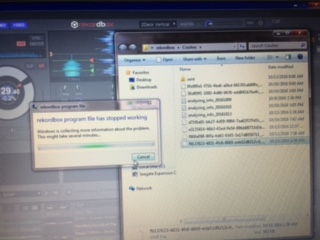
Ok so on my ddj-rzx  it just says rekordbox midi control no song info or video .Also I do not get video on my second monitor, I only get the screen saver. The audio is working great The mixer only says USB Connected  Now what?

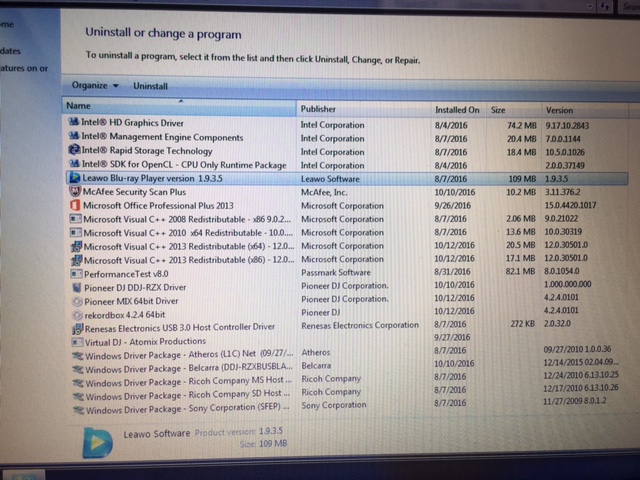
I installed everything on my Macbook Pro also and the same issue is still happening. The firmware has been updated to 105 and I'm running run rekordbox version  4.240101.

I have a big video gig on Friday, please advise... I have a past due inquiry pending with Pioneer Tech support phone calls welcome 602-625-5555 VJ Steve

Azuniversaldj 0 votos
Ações de comentário Permalink
0
Avatar

Hello Azuniversaldj.

Would you please check the status of your PC.

For Windows.

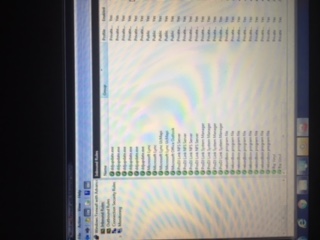
If Windows firewall is Enabled, Video, Waveform and Pad Info aren't displayed on LCD on DDJ-RZX.
Please configure the Windows firewall according to the following document on Pioneer DJ Support Site.
http://cdn.pioneerdj.com/-/media/pioneerdj/downloads/firmwares/controllers/ddj-rzx/ddj-rzx_windows_fw_e.pdf?la=en-us

For Mac.

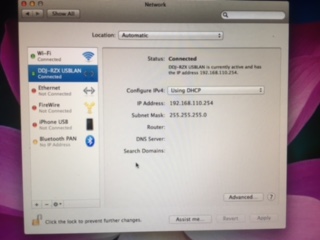
Would you please check the status of network connection to your Mac.
Please find "DDJ-RZX USBLAN" in the left side of the window of [System Preference] > [Network] on your Mac.
If the status of "DDJ-RZX USBLAN" is "Not Connected", please configure the network according to the procedure described bellow.

1) Delete "DDJ-RZX USBLAN" by clicking  "-" button on left side og Network WIndow.

2) Click "Apply" button.

3) Click "+" button.

4) Select "DDJ-RZX USBLAN" after displaying "Select the interface and enter a name for the new service." dialog.

6) Click "Create" button.

7) Click "Apply" button.

Thank you very much for your kind understanding.

Best regards.

H.Tsushima 0 votos
Ações de comentário Permalink
0
Avatar

Still not working on Pc or Mac now what? 

Azuniversaldj 0 votos
Ações de comentário Permalink
0
Avatar

What HOT CUE button color is shown in PAD mode?
Please check the HOT CUE button color when both running and not running rekordbox. Is it white, blue or other colors?

H.Tsushima 0 votos
Ações de comentário Permalink
0
Avatar

I'm not sure what you mean by pad mode? Light Blue on both


Azuniversaldj 0 votos
Ações de comentário Permalink