Comentário oficial

Did you disable the High Sierra driver security and run the installer again after installing the drivers the first time?
Ações de comentário

I have the new MacBook Pro with high Sierra , I just bought the pioneer DDJ SR2 , I was manage to work the audio but I don’t know why I still can’t use the controller, it tells me wait for 1 minute and then it says fails , I’m using also Serato Dj
Did you disable the High Sierra driver security and run the installer again after installing the drivers the first time?
Publicação fechada para comentários.
I’ve also bought a adapter for the usb to a usb c , since the MacBook only has usb c

Does it matter which one I install first either the driver or the serato dj ?
I’ve deleted it many times and reinstalled many times , it only shows trying to connect for like 1 minute and then fails which says fail to connect midi device and it only shows one deck on the screen
@Orlando > Did you follow the instructions I linked above to disable the High Sierra security?
Yes I have did , I went security and privacy and clicked general , then unlock to make changes, nothing yet
Right, but did you install the drivers AGAIN after doing that?
Yes I did install it again after that , should I uninstall it
No - that's good. And after disabling the security and installing the drivers again, you're still having problems with the SR2 disconnecting?
Yes sir , I don’t know what else to do , the play button works like for 1 minute when I connect it at first but then fails everything while it try’s to connect
Are you using it with or without the external power connected?
I’m using the external power connected
Disconnect the SR2, open the Audio MIDI Studio application, go to the MIDI Studio window: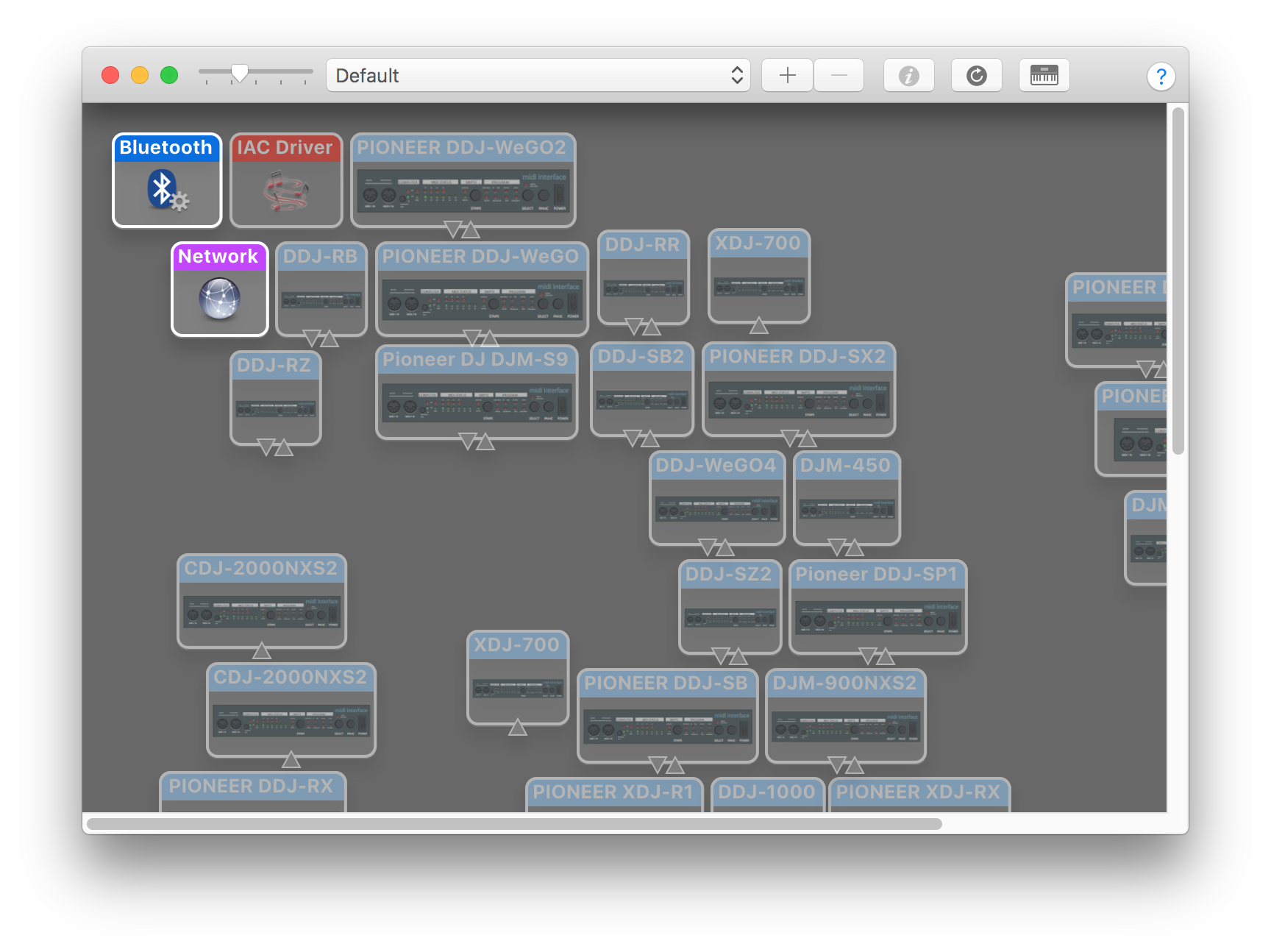 Click where it says Default and select New Configuration... and create a new one called 2018, and click OK.
Connect the DDJ-SR2 and see if it appears in the window. If it does, go and test Serato DJ.
If it does not appear, click the Apple at the top left, then hold the Option key and select System Information...
Click the USB item on the left and see if the DDJ-SR2 appears on the window at the right:
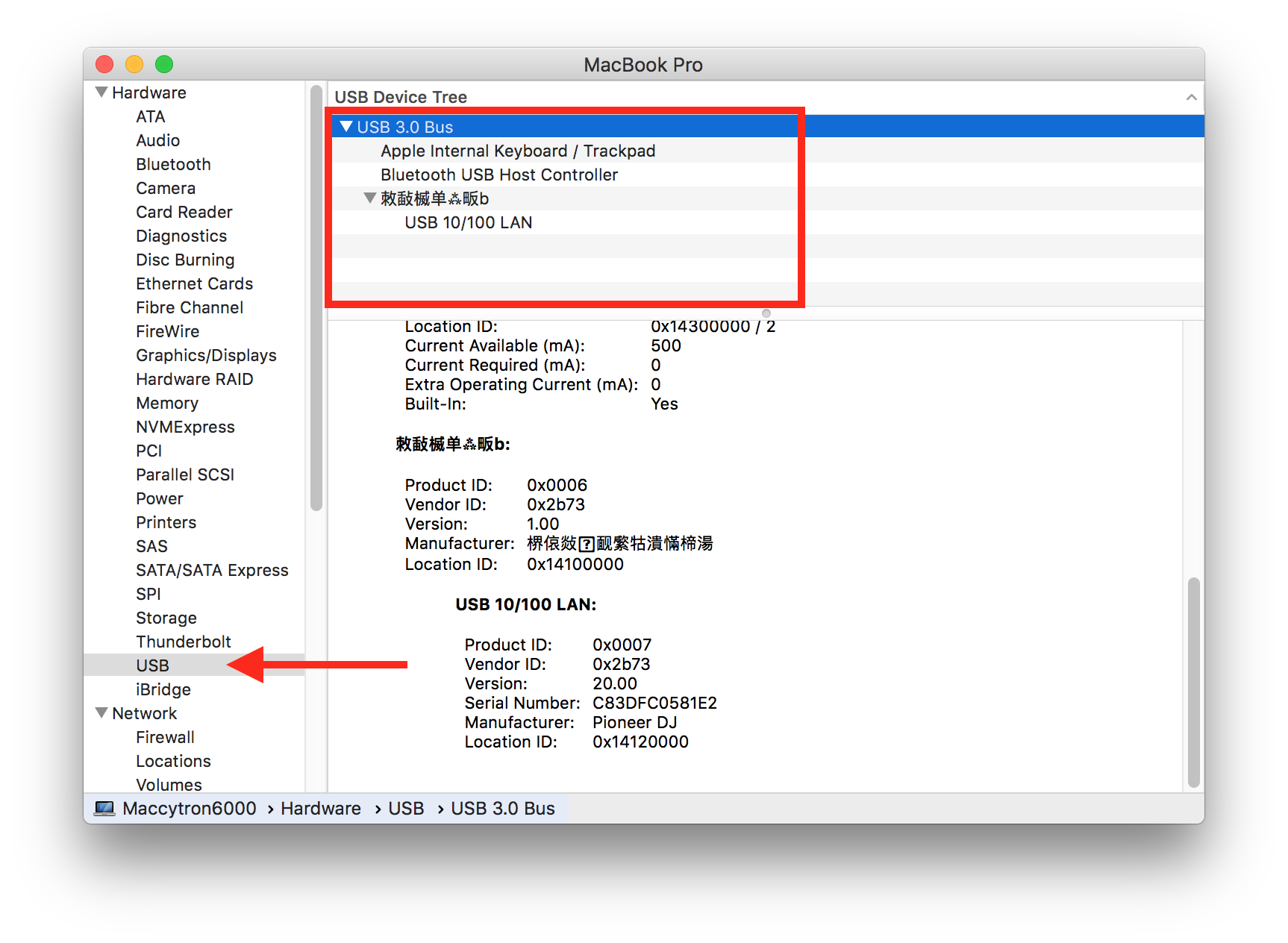
It shows everything I just tried but still nothing, not able to use the controller
If you click on the DDJ-SR2 in the USB device list, what does it say for the hardware / firmware version?

