
Ações de comentário
Look what is happening to my new DDJ-1000! I received it today and has not tried it yet!
OSX 10.13.3 and 5.2 rekordbox.
DDJ has 1.03 firmware!
The hotcue flashes. Cant use my shift, search or memory.
I can press Hotcue and padfx1 but nothing else.. I have tried to reset everything and do all the mappings back to default but same issue stays.
If I press Shift on left side and Master Tempo it change track!!
Publicação fechada para comentários.

I'd recommend running the driver uninstaller (in the driver installation package), rebooting, installing again, then disabling the High Sierra driver security, installing again immediately, reboot, then remove the DDJ-1000 from the Audio MIDI Setup's MIDI Studio window, rescan MIDI devices, then try once more in rekordbox to see if it's resolved.
can you plz do it more deeply? I do not completely understand... how I should do It!
Disconnect the DDJ-1000 from the USB.
Inside the package is an uninstaller - run that, then reboot.
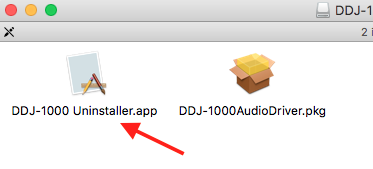
Next, run the installer, then after it has completed, follow the instructions here to disable the High Sierra security and run the installer a second time.
Open the Audio MIDI Setup application, and from the menu bar, select Window > Show MIDI Studio, you'll see this window:
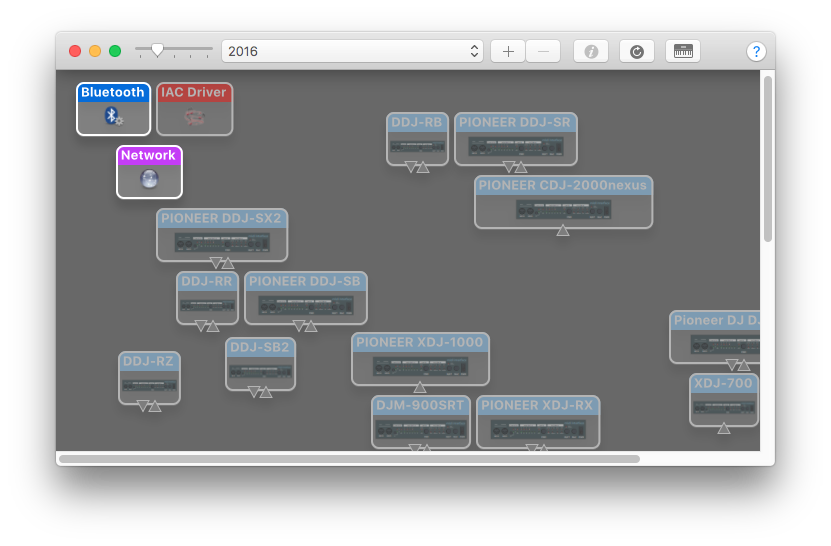 With the DDJ-1000 still disconnected, find the DDJ-1000 on that window (you may need to scroll), select it and delete it.
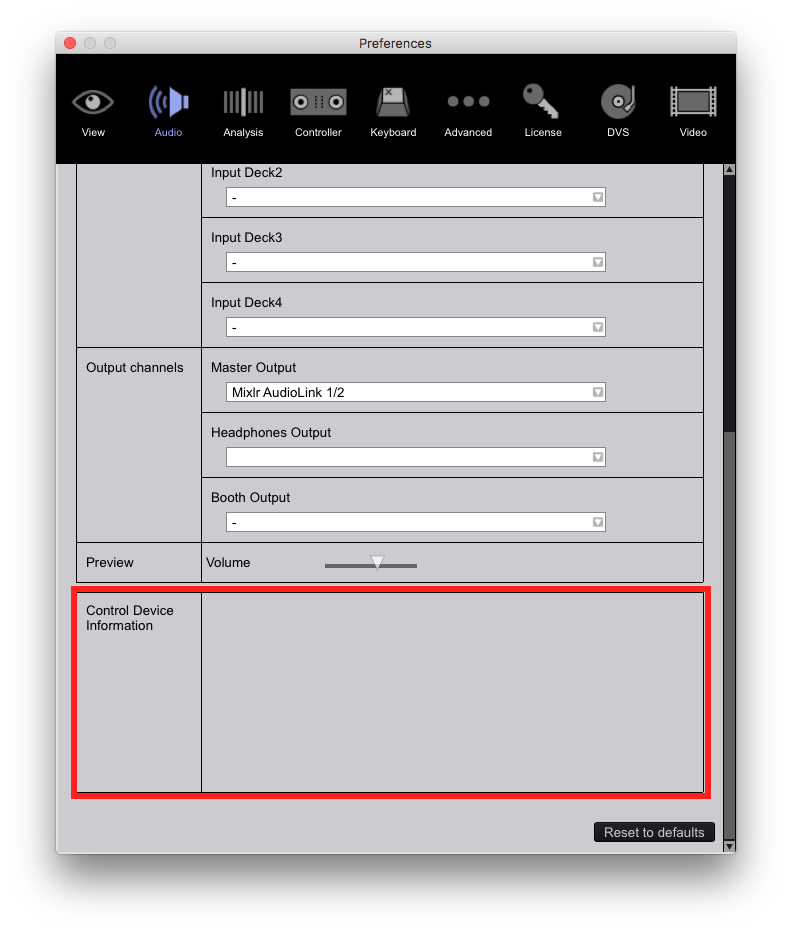
Connect the DDJ-1000 USB and it should now appear in the window, if not, press the "rescan" button at the top of the window. If it appears, open rekordbox and check that the DDJ-1000 is set as the audio device and appears at the bottom of the Audio tab:
Now I did exactly that you said! But all the problem is still there! Everything that is in the video as I posted are still there!! :(
is it any way that I can downgrade the firmware and try it out?
Two things to try first...
1) Within rekordbox, click the MIDI button and then click the DEFAULTS button at the top right to see if that helps reset things.
If that doesn't work,
2) Try downloading rekordbox 5.1.1; I'd first rename the rekordbox app to rekordbox 5.2.0 and the install the 5.1.1 version. See if that works, if not, I'll escalate you to a ticket with our engineers.

