
Comentário oficial

@Filip > After the export has completed, when you browse the songs on the USB drive, you aren't navigating the CONTENTS folder - the XDJ-AERO will allow you to navigate the songs through the default categories. If you want to browse by BPM, you need to add that yourself:
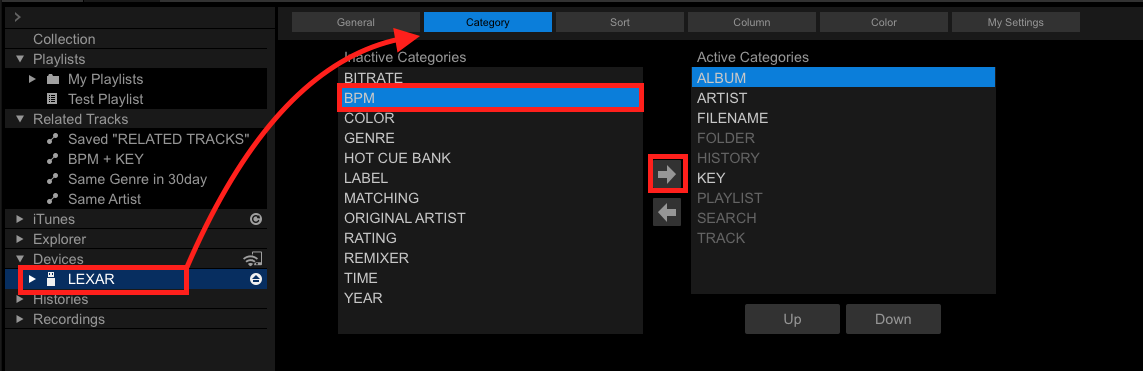
First, insert your USB drive and select it on the left. Click the CATEGORIES item at the top, then select BPM (or any other category item you want to add), and click the right arrow to add it to your device. You can then sort them using the UP/DOWN buttons.
On your XDJ-AREO, load your USB drive, select BPM, then pick a BPM value (eg. 124BPM) and then select a +/-% range to filter the tracks you want to see.
Ações de comentário
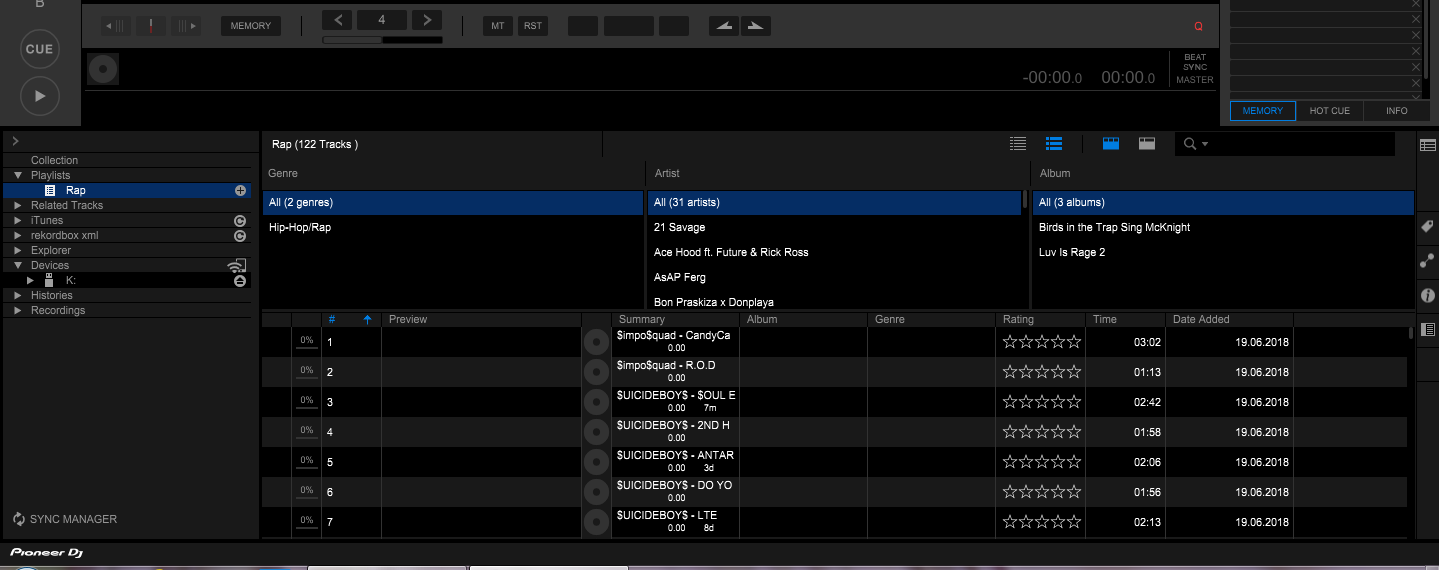
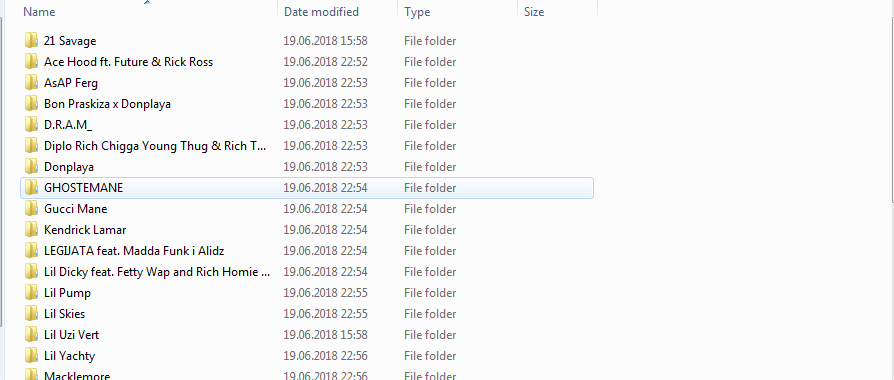 Look what i get in my usb when i export PLEASE HELP PLEASEEEEEEEEEEEEEEEEEEEEEEEEEEEEEEEEEEEEEEEEEEEEEEEEEEEEEEEEEEEEEEEEE


