
Bump
Ações de comentário
Just got my ddj400 a few days ago
When I first start djing in performance mode everything will be working and sounding fine. Cue will come thru only headphones and I can hear only cue audio when the mixer knob is all the way to the left and can hear my master output when it's all the way to the right.
Then randomly rekordbox will freeze for a couple seconds and when it comes back I will always be able to hear the master out through my headphones even with the mixer knob turned all the way to the left. To fix this I go into my preferences, change my headphone out to another source then change it back to my headphones and it'll be fixed for a while then it'll happen again. A slight freeze, then once rekordbox unfreezes I wont be able to hear only the cue audio. This makes mixing really difficult obviously.

This issue is super strange and for the life of me I can't figure out a permanent fix, only that temporary one that I mentioned above which I wouldnt be able to do during an actual performance of course. Any help here would be very appreciated!!
Publicação fechada para comentários.
Bump

What are your computer specs?
Which were you wondering about in particular?
Hardware is should be way more than enough to handle a program like Rekordbox DJ, the only thing I can think might be causing an issue is that I'm running windows 7 on a harddrive and not an SSD
@pulse Please help :'( I'm desperate
Here are my spec :
Not picture - Nvidia GTX 1070 video card
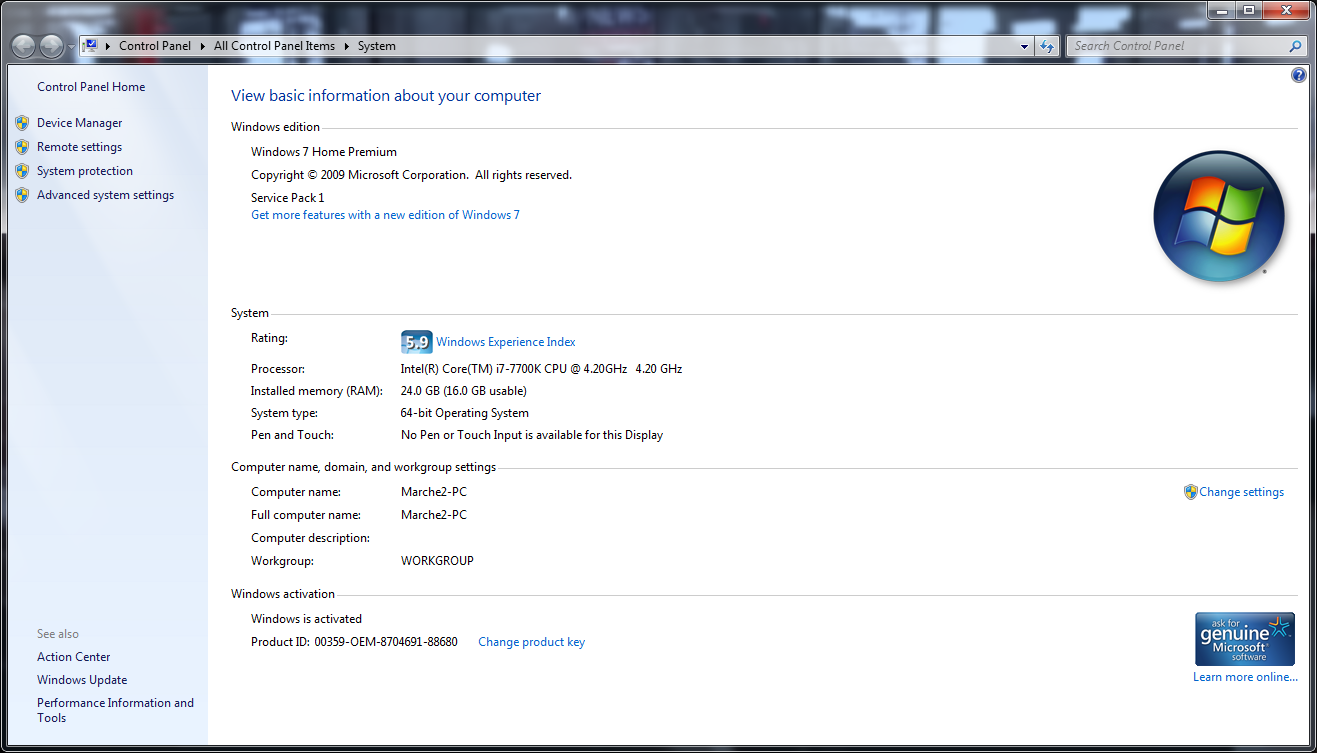
Can I get some help or no??
Sorry I didn't notice this earlier - I see you have a Focusrite audio device; can you disconnect that and see if the problem persists?

I'm having the same issue - Windows 10 (on a decently powerful computer), using a MOTU M4 audio interface. I don't consider unplugging the audio interface a solution because A) I need it, and B) I would expect Rekordbox to work with audio interfaces like this.
@Will > There are some audio devices which may cause problems like this and the best way to troubleshoot it is to disconnect it. If you do that, does it work properly?

hey pulse. I am having the same issue and followed the instructions of unplugging my interface when using rekordbox. It did the trick but now I am unable to use my studio monitors with rekordbox. Is there any way to fix this without buying a new interface? or has rekordbox 6 dealt with this bug?
@Nicholas > Sorry, there are some software or driver conflicts that we're unable to account for as the issue may be with the other product causing the problem. Does your other interface function without the USB cable connected (as hardware only)? That may be an option to keep everything connected if it continues to route the audio without the computer.

