Have a feature request or suggestion? Post your idea here!

Publicação

6 seguidores Seguir
0
Avatar

Can't save Hot cues to hot cue bank list

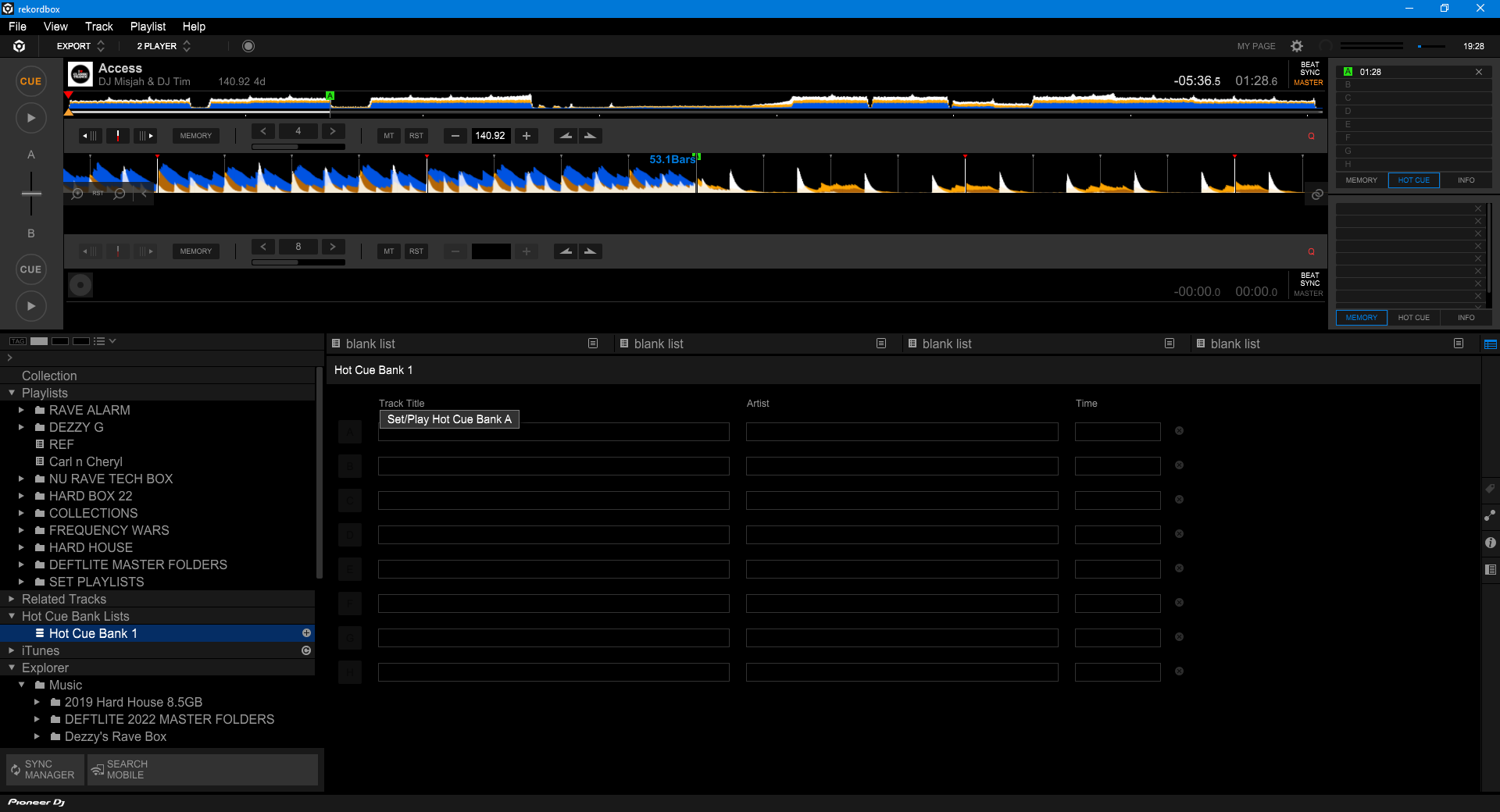
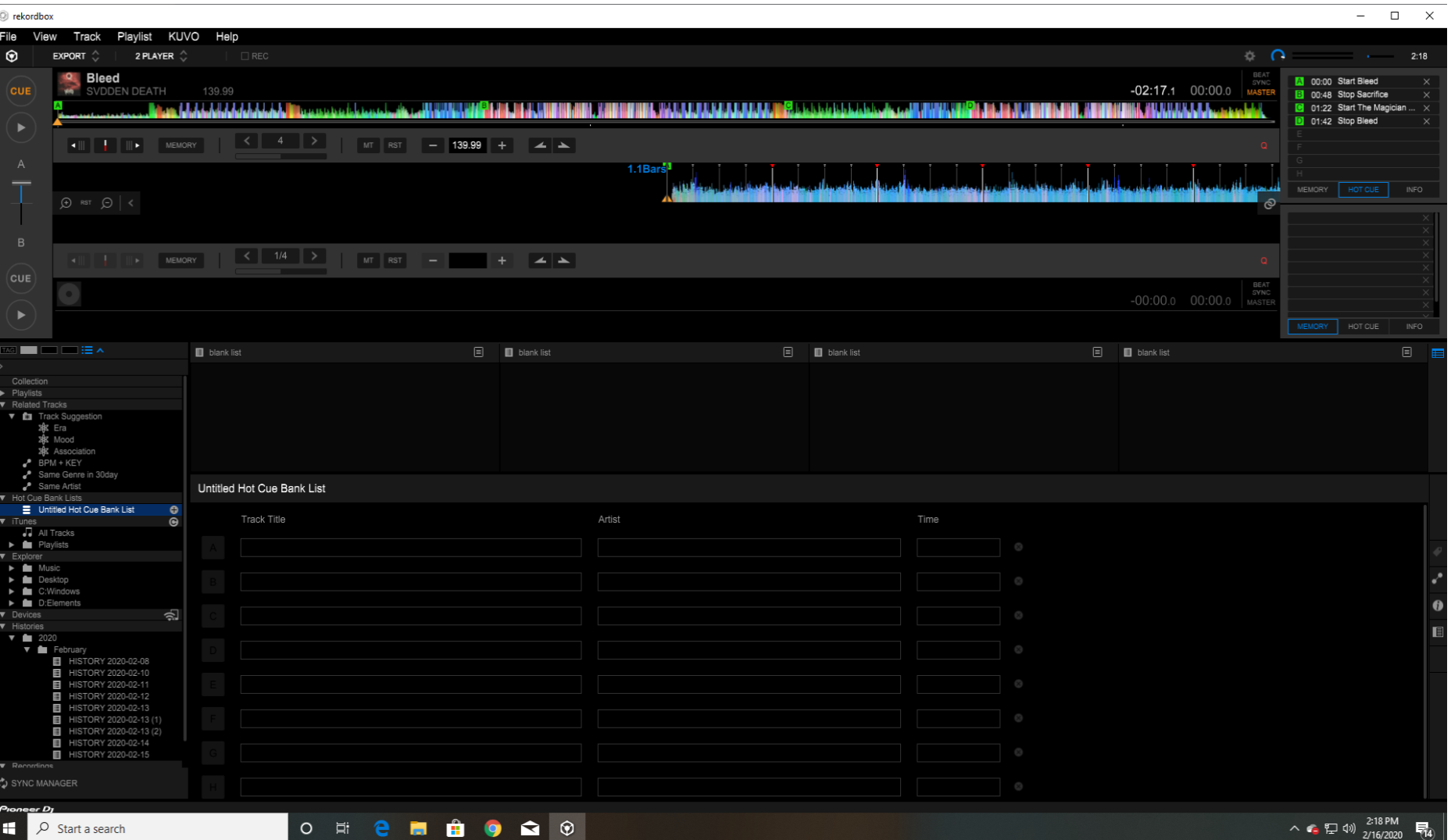
Hi when i go to save a hot cue to the bank list, it won't save for some reason. I can set hot cues in a track just fine, I just can't seem to save those hot cues to that song.

As you can see i have four hot cues set up for Svdden Deaths Bleed. I have to be doing something wrong here for them to not be showing up but i can't figure out what. Also I'm not able to set any hot cues either from the bank list. 

Can someone tell me what it is I'm doing wrong here?


Nicholas Wessel

Publicação fechada para comentários.

13 comentários

0
Avatar

@Nicholas.

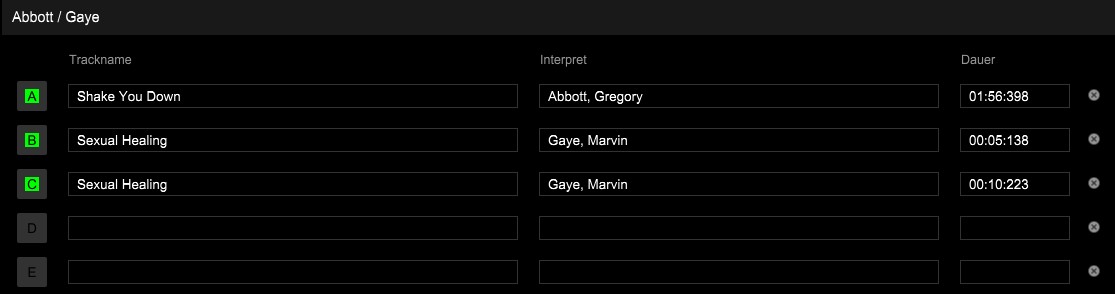
I think you are doing it worng. When using the Hot Cue Bank list you need to load a track above, like you did. Cue the start point you want to save in the Hot Cue Bank list. Once done click in the below section A, B, C.... where you want to save that in the Hot Cue Bank. It is not there automatically as rekordbox don't know which hot cues you want to save in the bank.
Frank Richter 0 votos
Ações de comentário Permalink
0
Avatar

@Frank,


When I try to click below nothing happens... It is like the hot cue bank is still greyed out...

DJ Cuepoint 0 votos
Ações de comentário Permalink
0
Avatar

@Cuepoint - click the hot cue in the track, then click the letter in the bank you want to assign it to.

Pulse 0 votos
Ações de comentário Permalink
0
Avatar

@Pulse I am having the same issue as @Cuepoint after I restored Rekordbox from a backup. All tracks are playing & linking OK except my hot cue bank, which I had been using prior to my backup/restore. 

The letters in the main hot cue bank window are greyed out, so it's not possible to save any hot cues from a track loaded in the player.  While I can see the hot cue bank lists I previously created (in the left-hand sidebar) and the hot cues saved in each list, these hot cues are also greyed out and can't be played back. 

Is there any way to reset Rekordbox library/preference files (in OS X) related to hot cue banks to a factory setting while keeping everything else in Rekordbox as-is? Otherwise it looks like my hot cue bank has been completely disabled.

deejaybrs 0 votos
Ações de comentário Permalink
0
Avatar

@deejaybrs > What were the steps you took when you "restored" your database?

Pulse 0 votos
Ações de comentário Permalink
0
Avatar

After I wiped my hard drive, did a clean install of OS X using the same machine name and did a clean install of Rekordbox. Then I restored my music with the same directory path as before and & restored everything in ~/Library/Pioneer/Rekordbox from a Time Machine backup. I probably restored everything from ~/Library/Application Support/Pioneer/Rekordbox too.

As I said before, everything currently seems to be working in Rekordbox except the hot cue bank.

I know that's not the proper way to do Rekordbox backup & restore, but the HD wipe wasn't planned in advance.  If needs be, I have a backup made from Rekordbox > File > Library > Backup Library 3 months ago, and then manually add music & playlists from that 3-month period.  I'm now making another full Rekordbox backup just in case a fix for the hot cue bank issue involves a clean install of Rekordbox.

deejaybrs 0 votos
Ações de comentário Permalink
0
Avatar

Just want to make 100% certain - no difference in cAsE either?

Pulse 0 votos
Ações de comentário Permalink
0
Avatar

Definitely not--my usernames are always in lowercase.

deejaybrs 0 votos
Ações de comentário Permalink
0
Avatar

Going to escalate this to our rekordbox engineers; look for an email from the system.

Pulse 0 votos
Ações de comentário Permalink
0
Avatar

Hey Pulse.  Did this ever get a resolution?  I'm having the same problem with it not letting me click on the hot cue letter in the hot cue bank, exactly as described above however mine is nothing to do with a restore, I'm using the functionality for the first time.

It just won't let me click on it.  Have tried both with and without the controller plugged in, to no avail...  The buttons are just dark.  

Using v6.6.1 on a free subscription with a DDJ-400 connected.


{edited for typo}

Simon Vegas 0 votos
Ações de comentário Permalink