Have a feature request or suggestion? Post your idea here!

Publicação

3 seguidores Seguir
0
Avatar

pad editor

how to turn pad editor to use the sample scratch in recorderbox dj 6.5.0 how to set it up?

Donnie Clarke Respondido

Comentário oficial

Avatar

Open the PAD EDITOR, click ​one of the modes you want to re-assign -- I personally never use the 6th one; KEY SHIFT:


So click the drop-down and change it to SP.SCRATCH:
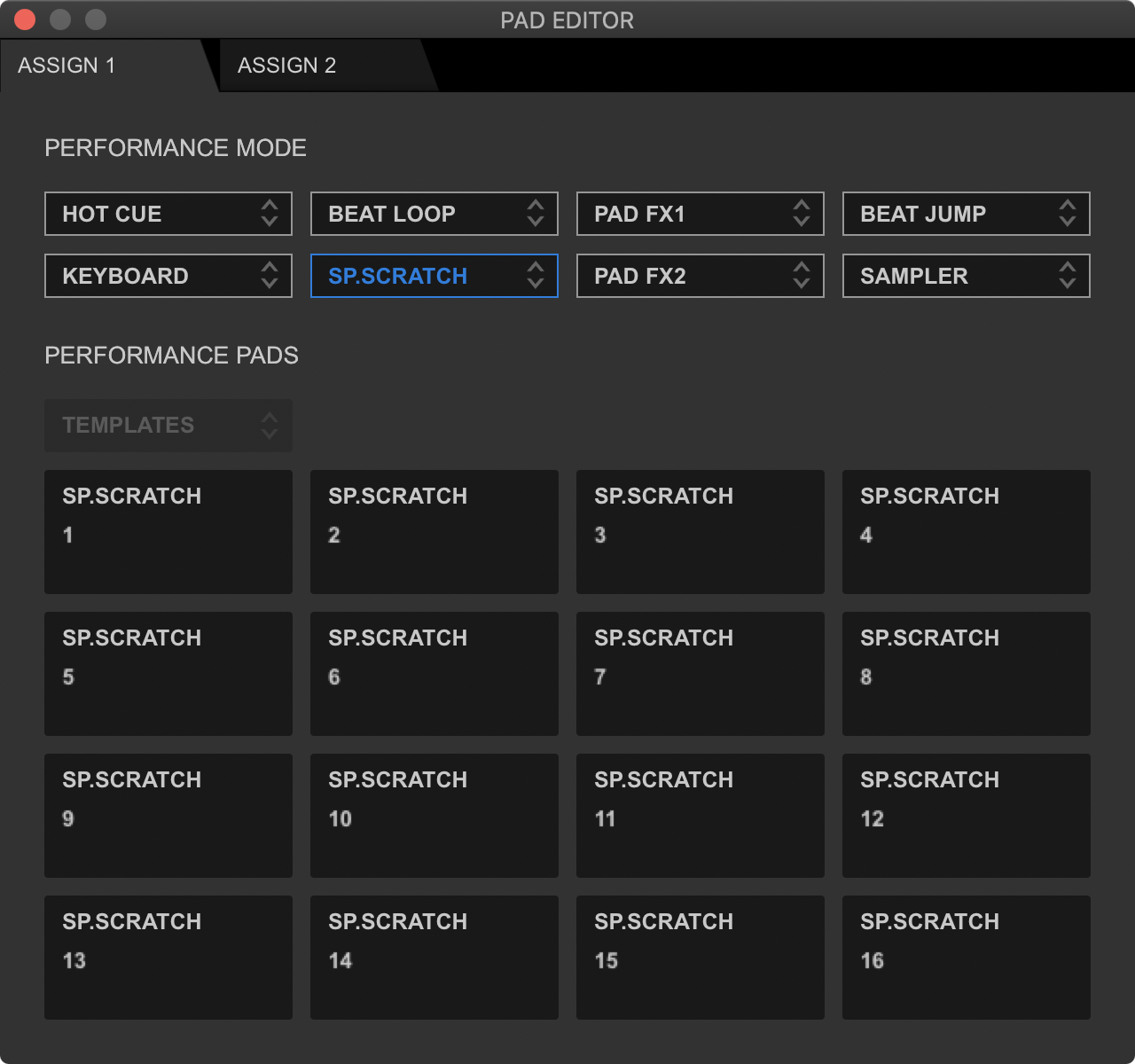
​​

To activate the 6th pad mode, I would press SHIFT+BEAT LOOP on my controller. For the DDJ-1000, press SHIFT+PADFX1.

To load a sample, simply press the pad corresponding to the sample you want to load to the deck, and to unload it, press SHIFT and that pad again.

Pulse
Ações de comentário Permalink

Publicação fechada para comentários.

4 comentários

0
Avatar

when i plug in my xdjxz to the laptop i see the pad editor is grayed out am i missing somethin

Donnie Clarke 0 votos
Ações de comentário Permalink
0
Avatar
he same thing happens to me with my XDJ XZ, is it possible to configure it???
Helder Rosa 0 votos
Ações de comentário Permalink
0
Avatar

No, sorry, the XDJ-XZ is not a PAD EDITOR compatible device.

Pulse 0 votos
Ações de comentário Permalink