

Hi this worked for me that Pulse posted on another thread. Used Rekordbox solidly for 3 days without a single crash!
Hey guys, as per another thread where this is being discussed... please try the following:
Because of the "smart quotes" function of Mac, when a user changes the text 0 to 1, the double quotation text is changed so that the value can be read as 0 instead of 1 even after changing the value.
- From the “Go” menu in the Finder of Mac, select "Go to Folder...".
- In the popup window, please type in “~/Library/Application Support/Pioneer/rekordbox” to open the folder and find “rekordbox3.settings”.
- Control-click or right-click “rekordbox3.settings” then select “Open with” -> “Other...” and use TextEdit to open the file.
- Find the following line in the settings file.
<VALUE name="DisableOpenGL" val="0"/>
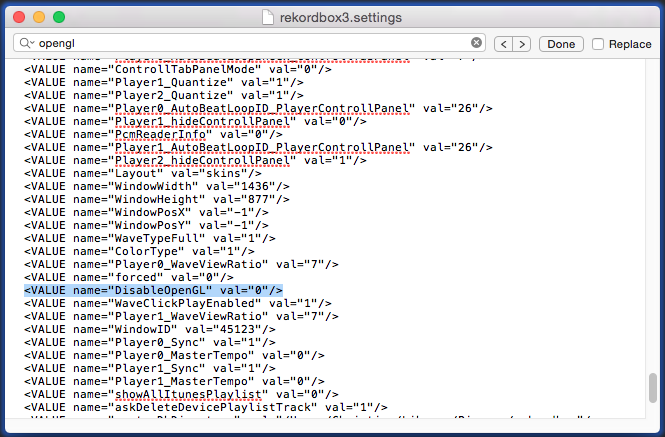
- Then, change the value from “0” to “1” as shown below.
<VALUE name="DisableOpenGL" val="1"/>
Please note: Be sure to copy the text "1" including the quotation mark " " in for example,
<VALUE name="nexusServerIsActivated" val="1"/> in the TextEdit and paste them instead of directly typing the value 1.
Close the file and restart rekordbox.
Please try this process to solve the crash problem.
Comment actions


