Have a feature request or suggestion? Post your idea here!

Post

4 followers Follow
0
Avatar

DDJ 1000 Problem with Audio driver

Hey guys- i realy Need support - i am using Mac OS Mojave - i already installed rekord box for my old DDJ RX controler. Now i bought a DDJ 1000 and installed everything new. In the Audio menue i cant choose the DDJ 1000 only „buildt-in Output“. In can control the software nur there is no Audio output (Master and headphone)
When i connect my old RX he is connecting immidiately. I
What am i doing wrong? Can you help?

Marcus Holter

Post is closed for comments.

12 comments

0
Avatar

- disconnect the DDJ-1000
download the drivers
- within the driver pack, run the uninstaller
- reboot your computer
- run the driver installation
- check that you have bypassed the driver security, per these instructions
- reboot your computer again
- connect the DDJ-1000
- check the software to see if it's available as an audio device

Pulse 0 votes
Comment actions Permalink
0
Avatar

Hello,

I followed all the instructions and I'm still experiencing the "no audio device" issue.

I'm running macOS High Sierra 10.13.6.

- disconnected the DDJ-1000

- downloaded the drivers using the link

- ran the uninstaller

- rebooted computer

- installed the drivers

- followed directions on bypassing the driver security. "System extension blocked" window did not pop up so I preceded to follow option 2 "If you installed it without the steps described in 1" and this still did not work.

- then I followed the instructions over again one more time but I'm still having issues.

Please advise.

Thank you,


whosjondoe 0 votes
Comment actions Permalink
0
Avatar

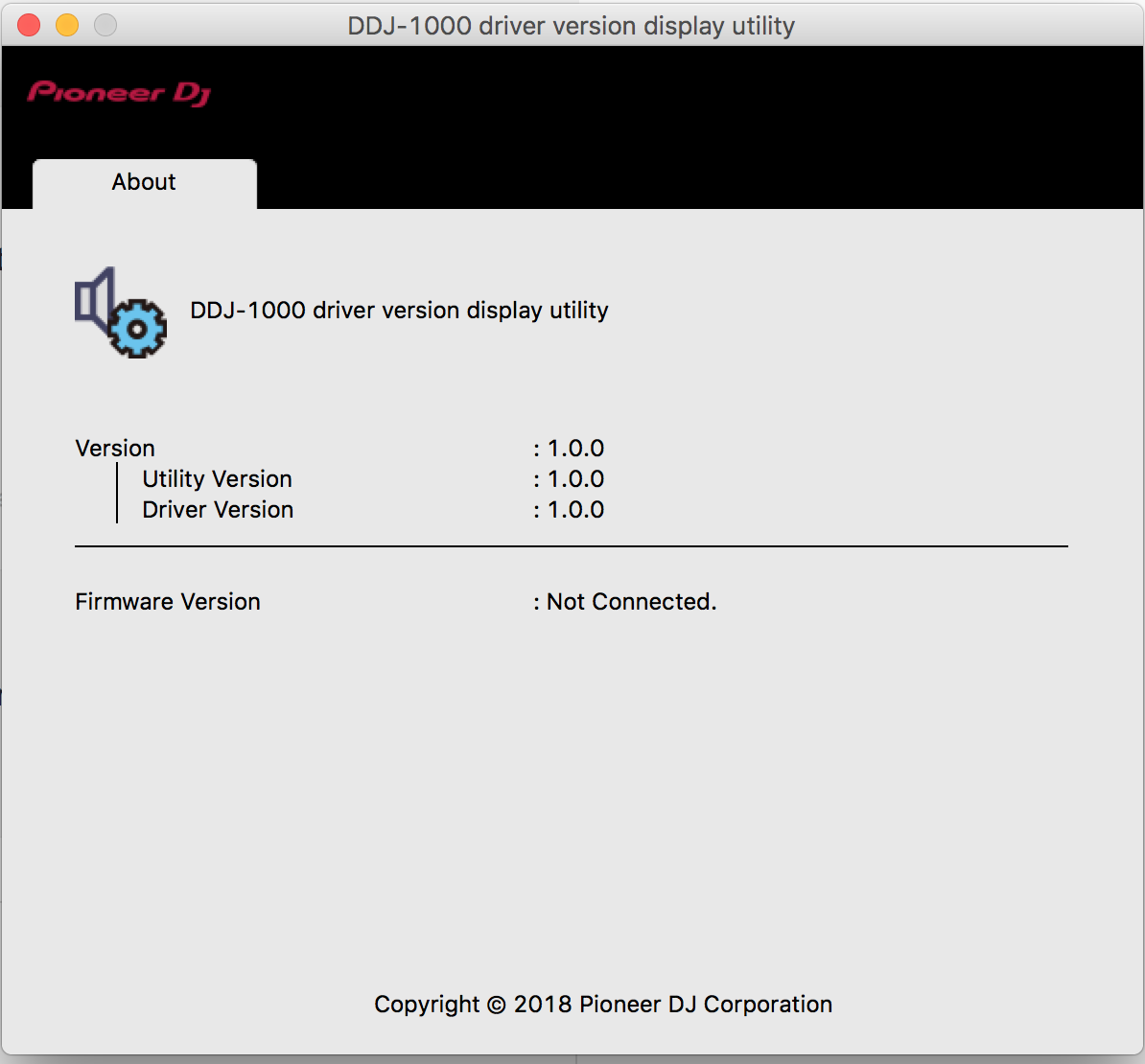
@Jon > For you, it could be as simple as opening the DDJ-1000 Driver Version Display Utility, then closing it, and rekordbox will work with the DDJ.

Pulse 0 votes
Comment actions Permalink
0
Avatar

Thank you for your response.

I tried opening and closing the Display Utility but it didn't resolve the issue.

Do you have any other suggestions?


whosjondoe 0 votes
Comment actions Permalink
0
Avatar

With your DDJ connected, does the display utility recognize your DDJ as connected and show the firmware version of the unit?

Pulse 0 votes
Comment actions Permalink
0
Avatar

It looks like it doesn't.

Please see the attached photo.

whosjondoe 0 votes
Comment actions Permalink
0
Avatar

Can you please verify that the system itself recognizes the device?

  1. With the unit powered-on and connected via USB, open the System Report by click the Apple icon > About this Mac > System Report.
  2. In the left pane, click Hardware (if not already open) > USB.
  3. On the right, look for the DDJ-1000 and click it to see if the details are provided.
Pulse 0 votes
Comment actions Permalink
0
Avatar

Thank you for your reply.


The system report doesn't show that it recognizes my device.  This is strange as I've been using the DDJ-1000 for awhile now and I've never experienced this issue.

Please see attached photo.


whosjondoe 0 votes
Comment actions Permalink
0
Avatar

Can you try using a different USB port (on the computer) / USB cable, or the other port on the DDJ itself? Trying to eliminate possible trouble spots.

Pulse 0 votes
Comment actions Permalink
0
Avatar

I used a different USB cable and it worked!

Thank you so much for your time.


whosjondoe 0 votes
Comment actions Permalink
0
Avatar

Had serious audio problem with Mojave and DDJ-1000 sound drivers. Not able to record vinyl or play sound from Rekordbox. Your fix worked first time-Thank you.

The instructions for a complete Mojave and DDJ-1000 troubleshoot and system check are very nicely summarised and easy to follow in the following article:


https://forums.pioneerdj.com/hc/en-us/articles/360022013031-DDJ-1000-Troubleshooting-Mac-

Harp Grewal 0 votes
Comment actions Permalink