
same exact thing dont know how to solve it
have ddj 800
Comment actions

Hi Guys,
I've just moved from simple DDJ-400 to DDJ-800 and I'm facing audio quality problem whenever I try to record something via Rekordbox.
Every audio file I try to record is of very poor sound quality (audio is very muted, the low tones are of excessive levels) and I've tried already many different EQ and Rekorbox settings. Usually, all my EQ knobs are at "12" positions and I've correctly adjust the signal using trim/volume knobs.
When I try adding more signal using volume/trim knobs, the audio doesn't get better: the only change in its quality is in "more volume" parameter, however the signal gets easily on far yellow/red lights on EQ meter.
It's the same even if I change "Headroom" parameter in Rekordbox settings (usually, I use -3db/-6db headroom). There's nothing I can do to "repair" those audio file in Audacity (and I believe it shouldn't be done that way, since there was no similiar issues on my former, cheaper controller).
After DDJ-800 driver installation, I've updated the firmware. I use Rekordbox 5.6.0 and the newest, updated DDJ-800 driver (1.01).
Is this a know issue and how to solve this?
Thanks for your help in advance.
Post is closed for comments.
same exact thing dont know how to solve it
have ddj 800

Are you guys on Mac or PC?
i am on pc
and cause of this issue when the video guys conecting to my mixer the sound always comes out unlisentable terrible .
Can you post a screenshot of your audio configuration within rekordbox?
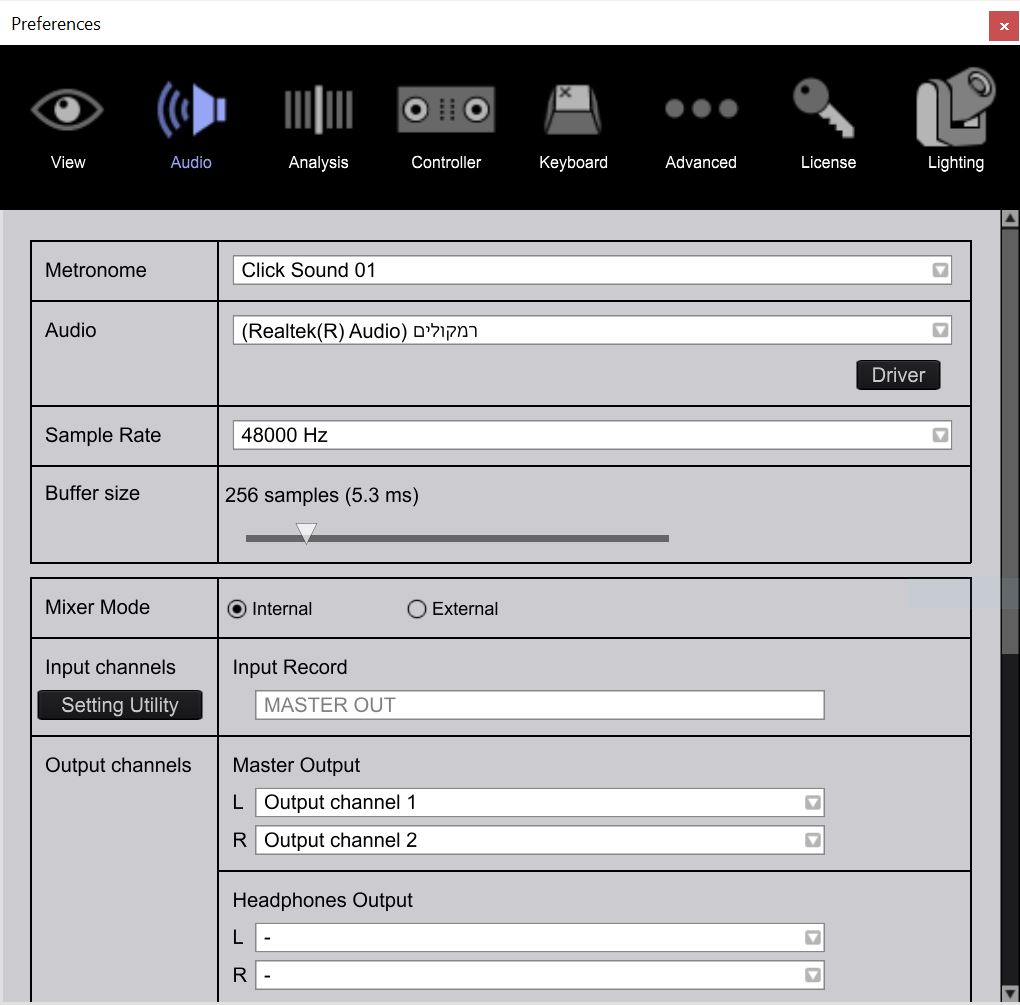
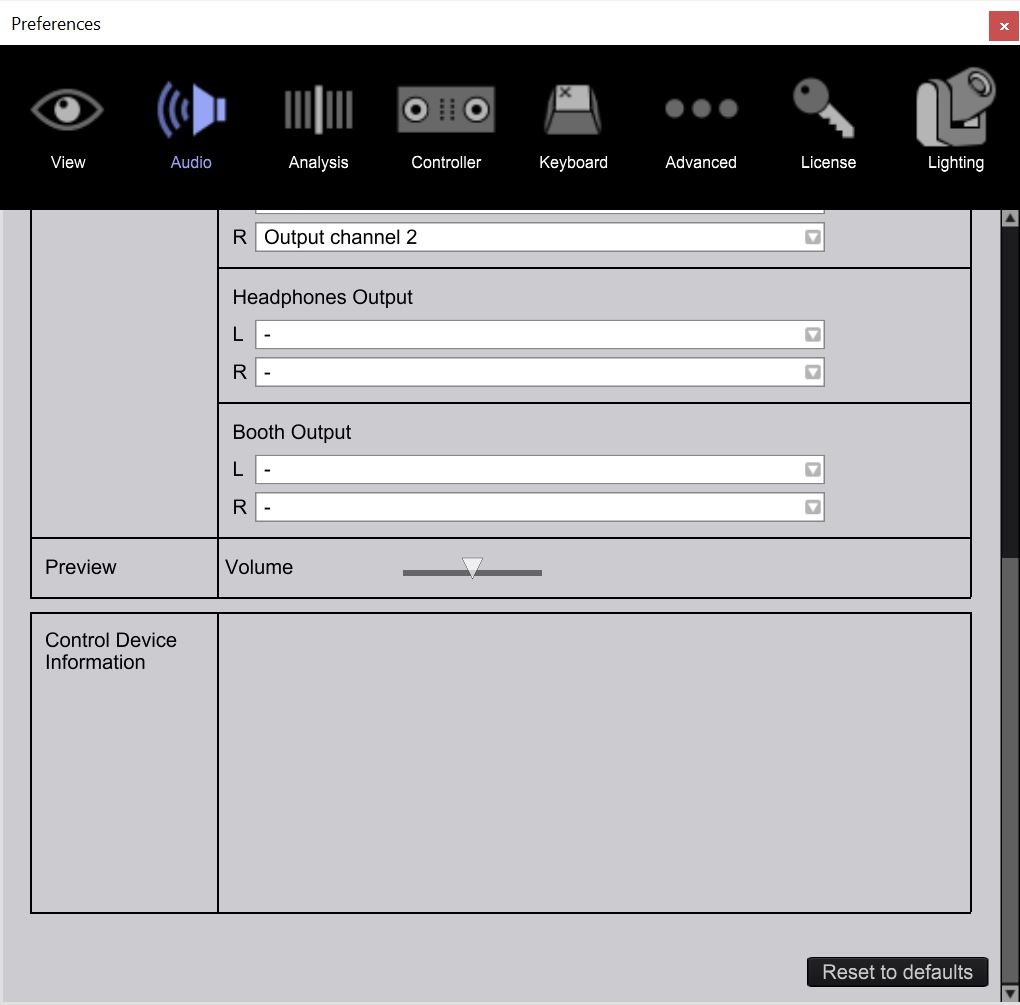
That shows your output is set to the Realtek (internal) output, not the DDJ-800. That might be part of the problem.
well yes cause now its not conected to ddj 800 that why
...and the Control Device Information doesn't show the DDJ as connected.
Well that's not very helpful to resolving this issue, then is it? lol
haha ok i will conect it now and send you new screenshoot
btw super happy with the fast response
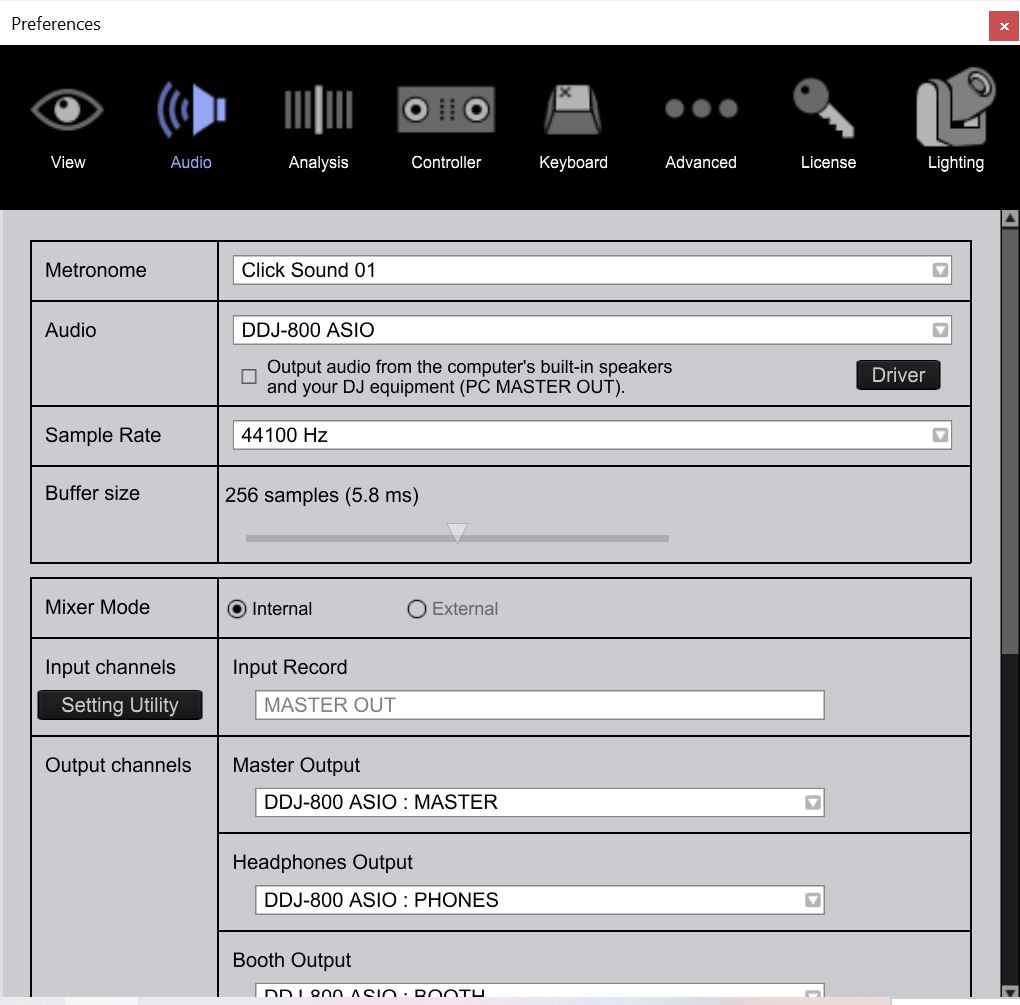
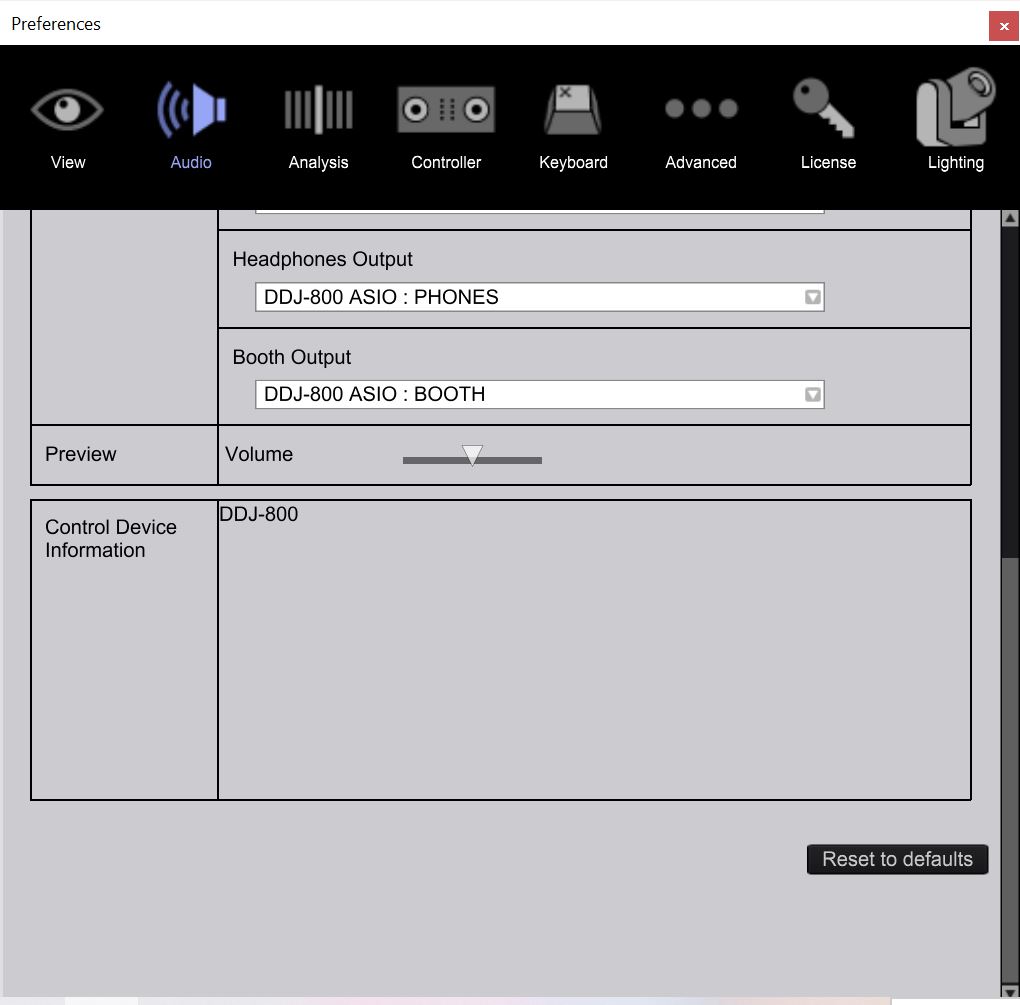
do you see anything wrong ?
this is the mixer screen shoot
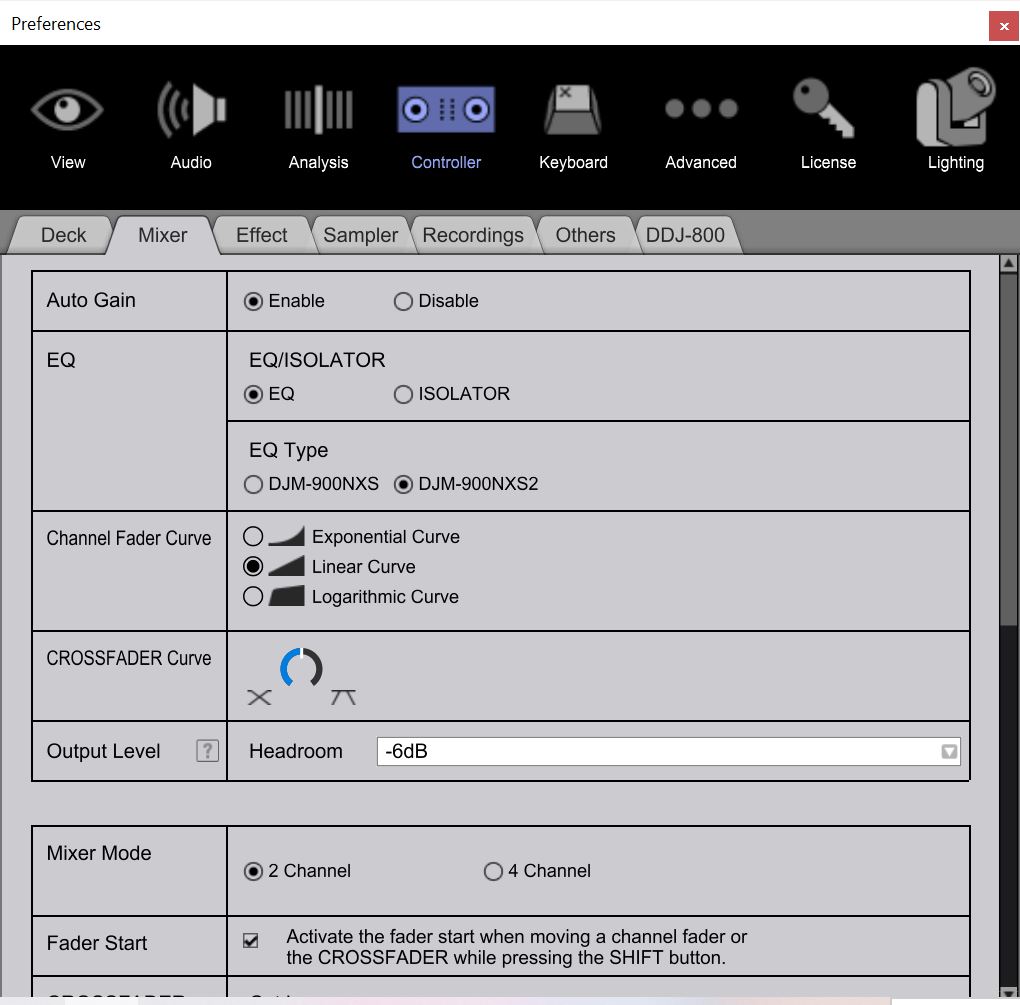
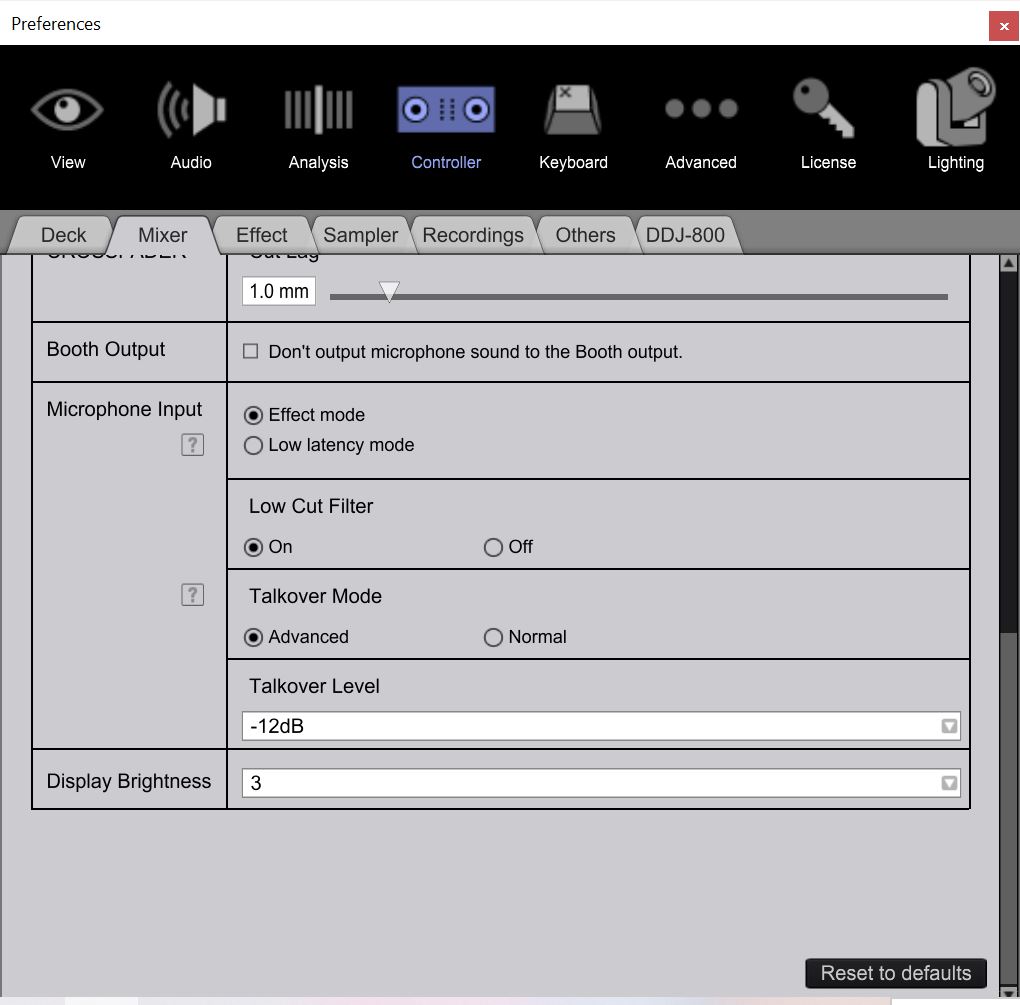
???
@Avi > Please don't cross-post, I'm already helping you here.
You say it "very easily goes into the yellow/red" - your headroom is set to -6dB, try lowering that to -12dB, and make sure the master attenuator on the DDJ-800 page is set to 0dB.
I'd also recommend you try increasing the audio buffer size to 512 samples.
im sorry but the issue is that i couldnt comment anymore and it looked like this convertion was locked. i tried what you told me and still its doing same issue, and the record sound is lower but not clean .

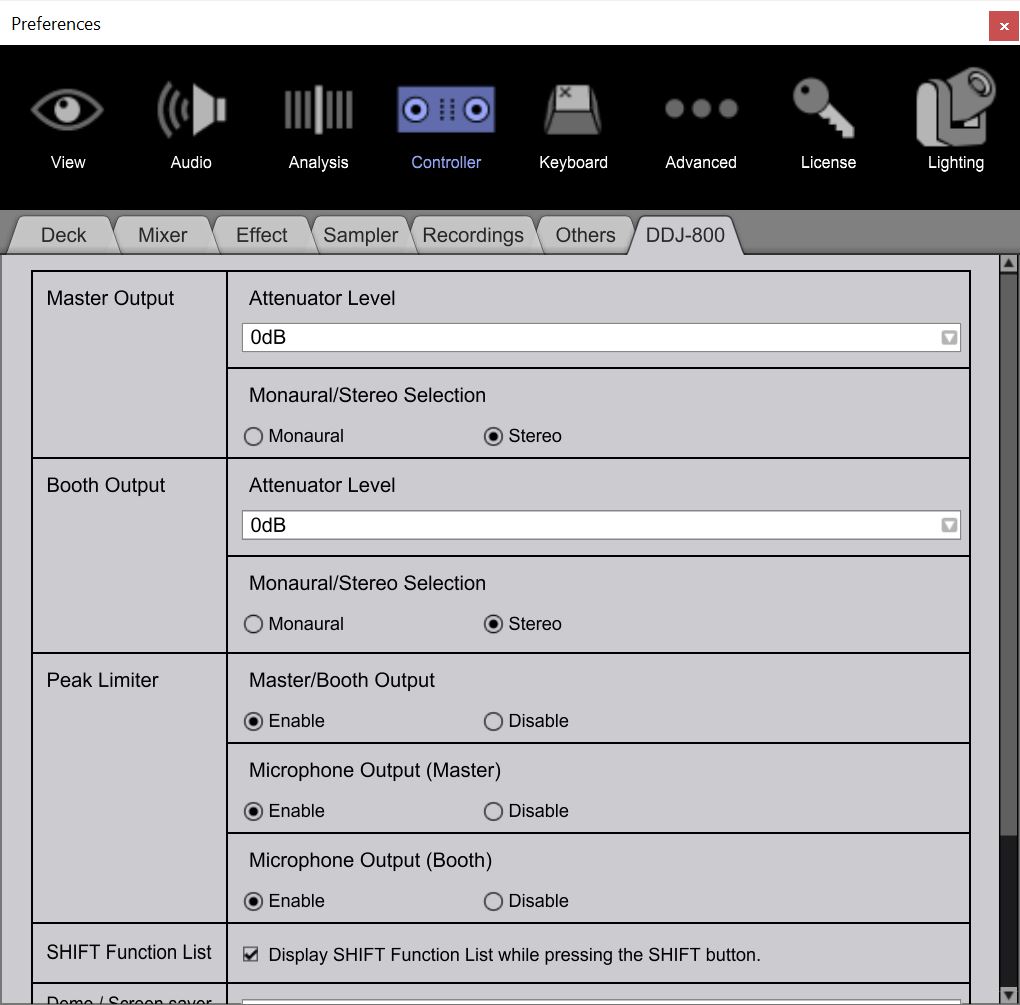
Can you describe what you mean by "not clear"?
hhmm.... a lot of backround noise of scratching kinda and like squicking noise like scraching on metal .... very strange and wierd like you trying to find good radio channel but cant and all you hear is that terrible sound ... sorry i hope im clear enough... i dont know how else to describe it.
@Avi > Can you please try disconnecting the power cable for your laptop and tell me if the same sound occurs?
i did it but still facing same issue.
i really dont know what to do anymore
Try using a different USB cable / port?
did that severa times as well
i bellieve that my controler is deffective
Before getting to that conclusion, I'd like to ask if you can try it with another computer to see if it works there.
i have 2 laptops did that as well ... trust me i tried almost everything that i could to find the problem. and not only that the issue is with the video guys that they are conecting to my controler they canot get clear record of my music, and all diffrent guys.
so several diffrent companies did it allready and all had same issue .
I don't think that solves the problem, but after several updates of rekorbox since starting this post, the issue is "less painful" to my recordings - besides software update, I've managed to get better recordings using those tips:
@Avi Elik: try to check/uncheck "Automatically optimize audio level of a recorded file" in Controller>Recordings options and verify if there's any difference to your recorded audio files.
And since in my case the music is being recorded from "Master Out" output, try to set your Master Volume level on your controller a little bit louder (e.g. to a 1pm level), your channel 1 & 2 gain levels to a maximum 2 or three yellow bars using trim knobs.
Important: at all times monitor the audio level of a recorded file during the mix and try not to get to yellow/red level:

For my problem, using those steps and raising the overall volume level of a mix for about 1-2db in external software (e.g. Audacity), I've managed to get a something similiar to a clean mix. Hope this will help you somehow.
Still, it's a pity that users have to deal with this quite severe issue/bug on their own for a mid-range controller. Before, I've beed using DDJ-400 and didn't have any problems.
Cheers!


