
Official comment

Here's what you need to do...
1) Open Mixlr, click Select Source under Any Input. Click to Install Mixlr AudioLink. Go through the installation process.
2) Make sure you click that link at the end of the installer to allow it access to the Mic within the System Preferences > Security & Privacy.
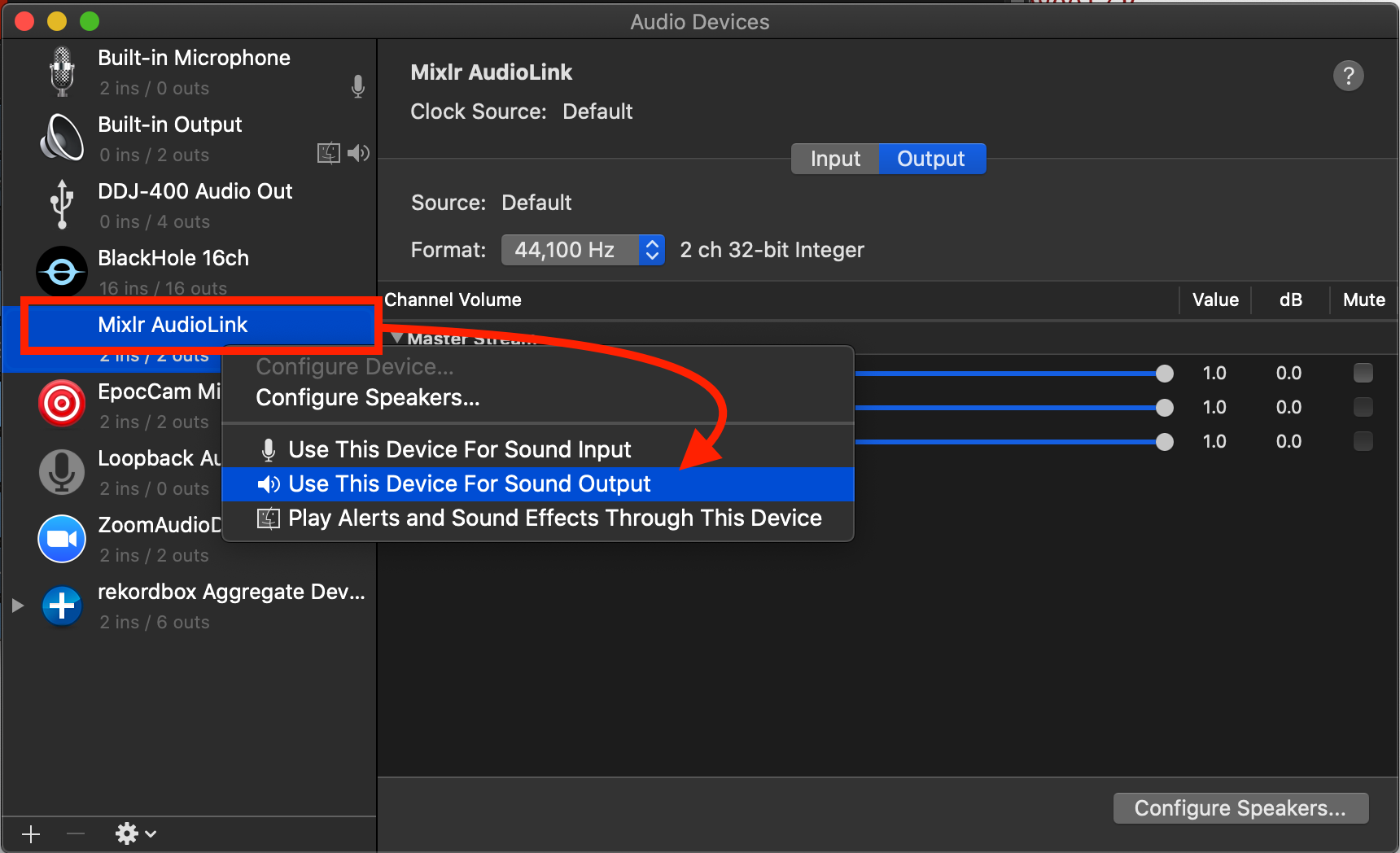
3) Open the Audio MIDI Settings application to the Audio Devices window, right-click on Mixlr AudioLink and click Use This Device For Sound Output:
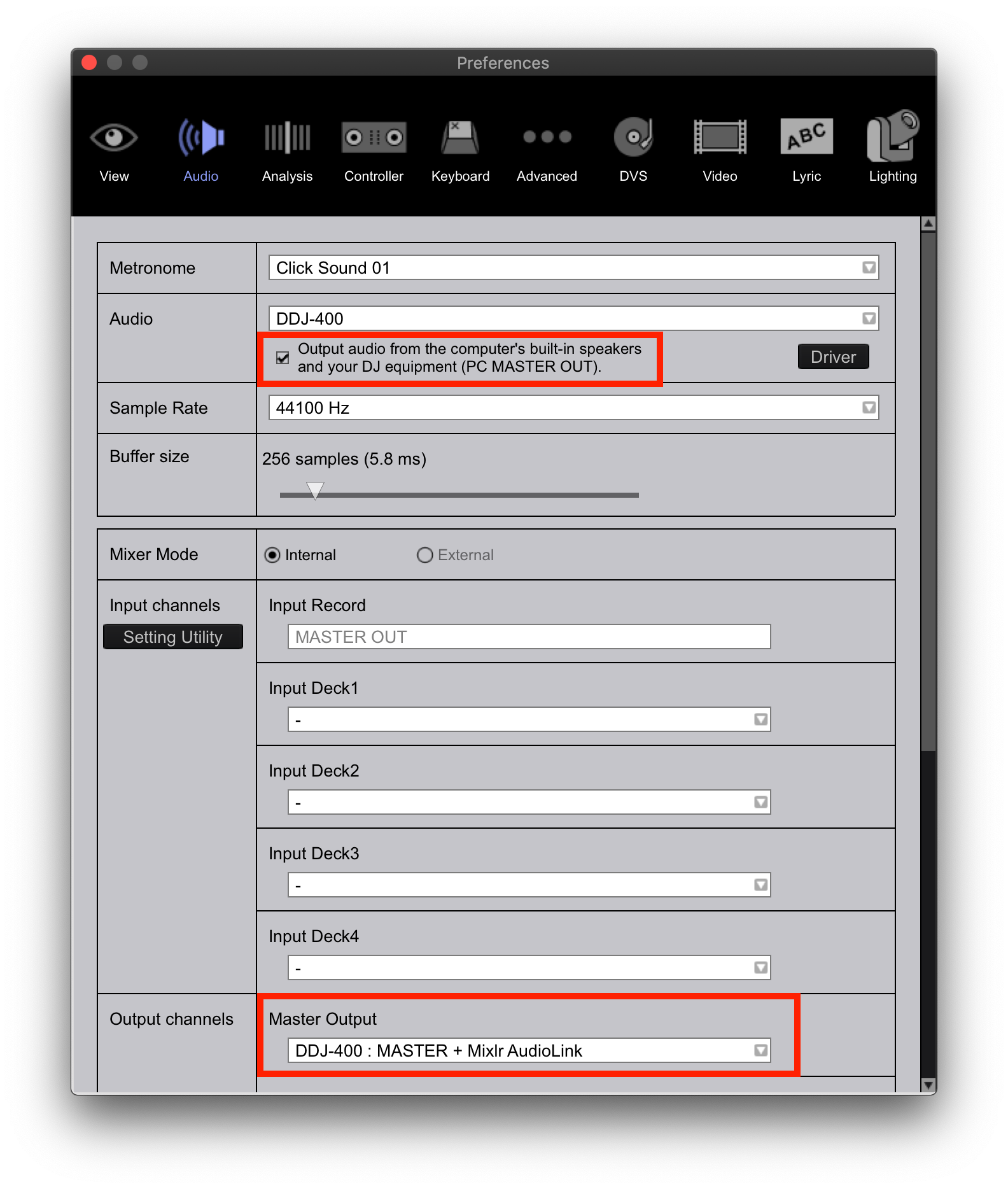
4) In rekordbox, open the preferences and enable the PC Master Output, verify that the DDJ-400 MASTER and Mixlr AudioLink are selected in the master output. You can scroll to verify that the DDJ-400 PHONES is also set for the headphone output:
5) Go back to Mixlr and click Reload Devices at the bottom of that Any Input channel, then select the Mixlr AudioLink as the input.
Presto.

