Have a feature request or suggestion? Post your idea here!

Post

11 followers Follow
2
Avatar

Rekordbox Not Linking to Beatport Link

I have downloaded the latest version of RB and when I tried to play tracks with Beatport Link, it would not log me in. I tried to sign in and it told me that I am not subscribed. I am most definitely subscribed.

I am running a Mac with the latest version of RB. I tried RB 5 and it logged me in; however, when I tried to load a track it gave me the "track loading error". Everything was working just fine until I updated to the latest version of RB.

HELP. Please. Has anyone had this issue yet?

Persuade Answered

Post is closed for comments.

17 comments

0
Avatar

Im having this issue. I just signed up for Link and was going to try using it but it won't log me in. I've tried with Chrome and Safari, and the login window comes up, I log in, but then it opens a new tab where I have to log in again and when I go back to Rekordbox it has that same error.


core787 0 votes
Comment actions Permalink
0
Avatar

Hi, I'm having the same issue, any idea about how to solve it? thanks

Andoni Medina Murua 0 votes
Comment actions Permalink
0
Avatar

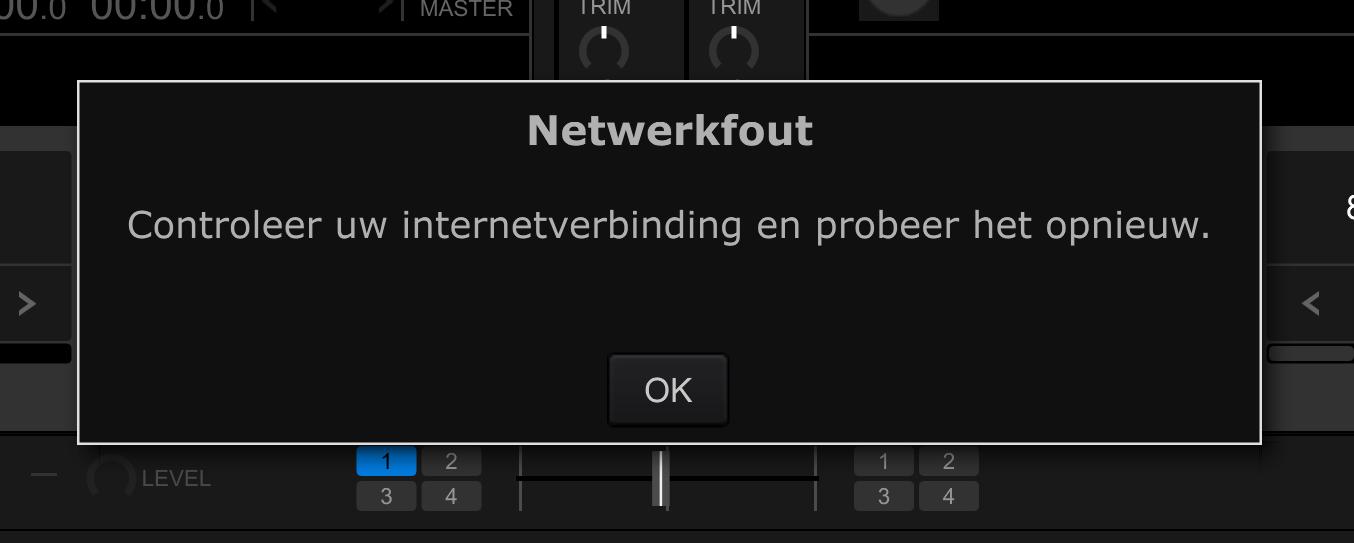
I cant seem to log into my beatport link, I used to be able to but now it says Fix you Internet connection" every time I want to log in through rekordbox. While Im clearly still connected to the internet, please help!!!

Renny Meere 0 votes
Comment actions Permalink
0
Avatar

I have the same issue and nobody seems to know what it is exactly.
Last friday i was mixing, everything went ok, when i returned on monday the issue started. When i am in rekordbox and click on the login button from Beatport i first get a popup now that says i need to login into my Beatport Link account, while before i would just get a quick percentage bar that would log me in.

When i click on login i get an error right away saying something is wrong with my network and i don't have internet. I do have internet so this is weird, and especially when having in mind that on friday all wet well and now out of nothing this issue occurs. My controller is a Pioneer RX3. Hope somebody can help! Really frustrating this!

Martijn Dijkstra 0 votes
Comment actions Permalink
0
Avatar

Same problem here, No internet connection it says, very frustrating and I sent a ticket but no answer, does anyone got a reply from their tickets?

DJ Wim Music 0 votes
Comment actions Permalink
1
Avatar

Hi Wim, i found a solution that works. I only have this problem on my RX3 controller connected to a windowns laptop though, not on the DDJ400.

Anyway, what you should do:

Close RekordBox

Delete the following from C:\Users\<your username>\AppData\Roaming\Pioneer\rekordbox6\

- Folder "beatport"

- Files "Beatport.log" & "BeatportSetting.txt"

Restart RekordBox

Sign in to beatport

Sometimes i keeps working for a couple of days and then you'll have the same problem again. It's a quick and easy fix to the problem. Let's hope Pioneer will fix it soon.

I have spoken to both Pionees and Beatport about this issue.(after many requests) It's a Pioneer problem, they have to fix it.

good luck!

Martijn Dijkstra 1 vote
Comment actions Permalink
0
Avatar

Martijn this works! You are my hero for today, keep on spinning and lets hope they find a solution for this....


DJ Wim Music 0 votes
Comment actions Permalink
0
Avatar

Same problem,  on MAC. Please Help, Pioneer do nothing......

Stanley Minarsky 0 votes
Comment actions Permalink
0
Avatar

I found the files on MAC "Beatport.log" & "BeatportSetting.txt" and delete but the problem remained...

Stanley Minarsky 0 votes
Comment actions Permalink
0
Avatar

downgrading to rekordbox 6.6.1 is the only temporary solution......

Stanley Minarsky 0 votes
Comment actions Permalink
0
Avatar

Hi Stanley, did you shut down Rekordbox and then delete the files? It won't work while Rekordbox is still running.
What also mighht help is to go to C:\Users\<your username>\AppData\Roaming\Pioneer\rekordbox6\  and rename the beatport forlder (just name it like beatport2) and start Rekordbox again. It will create a new Beatport folder and all should work then. (on windows that worked too) 
Good luck!

Martijn Dijkstra 0 votes
Comment actions Permalink
0
Avatar

Renaming the folder worked for me!!  Yay!  Thank you.

Terri Shofner 0 votes
Comment actions Permalink
0
Avatar

Martijn Dijkstra THANK YOU it worked!!! Was starting to get to me haha got it sorted so quick, thank you

Mia Chivers 0 votes
Comment actions Permalink
0
Avatar

Martijn Dijkstra, you are my new friend! Thank you so much!!! So frustrating!

Justin 0 votes
Comment actions Permalink