正式なコメント

Okay - confirmed... it's pretty simple and this will work with almost any Pioneer DJ equipment:
1) Install Voicemeeter Banana.
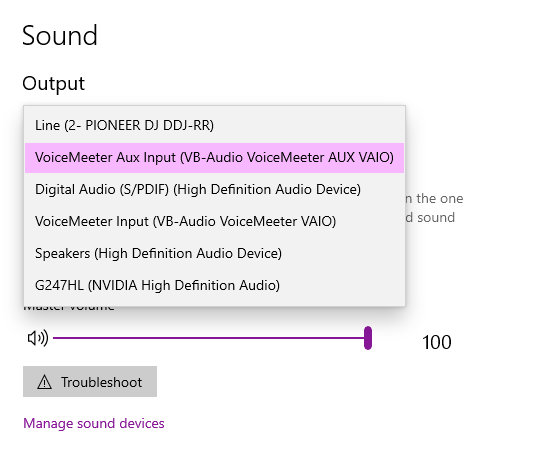
2) Open the Windows sound configuration and select the Speakers (VB-Audio VoiceMeeter VAIO) device, and set the volume to 100:

Close that window.
3) Open Voicemeeter Banana from the Start menu and configure the following:
- At the top-right, click the A1 item and select the Pioneer DJ controller you want to use for output
- If you also want to use your internal speakers or another output, select it on A2 beside it.
- In the Master Section click the mode selection box (defaults to Normal Mode) for the first channel until it shows Stereo Repeat
- Under the Virtual Inputs on the left item (Voicemeeter VAIO), enable the selected outputs for A1 and A2 where applicable.
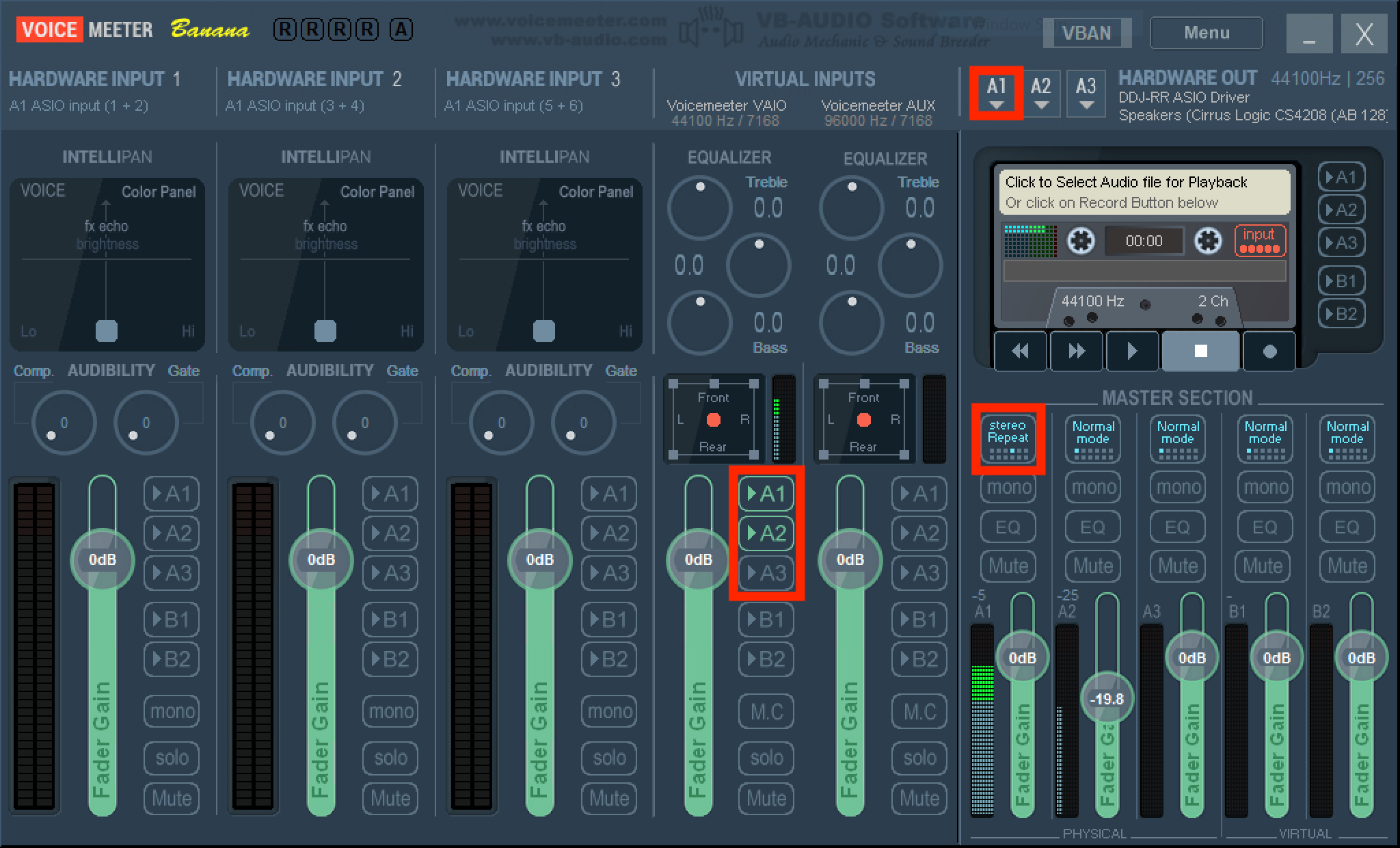
4) With audio playing anywhere in your system (not a DJ application which might select the audio device for you), you'll now see activity on the master meter on the RR; dial up the booth output and you'll also have audio output.
コメントアクション