
Can you please post a screen shot so I may direct you best on the next step?
Ações de comentário

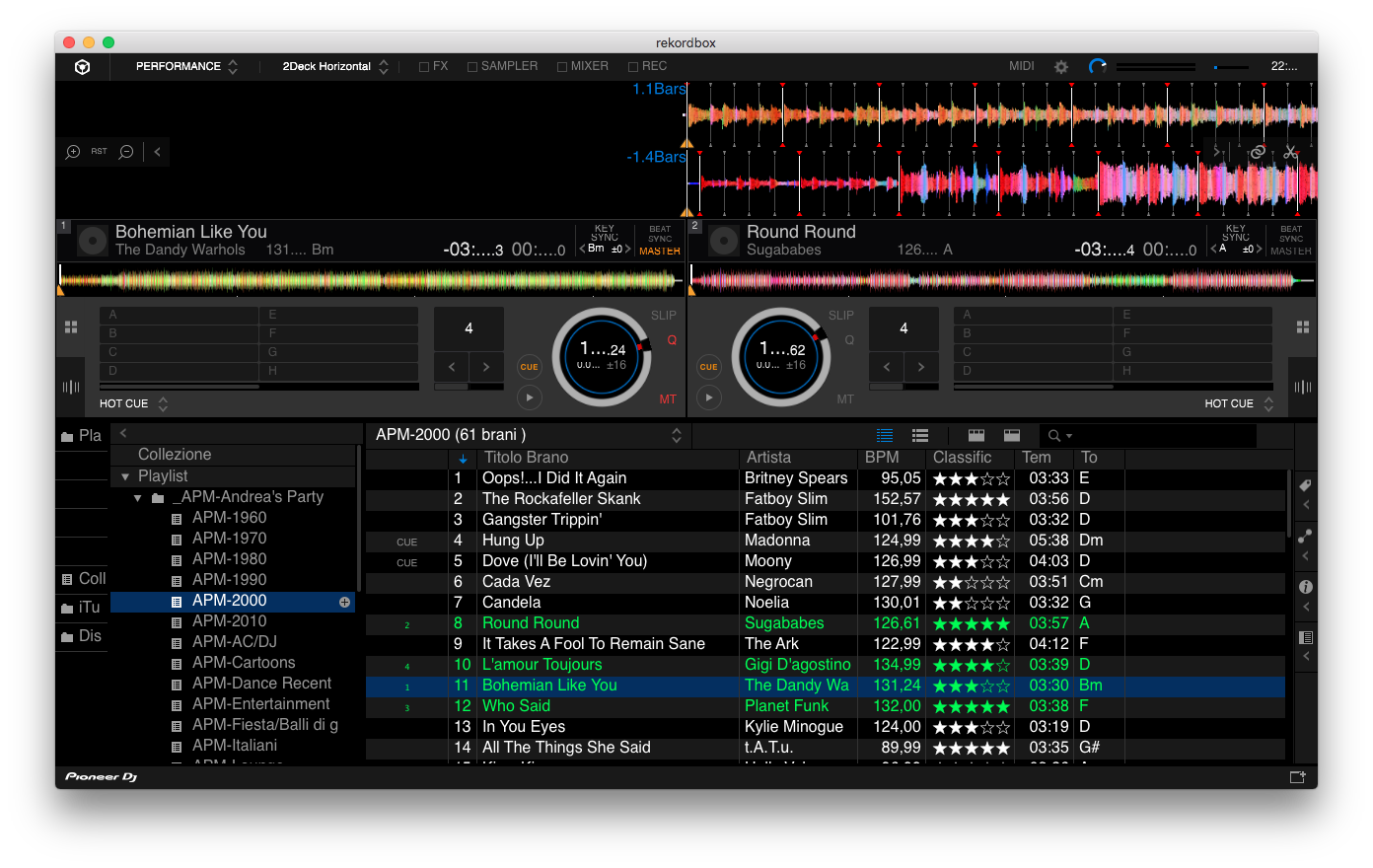
It is urgent to update rekordbox since it is impossible to read all the fields necessary, most of them are replaced with "..."
Tempo of track
elapsed time
remaining time
tempo pitch
please update them urgently!
Thanks
Andrea
Publicação fechada para comentários.
Can you please post a screen shot so I may direct you best on the next step?
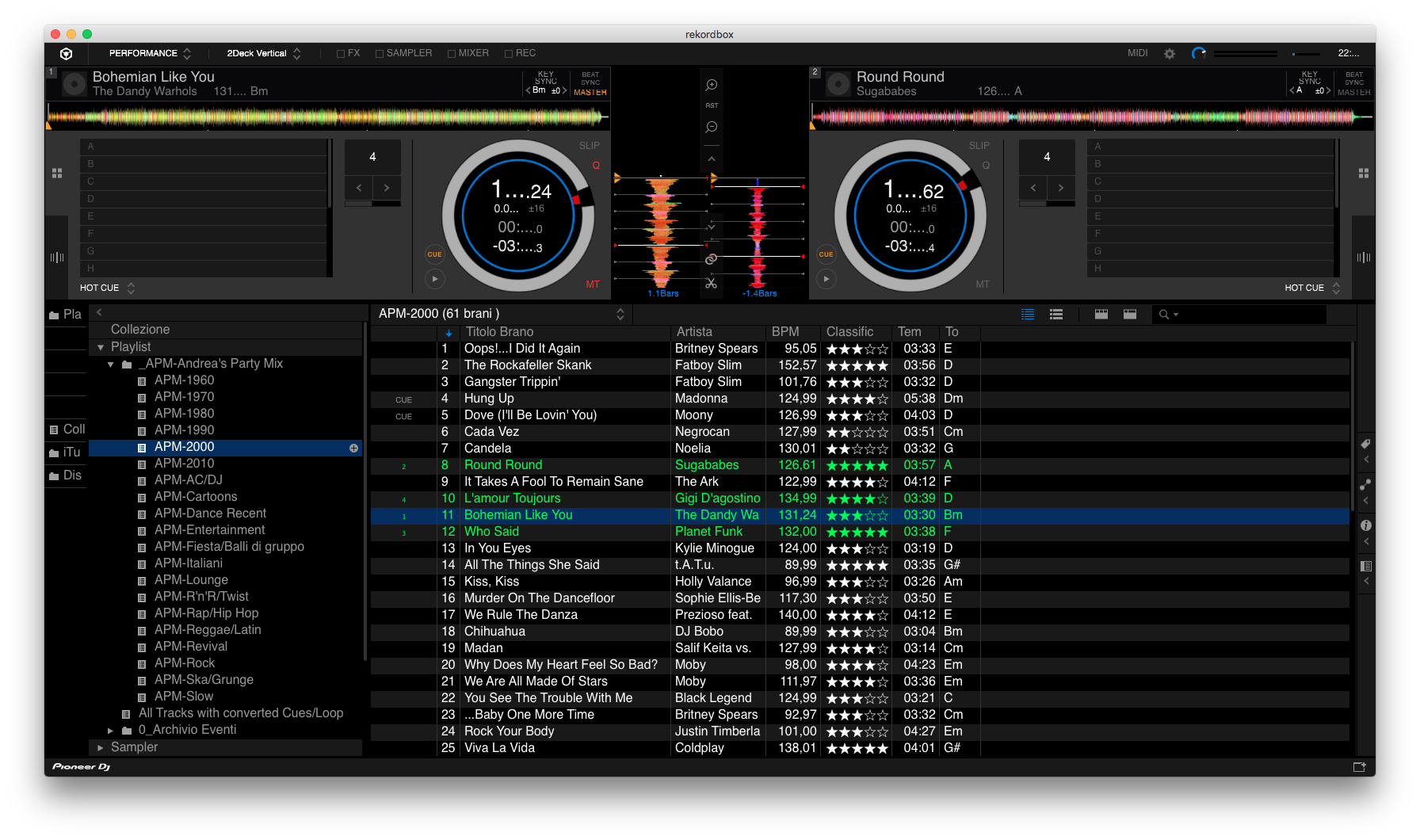
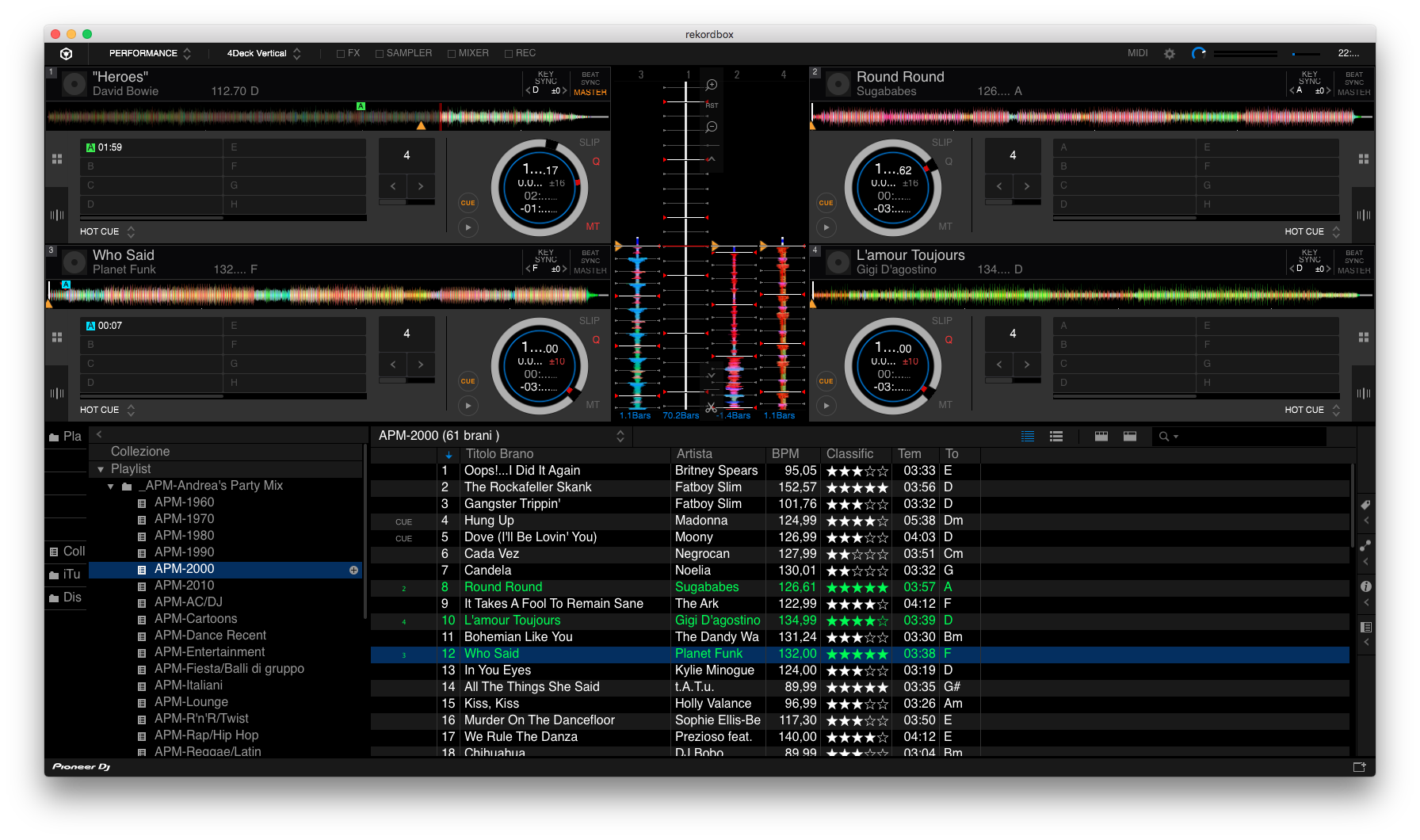
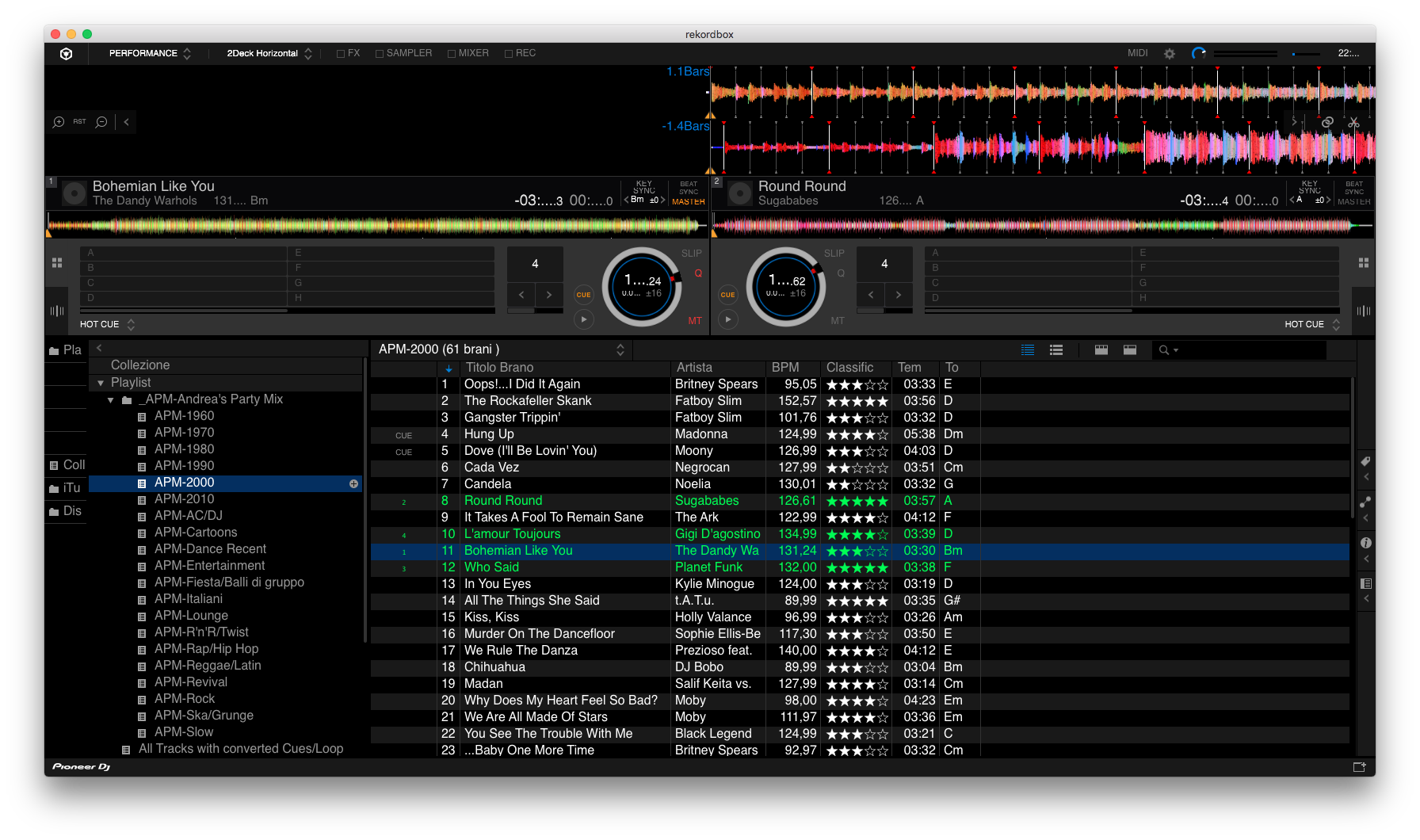
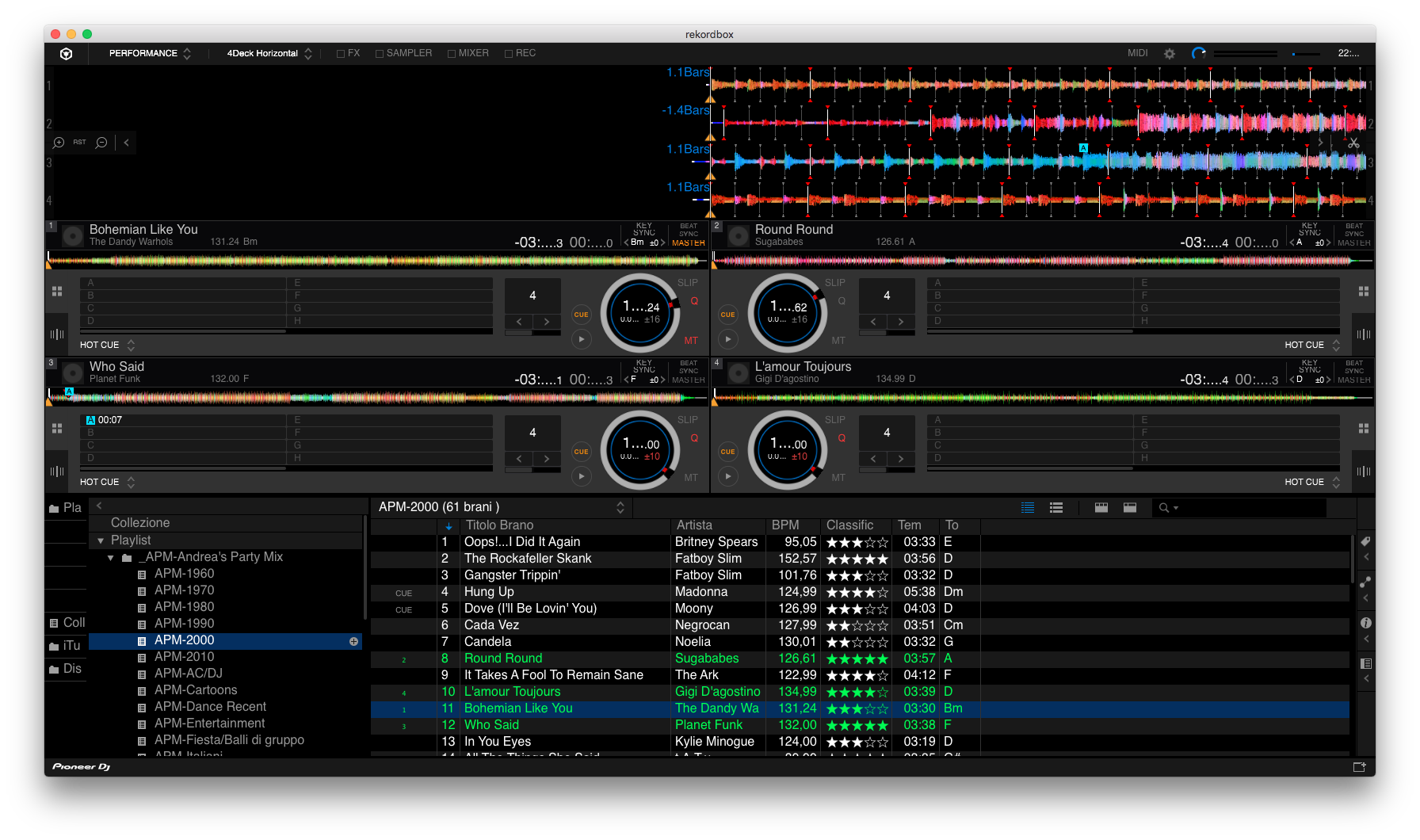 some screen shots, almost the relevant info during playing a track are replaced with "..."
even if it is not fundamental, also the time (top right) is replaced by dots
@Andrea > Do you possibly have your display set to a non-native resolution to make the font sizes appear larger?
 changed the resolution but the issue is exactly the same ...
What is the resolution set to?
tried different the lowest is 1024x648, the result below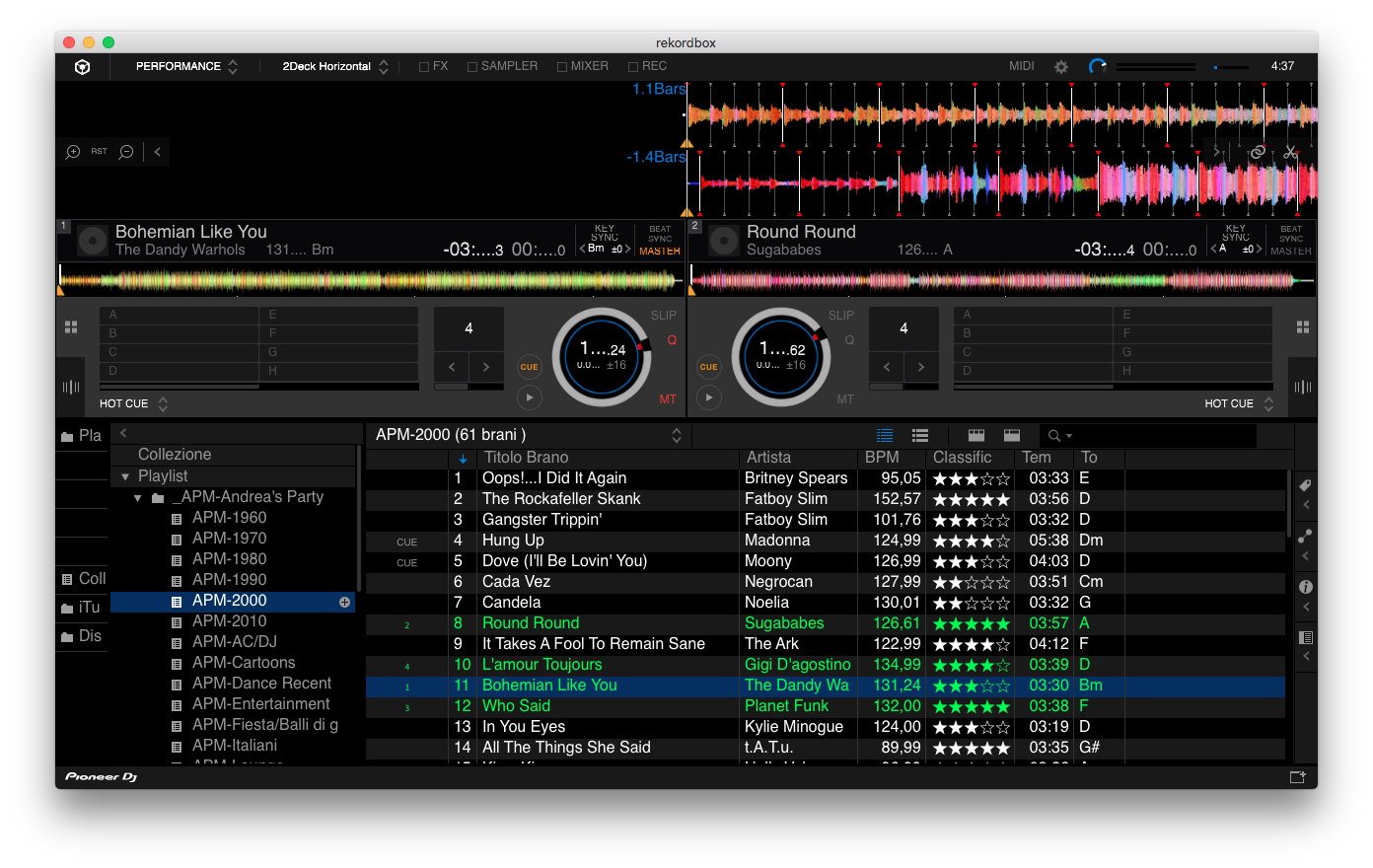

 the result is always the same, it is not a matter of resolution
another request from another user was about the issue of text dimension, not replaced by dots but too small
Going to a lower resolution will only make it worse! Please try a higher resolution, preferably the native resolution of your display.
It is exactely the starting point. I only use native resolution. I have a 15’’ macbook pro used with native resolution. In this configuration I faced the issues with text (see post above). Someone from the support team suggested to change the resolution. Even if I did not believe it could solve anything I trued, but the result is exactely the same.
So the issue is still alive, what can I do? I believe it is a bug that must be solved. I kindly wait for a solution
@Andrea > Please try this:
Close rekordbox, open the Font Book application, select 'Restore Standard Fonts' from the File menu, then close Font Book, reboot, and try rekordbox again.
thanks, now it is working. it is a strange issue. obviously I cancelled all font added over years ...
in any case, I suggest to make more customizable the decks layout. I am a former user of Traktor and the possibility of setting up decks layout is wonderful ...
Glad you got that working -- love the mysteries of operating systems!

I also have the same issue.
My rekordbox version is 5.6.1 on the OSX 10.12.6. I just tried the Font Book trick but it doesn't work. I also tried to delete the whole rekordbox (include the folder under Library) and reinstall the rekordbox and still the same.
Any suggestions?
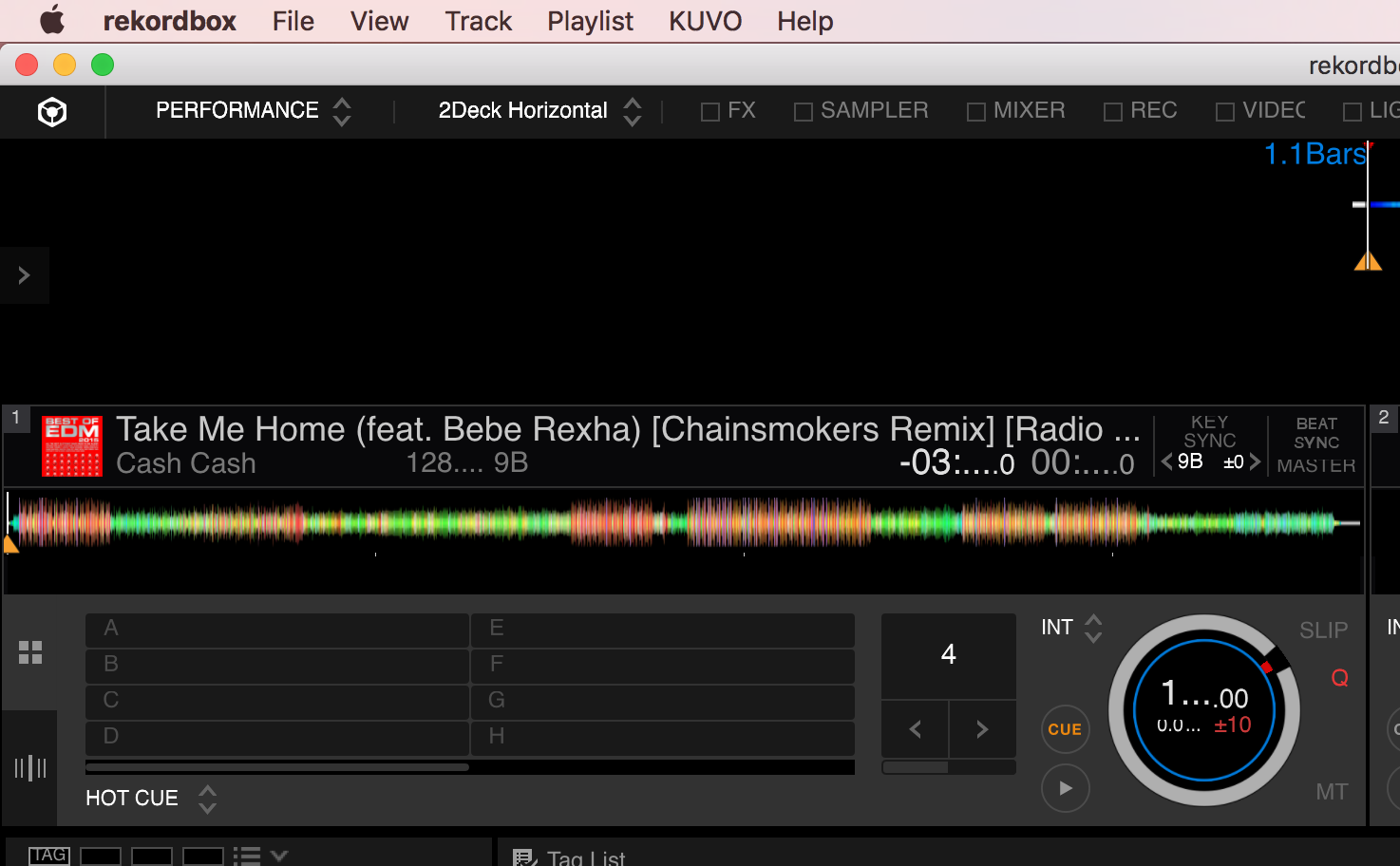
@Soujirou > What's the resolution of your display? Do you have any accessibility enhancements enabled (such as a zoom)?
Thanks for you reply.
My screen resolution should be 1440x900.
I also tried several resolution (quit Rekordbox->change resolution->Run Rekordbox) and still not working.
No accessibility enabled.
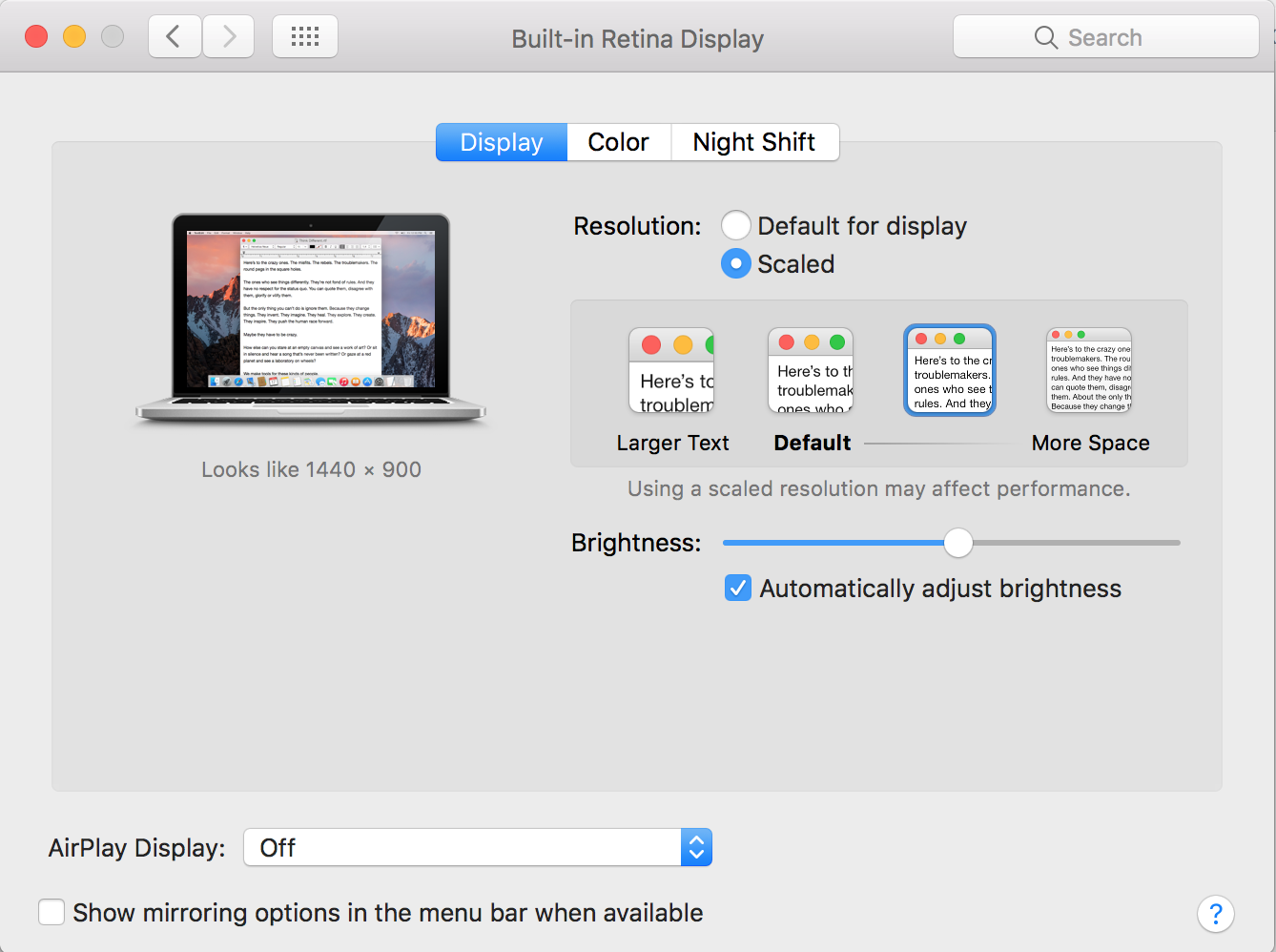
Your display is set to be Scaled; please set it to Default and try again.
It seems like still the same.
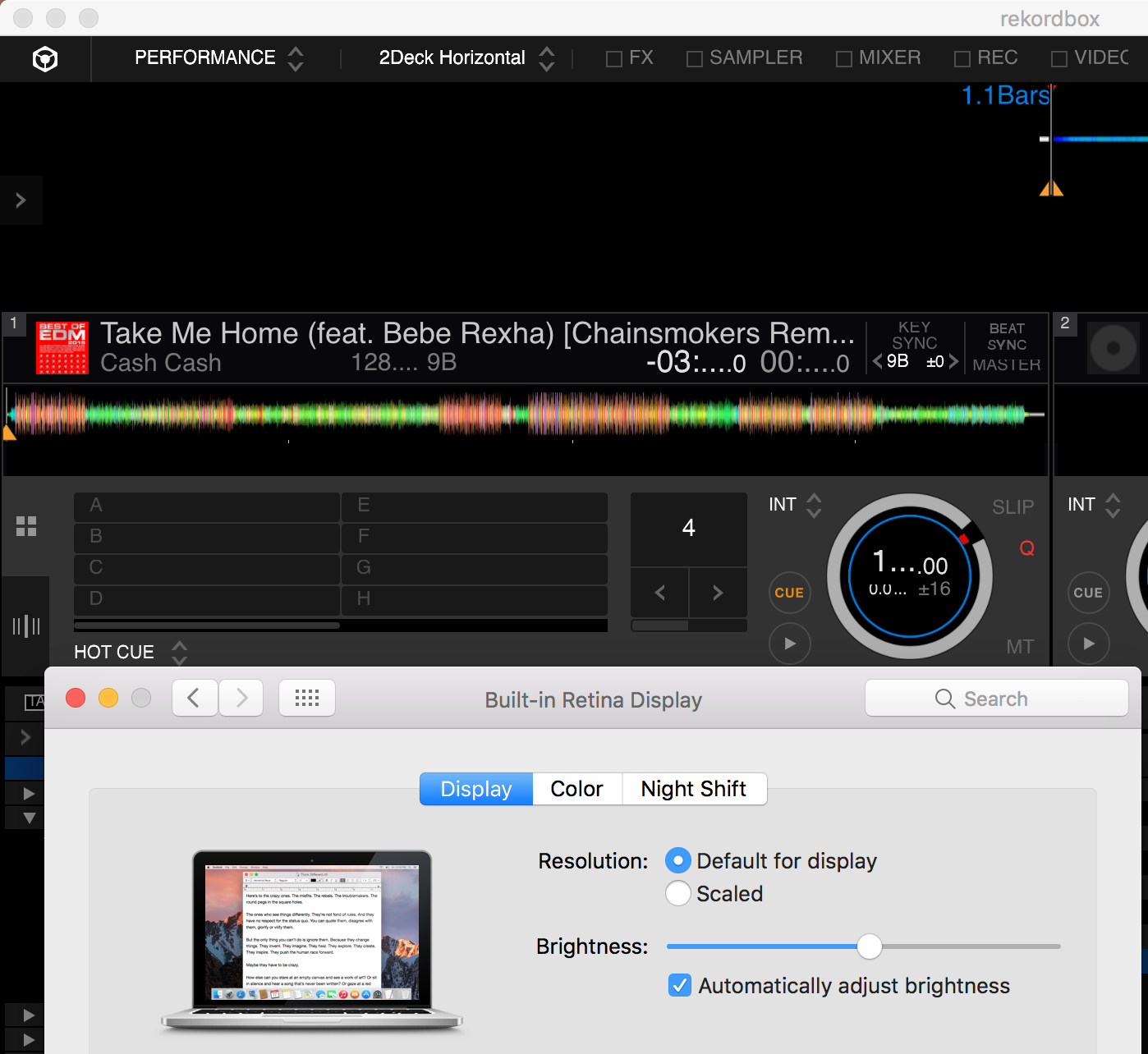
Can you please launch the Fontbook and enable Arial Font.
I just checked the font book and I have these Arial fonts. Is that correct?


