Have a feature request or suggestion? Post your idea here!

Publicação

3 seguidores Seguir
0
Avatar

DDJ-RR DDJ-RX with Mixlr or LiveStream - NO MASTER OUTPUT/MAX El CAPITAN - HELP

Hi all,

I have an issue setting up my DDJ-RR with Mixlr and LiveStream.

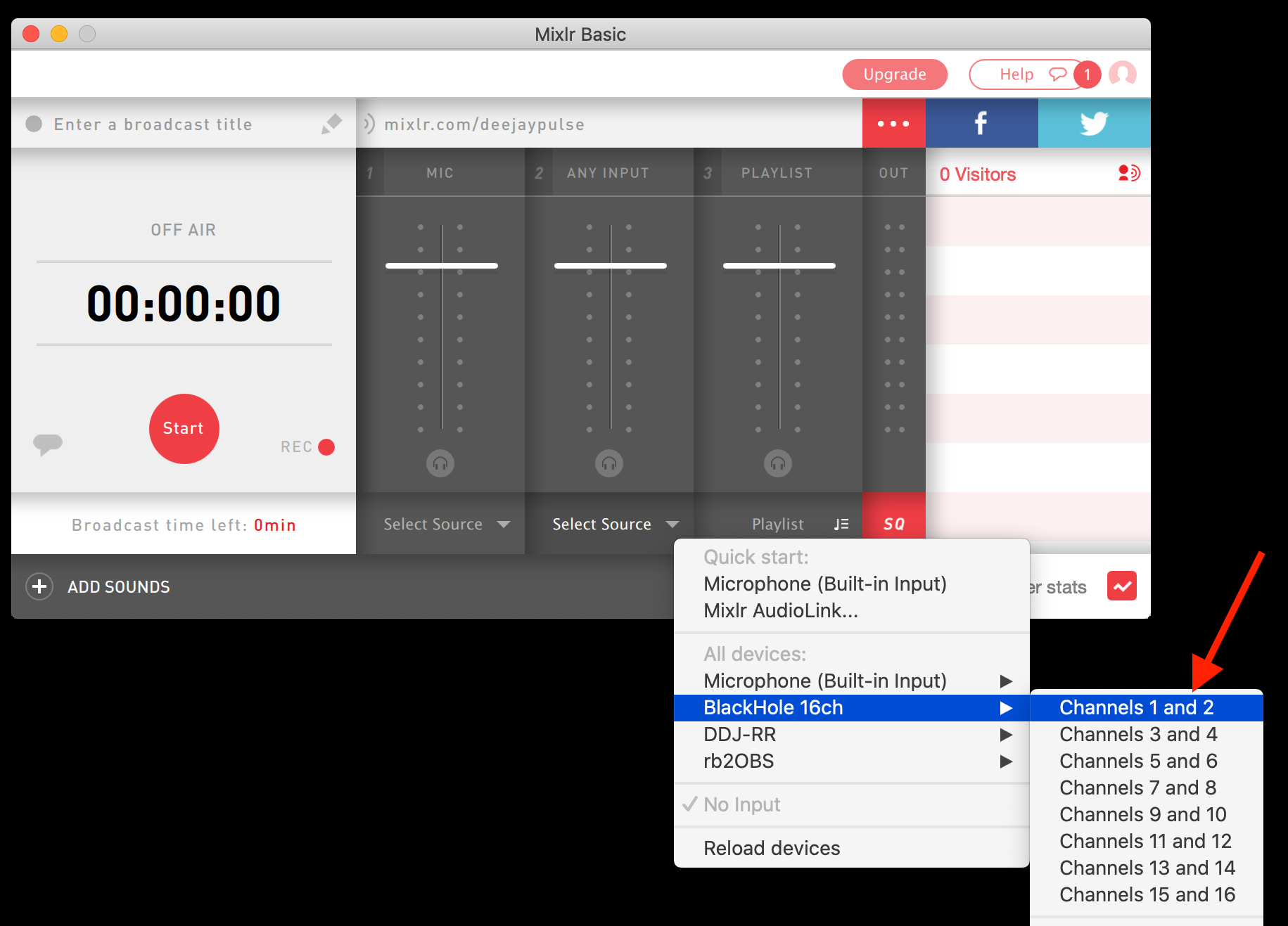
Whenever I select the DDJ-RR in Mixlr or Livestream as an audio output device (channel 1&2, 3&4 or 5&6) no sound will come trough.

In Rekordbox DJ I select the DD-RR Master Output to be the output... It all seems quite obvious but it just doesn't work.

I wonder if anyone managed to solve this on MAC El Capitan with their DDJ-RR or DDJ-RX.

I also tried to tweak the MIDI/Sound setting and use SoundFlower but without any luck.

Please help!

Cheers,
Andras

András Szentiványi Respondido

Comentário oficial

Avatar

Easy-peasy...

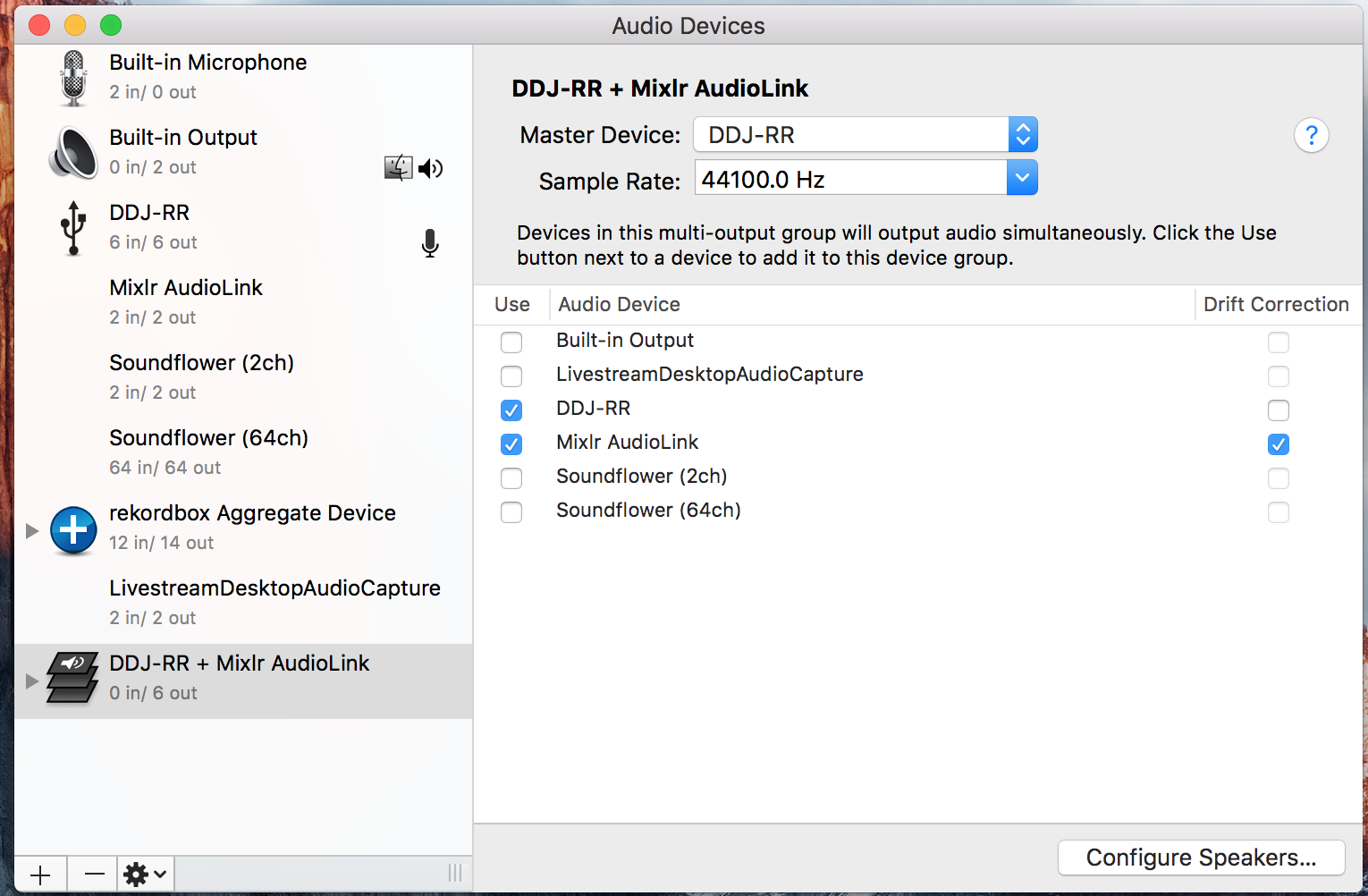
1) Open the Applications > Utilities > Audio MIDI Setup

2) Go to Window > Show Audio Devices

3) Click the + icon at the bottom left, click Create Multi-Output Device

4) Check the boxes beside the DDJ-RR and Mixlr AudioLink

5) Ensure that the Master Device is set to the DDJ-RR and the AudioLink has the Drift Correction box ticked

6) Click on the Multi-Output Device listing on the left, rename it DDJ-RR + Mixlr

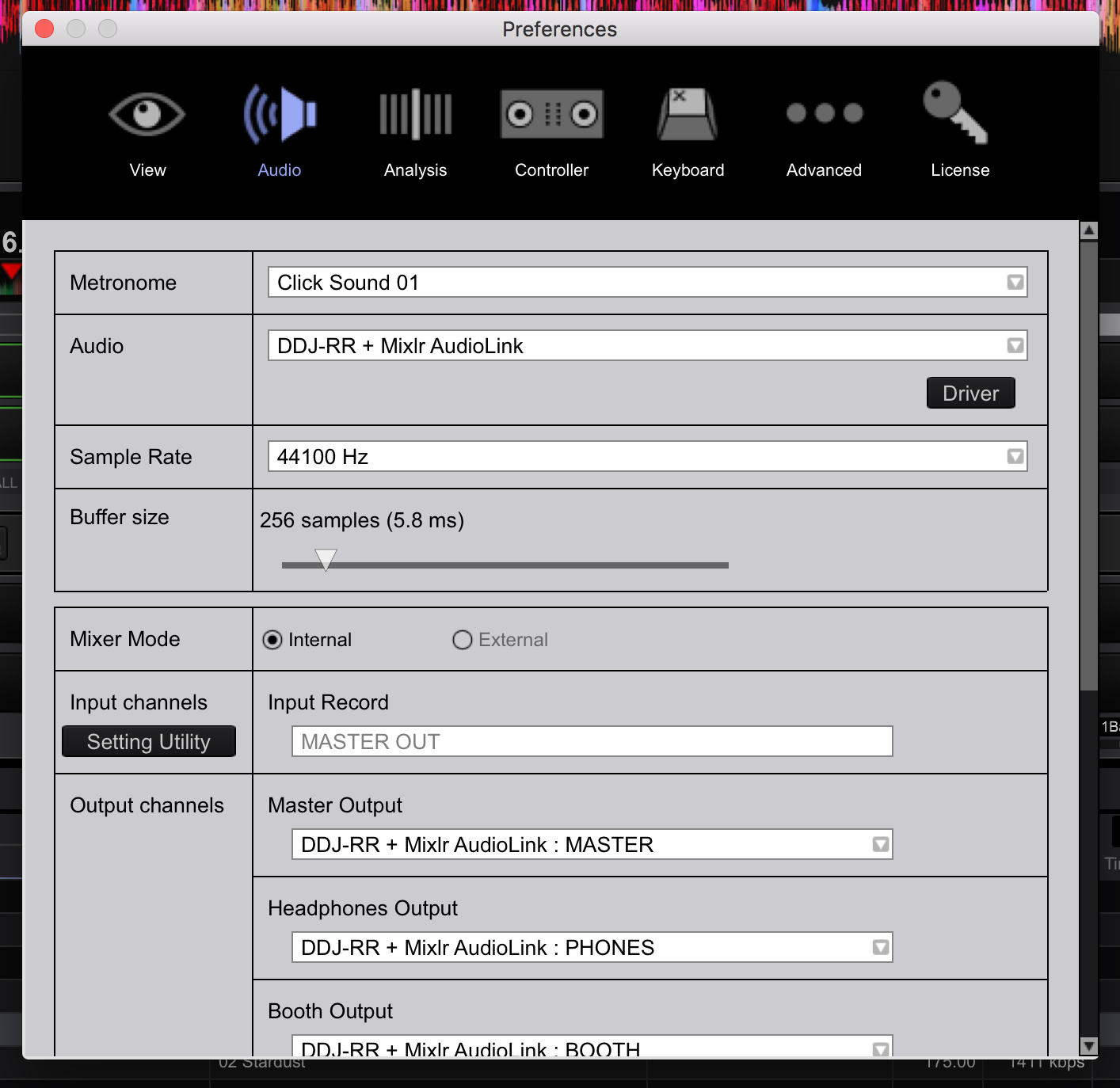
7) Open rekordbox, open Preferences > Audio and change the Audio device to DDJ-RR + Mixlr

8) Scroll down to your Output channels and set the Master Output to Output 1 and Output 2

9) Set the Heapdhones Output to Output 3 and Output 4

10) If you use the Booth Output, you can set those to Output 5 and Output 6

11) Open Mixlr and set the Any Input channel input selection to Mixlr AudioLink

Once you have music playing in rekordbox and to the RR, you'll see levels in Mixlr.

Oh, and get rid of Soundflower. I know it's free and did its thing, but most of what you may need to do can be done within the OS, or use Loopback (by Rogue Amoeba; well worth the $$).
Pulse
Ações de comentário Permalink

Publicação fechada para comentários.

12 comentários

0
Avatar

Thank you for the help! it works like a charm :)

András Szentiványi 0 votos
Ações de comentário Permalink
0
Avatar

Thanks for writing back, glad it worked for you.

Pulse 0 votos
Ações de comentário Permalink
0
Avatar

Hi there,

I have a problem related to this.

It was working perfectly before but for some reason I can not listen to the CUE with headphones which makes it impossible to mix. It just stopped working. The levels are correct and if I switch back to DDJ-RR everything is fine.

This is how my settings look like


Please help, I tried everything...

András Szentiványi 0 votos
Ações de comentário Permalink
0
Avatar

Ok, solved my own problem. Simply, set the Headphones output to MASTER instead of PHONES and the cue works.

András Szentiványi 0 votos
Ações de comentário Permalink
0
Avatar

Hey, is anyone able to answer questions on this still? I spent 8 hours on this Saturday and had the same issue above with not being able to hear the CUE with headphones. I tried using Master Out but ran into even worse issues. 


Any help or support here would be huge.


 Brian

Brian McDonough 0 votos
Ações de comentário Permalink
0
Avatar

I should mention that i have the same setup as his screens shot above and I am unable to access the multiple outputs for headphones and booth that are described in the directions. Let me know if you need any further references.

Brian McDonough 0 votos
Ações de comentário Permalink
0
Avatar

@Brian > Are you also trying to use Mixlr, and which OS is on your computer?

Pulse 0 votos
Ações de comentário Permalink
0
Avatar

I'm using Mixlr through their Audio Link and running on Mojave. Let me know if you need any further info or screen shots.

Brian McDonough 0 votos
Ações de comentário Permalink