Comentário oficial

Easy-peasy...
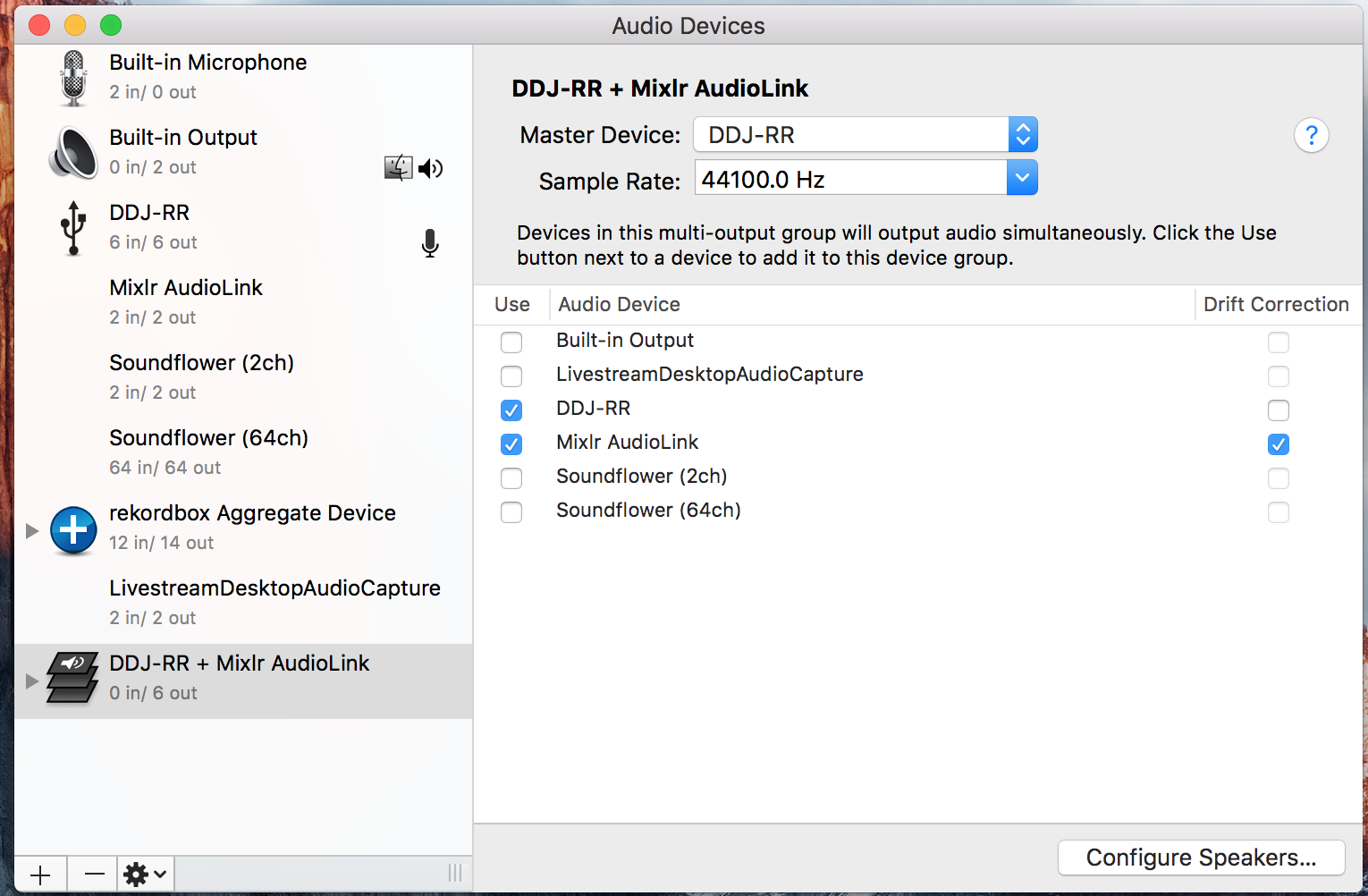
1) Open the Applications > Utilities > Audio MIDI Setup
2) Go to Window > Show Audio Devices
3) Click the + icon at the bottom left, click Create Multi-Output Device
4) Check the boxes beside the DDJ-RR and Mixlr AudioLink
5) Ensure that the Master Device is set to the DDJ-RR and the AudioLink has the Drift Correction box ticked
6) Click on the Multi-Output Device listing on the left, rename it DDJ-RR + Mixlr
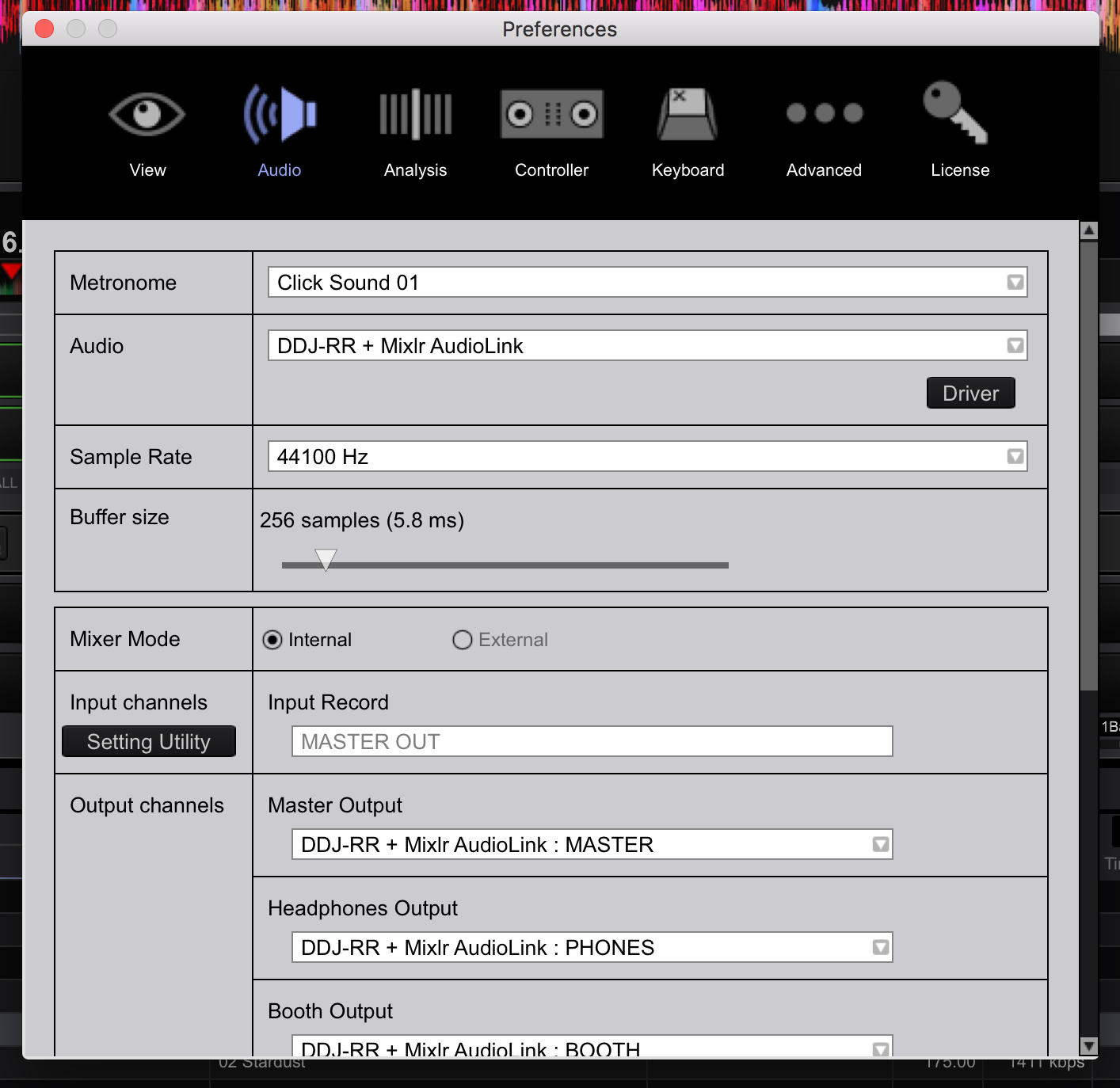
7) Open rekordbox, open Preferences > Audio and change the Audio device to DDJ-RR + Mixlr
8) Scroll down to your Output channels and set the Master Output to Output 1 and Output 2
9) Set the Heapdhones Output to Output 3 and Output 4
10) If you use the Booth Output, you can set those to Output 5 and Output 6
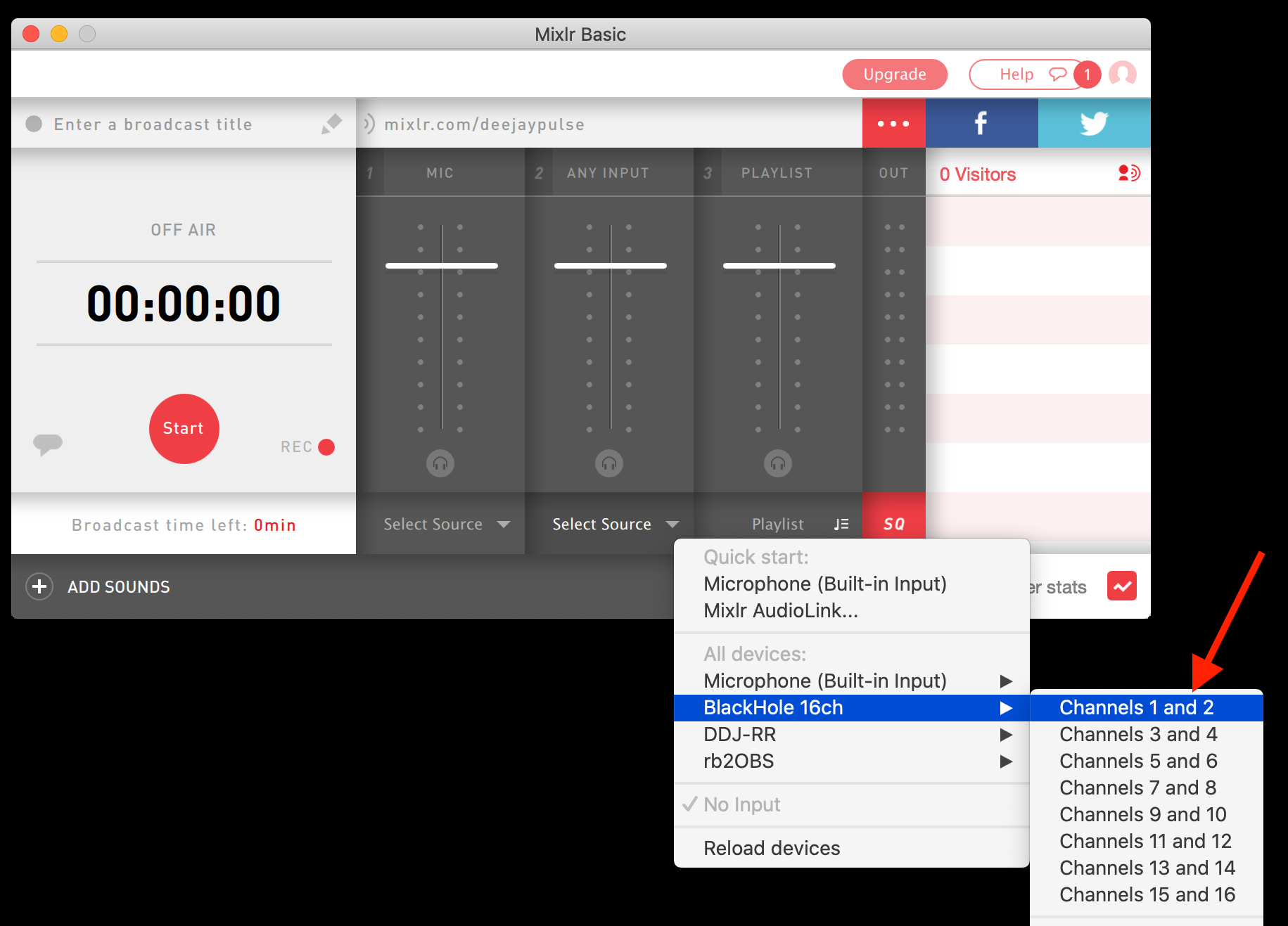
11) Open Mixlr and set the Any Input channel input selection to Mixlr AudioLink
Once you have music playing in rekordbox and to the RR, you'll see levels in Mixlr.
Oh, and get rid of Soundflower. I know it's free and did its thing, but most of what you may need to do can be done within the OS, or use Loopback (by Rogue Amoeba; well worth the $$).